8.5.2 8018 Cloud Edition DeskPhone
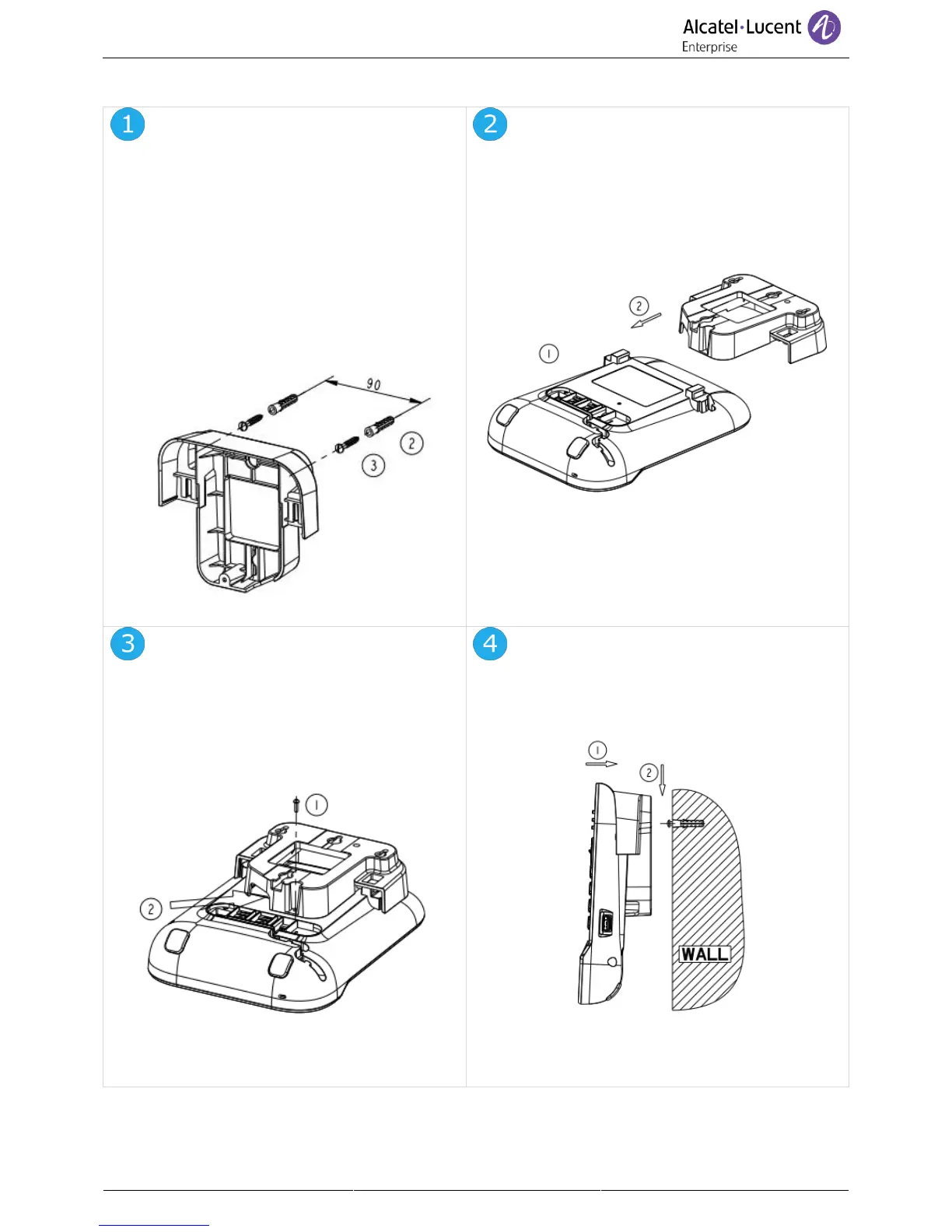
1. Drill two holes on the wall
(separation=90mm, diameter=6mm).
2. Insert the fastener into the holes on wall
(P/N: 1AD007550003).
3. Fix the support with both screws and
adjust (P/N: 1 1AD007460003). The
support is used as a reference and must
be removeable.
1. Put the support on the back side of the
phone.
2. Slide it from top side and make sure the 2
snaps are engaged on the shell.
1. Fix the support with the phone by 1
screw (P/N: 1AD204430001).
2. Connect cables through the hole on
support bottom side.
1. Hang the assembled phone with support on
the wall (P/N: 1AB045210162).



 To Next Page