2- Put the handset in detectable mode
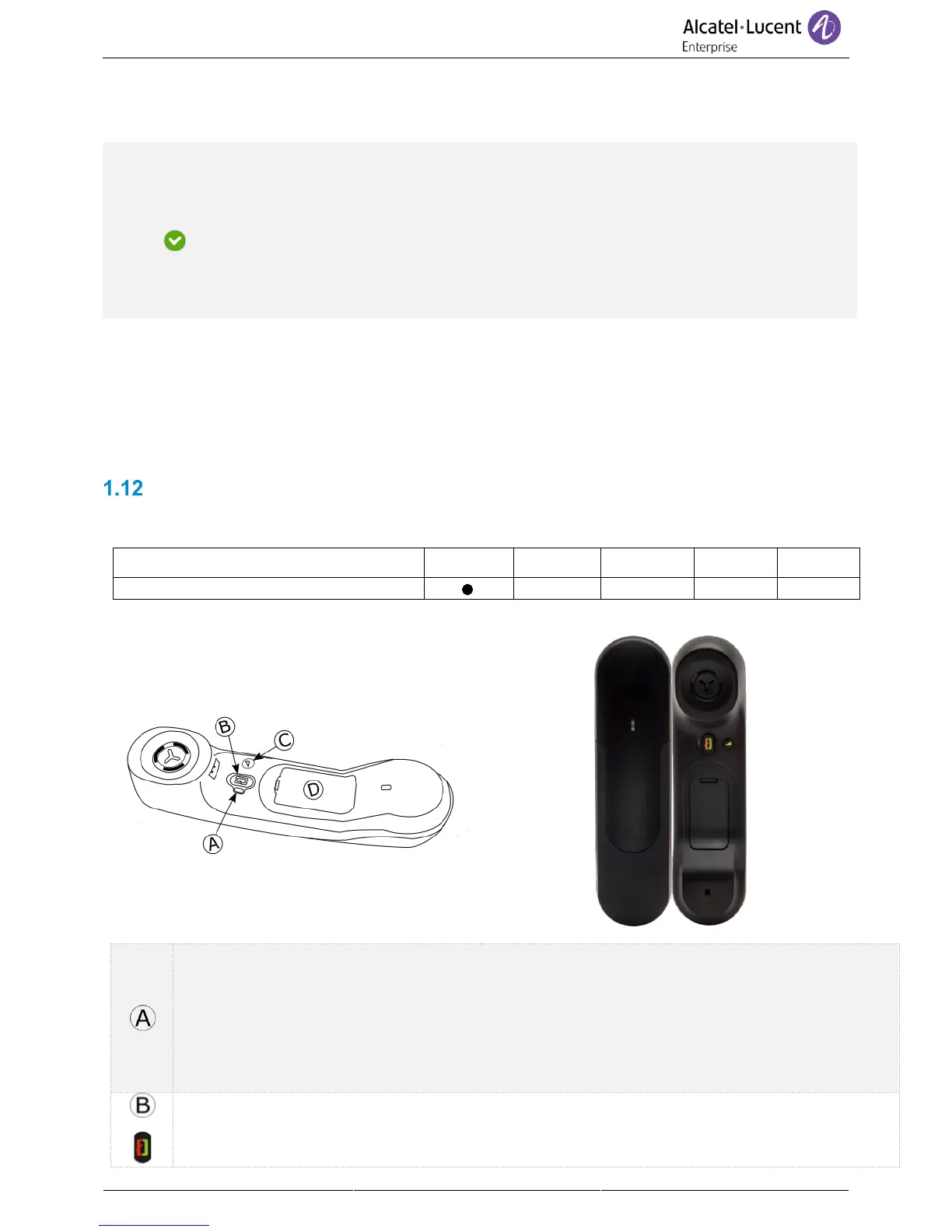
• With the handset turned on, press and hold the 2 Bluetooth® handset keys (B, C) at the same
time. If voice prompts are enabled, you hear: “Pairing mode, waiting for connection” ».
3- Connect the handset with the deskphone
• Searching for Bluetooth® equipment. Wait for the detected equipment type and address to be
displayed.
• Select the Bluetooth® wireless handset displayed in your deskphone: “ALE BT WB Handset”.
• Add device
• If voice prompts are enabled, you hear: “Device connected”. The 3-note tone indicates that the
handset has been installed correctly. The LED flashes blue or red depending on the battery
charge level.
The handset is correctly connected if it appears in the list of connected devices on your deskphone (see
user manual of the deskphone). Press the Line key of the handset to test the connection, your
deskphone prompts you to enter a number. Please contact your installer if you encounter any problems.
Before contacting your installer make sure you have information such as the serial number, the date
code and the technical reference that you can find on the battery.
ALE Bluetooth® Handset
The Bluetooth® Wireless handset is only available with compatible Bluetooth® deskphones.
LED (Front and back of the device)
• Off: operating normally.
• Green flashing: in communication.
• Green steady: handset charging.
• Orange flashing: battery charge low or handset outside coverage zone.
• Orange steady: malfunction
Line key
• Switch the device on/off: Press and hold to switch the device on/off.
• Off-hook/On-hook: press this key to take or terminate a call.



 To Next Page