8AL90314ENAAed01 13 /70
1.5 Navigation
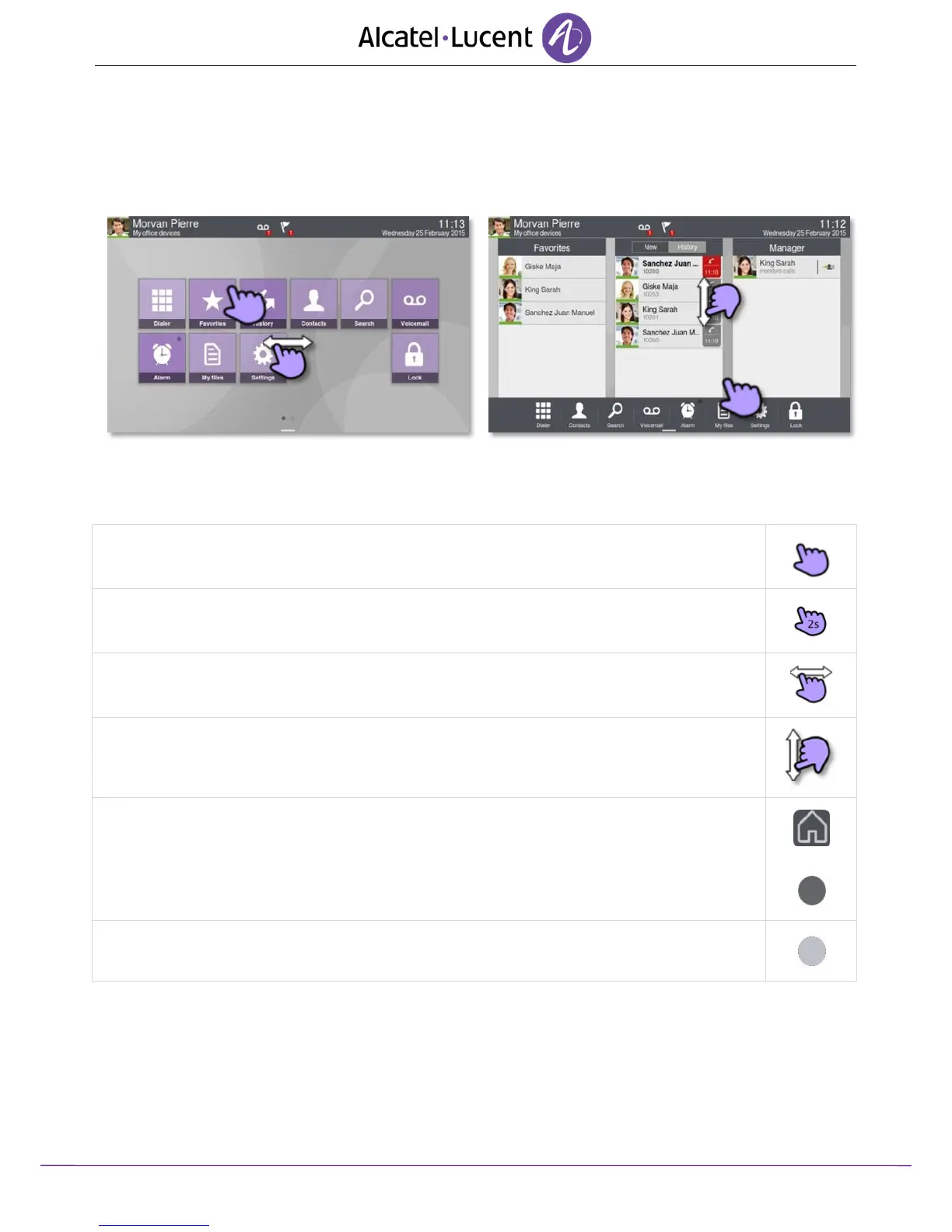
The phone set homepage can be viewed in standard or advanced mode.
Scroll your finger up or down to get the page or menus scrolling vertically (in advanced mode), or
scroll right or left to get the page scrolling horizontally. (in standard mode only).
Homepage in standard mode
Homepage in business mode
Make your selection by pressing the right icon on the sensitive screen.
In standard mode, personalize the homepage by pressing and holding.
Scroll through the application area pages (advanced mode) or the application bar (business mode).
In standard mode only, you can have up to 2 pages.
Scroll the list (call log, contacts...)
First press: back to the previous homepage page.
Second press: back to the first homepage page.
This dark greyed circle symbolizes the current page (default skin).
This light greyed circle symbolizes another available page (default skin).












 To Next Page