118 Rockwell Automation Publication 825-UM004D-EN-P - November 2012
Chapter 9 825-PDN DeviceNet Communication Card
Setting the Hardware Switches
Use the following steps to commission the card:
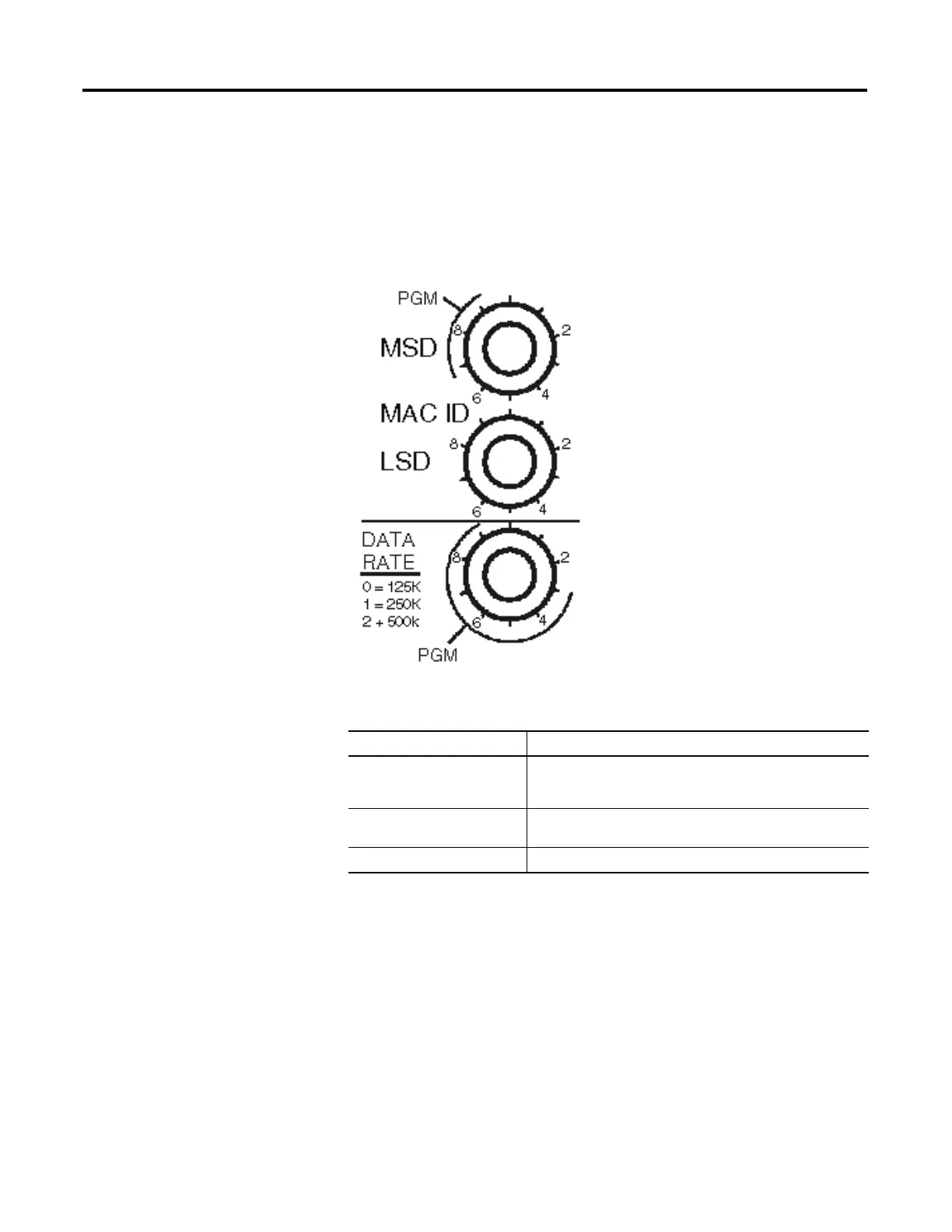
1. Set the node address switches.
Figure 41 - Node Address and Data Rate Setting Switches
Table 53 - Node Address MAC ID Setting
Switch Setting Description
0…63 Node address setting determined by switch values when set in this range.
• MSD = most significant digit
• LSD = least significant digit
64…99 For switch settings in this range, node address setting is determined by the
software setting using the RSNetWorx for DeviceNet configuration tool.
99 Factory default setting.


 To Next Page
 Loading...