162 Rockwell Automation Publication 825-UM004D-EN-P - November 2012
Chapter 12 ASCII Serial Communications
You can use a variety of terminal emulation programs on your PC to
communicate with the 825-P. Examples of PC-based terminal emulation
programs include:
• ProComm Plus®
• Relay/Gold
• Microsoft Windows® HyperTerminal
• SmartCOM
• CROSSTALK®
• Ter a Ter m
Connect Your PC to the Relay
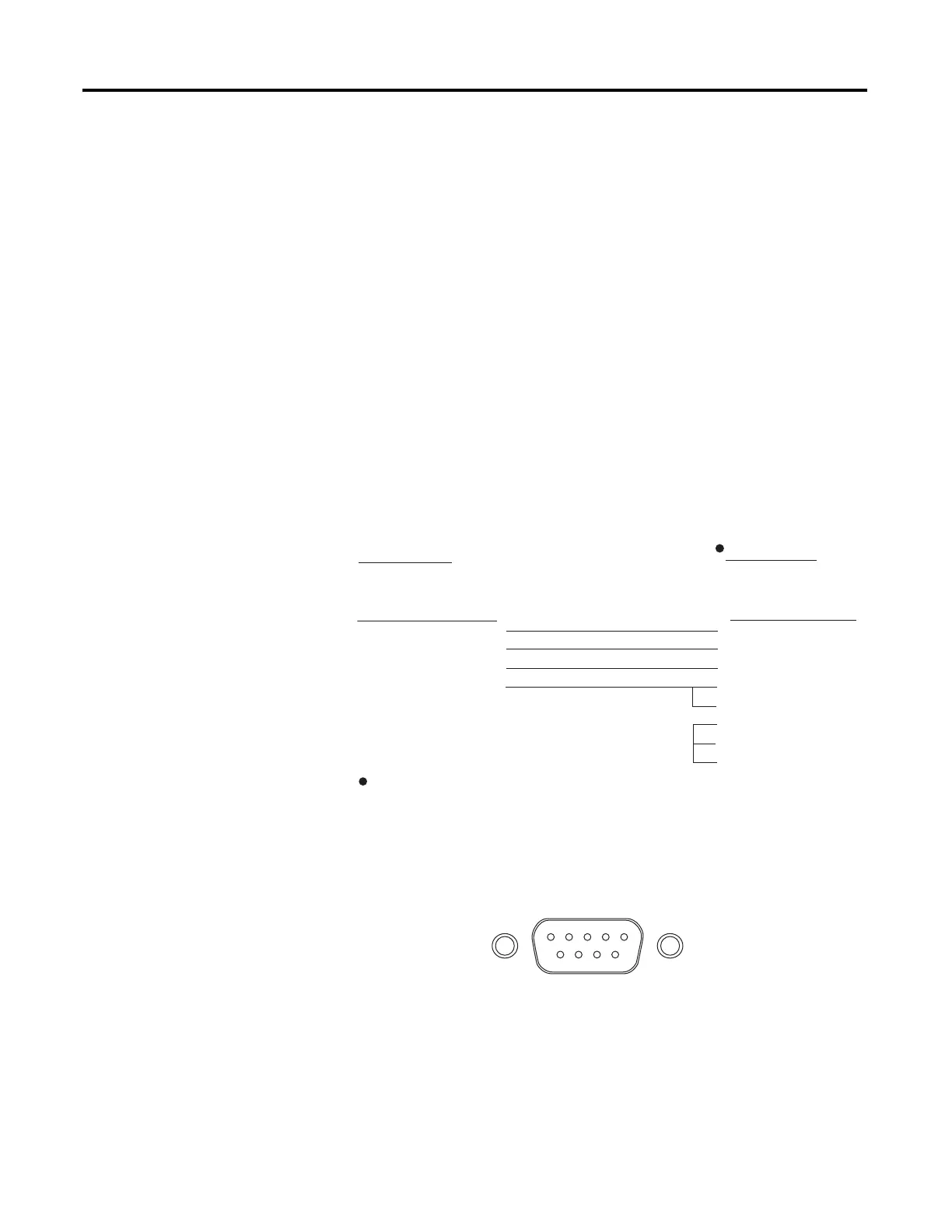
Connect the PC serial port to the 825-P serial port using a standard null-modem
communication cable with the pinout shown in Figure 53. For best performance,
the cable should not be more than 15 meters (50 feet) long.
Figure 53 - Serial Cable Pinout
Figure 54 shows the front-panel EIA-232 serial port (PORT F) DB-9 connector
pinout for the 825-P. Table 95 shows the pin functions and definitions for the
serial port.
Figure 54 - DB-9 Connector Pinout for EIA-232 Serial Ports
1
825-P Relay
9-Pin Male
“D” Subconnector
DTE Device
9-Pin Female
“D” Subconnector
Pin Function Pin #
RXD 2
TXD 3
GND 5
CTS 8
Pin # Pin Function
3 TXD
2 RXD
5 GND
8 CTS
7 RTS
1 DCD
4 DTR
6 DSR
1
1
DTE = Data Terminal Equipment (e.g., computer, terminal)
5 4 3 2 1
9 8 7 6


 To Next Page
 Loading...