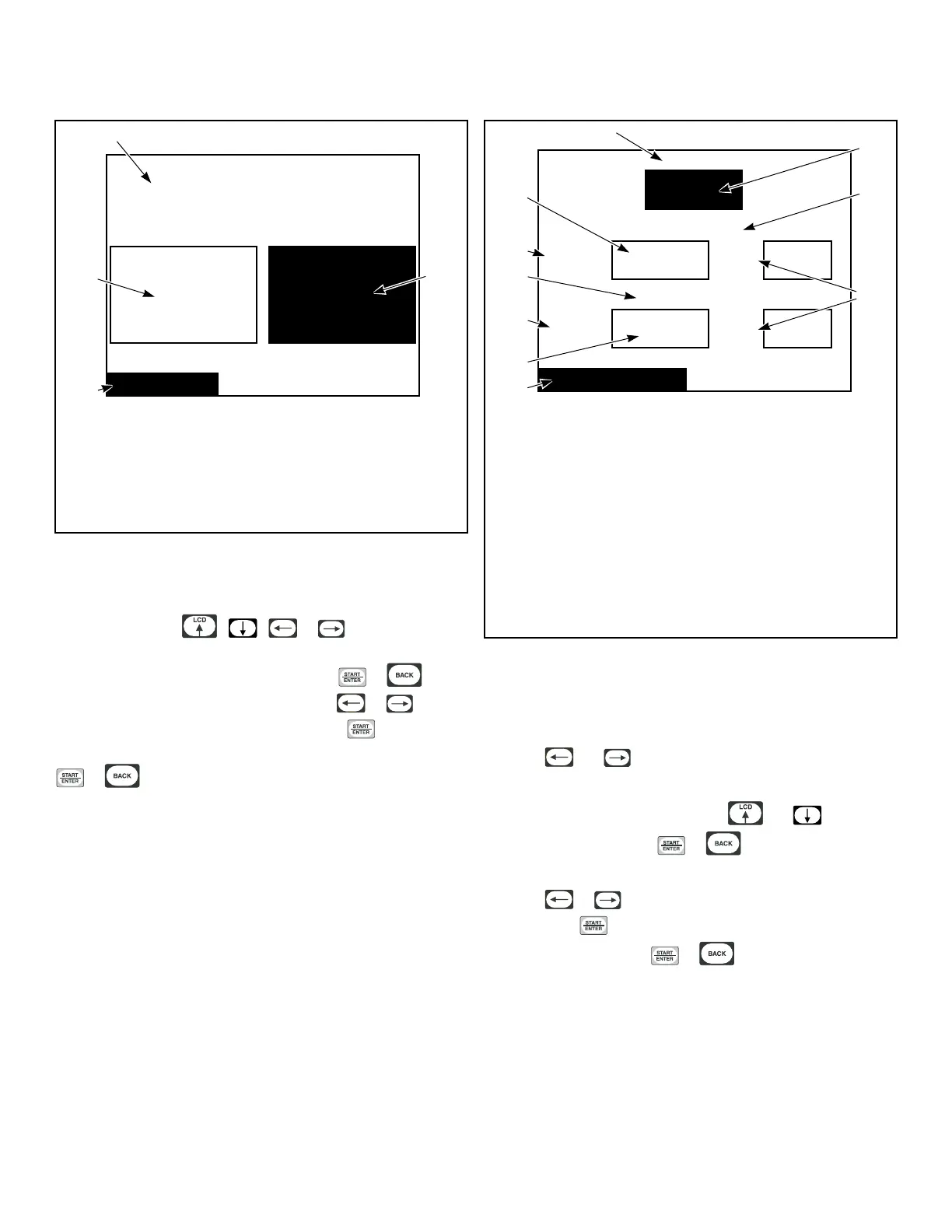
Rapid Advance Menu
Rapid Advance
Enable the Rapid Advance
Feature During Cycle
Operation?
NoYes
TMB1343R_SVG1
4
1
3
2
1. No
2. Rapid Advance
3. Yes
4. Enable the Rapid Advance Feature During Cycle Opera-
tion?
Figure 31
The Rapid Advance Menu has the option of whether the user will
be able to rapid advance through segments while the machine is
operating. Press the , , or keypad to change
the selection. All the keypads have the same effect and will tog-
gle the selection between on or of
f. Press the
or key-
pad to jump to the Save Changes Menu. Use or to
move highlighted box to “Yes” or “No”. Press keypad to re-
turn to Global Setup Menu. If no changes were made, press the
or keypad to return to Global Setup Menu.
Audio Menu
On
Low
Key Pad
End of Cycle
Volume:
5
s
Time:
No
External Signal
Enable:
5
s
Time:
Audio / Ext Signal
TMB1316R_SVG1
1
2
3
4
7
9
8
6
10
5
1. Key Pad
2. On
3. End of Cycle
4. Time
5. Audio/Ext Signal
6. No
7. Enable
8. External Signal
9. Volume
10. Low
Figure 32
The Audio/External Signal Menu sets the audio options of the
keypad audio feedback, the beeper volume and the External Sig-
nal.
Press the and keypads to move the highlighted box
through the different items in the Audio Menu.
Once the item is highlighted, press the and keypads to
change the value. Press the or keypad to return to the
Save Changes Menu if changes were made.
Press the or keypad to move highlighted box to “Yes”
or “No”. Press keypad to return to Global Setup Menu. If no
changes were made, press or keypad to return to
Global Setup Menu.
Global Setup
©
Copyright, Alliance Laundry Systems LLC -
DO NOT COPY or TRANSMIT
28






 To Next Page