Maintenance
Service Schedule Menu
Quarterly
Service Schedule Menu
Bi-Annually
MonthlyDaily
5
4
3
21
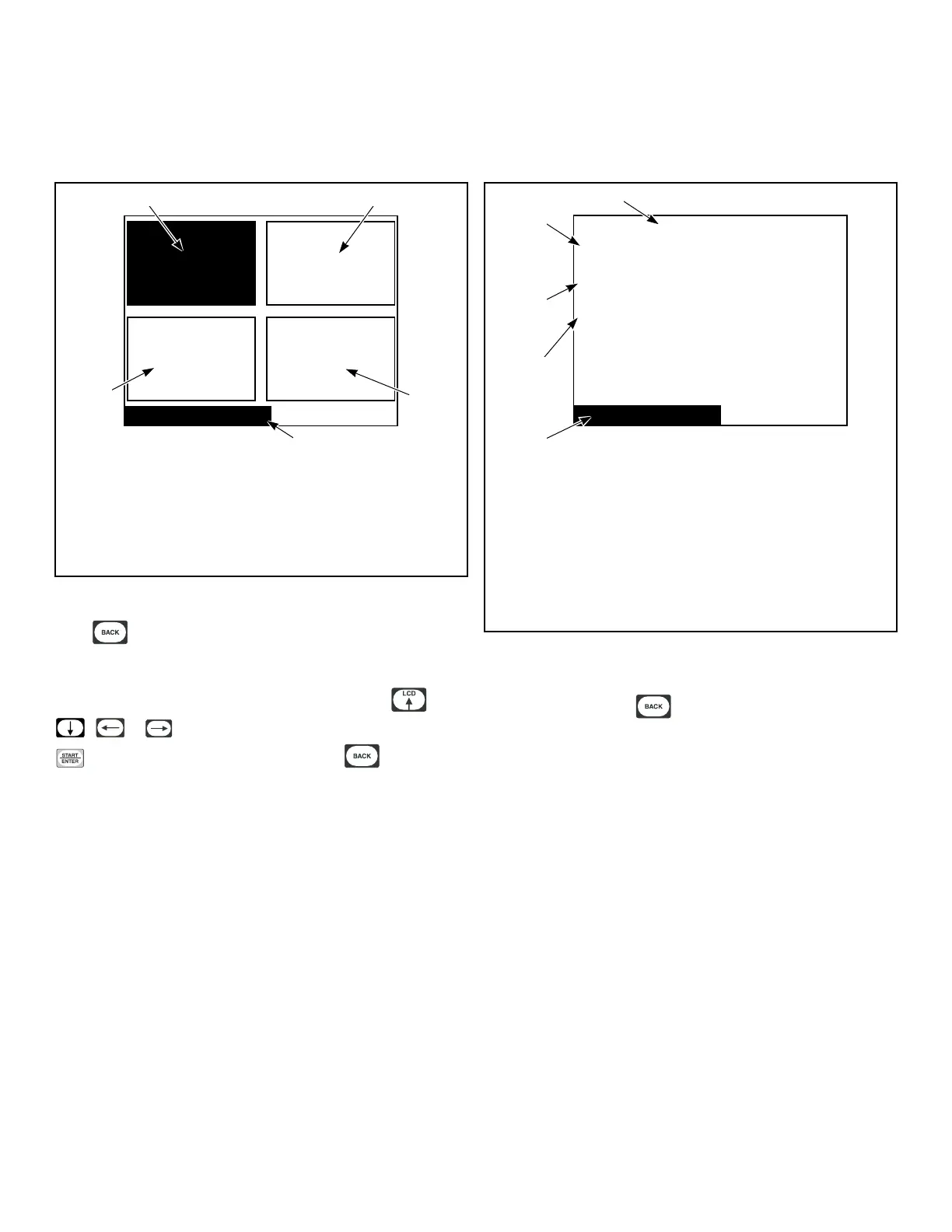
TMB1334R_SVG
1. Daily
2. Monthly
3. Bi-Annually
4. Service Schedule Menu
5. Quarterly
Figure 52
Press from Cycle Menu to enter Service Schedule Menu.
The Service Schedule Menu provides a user with a time based
service reminder list. The list is broken up into “Daily”, “Month-
ly”, “Quarterly” and “Bi-Annually” Menus. Press the ,
, or keypad to navigate to a menu item. Press the
keypad when menu is selected. Press the keypad to re-
turn to Cycle Menu.
Daily Menu (Service)
Daily Maintenance Reminders:
1. Inspect the area surrounding dryers, remove all
combustible
materials, including lint.
2. Check cylinder for foreign objects to avoid
damage to clothing and equipment.
3. Clean lint from lint compartment and screen to
maintain proper airflow and avoid overheating.
Service Schedule
5
4
3
2
1
TMB1335R_SVG
1. Daily Maintenance Reminders:
2. 1. Inspect the area surrounding dryers, remove all combus-
tible materials, including lint.
3. 2. Check cylinder for foreign objects to avoid damage to
clothing and equipment.
4. 3. Clean lint from lint compartment and screen to maintain
proper airflow and avoid overheating.
5. Service Schedule
Figure 53
The Daily Menu contains all daily service reminders that need to
be performed. Press the keypad to return to the Service
Menu.
Maintenance
©
Copyright, Alliance Laundry Systems LLC -
DO NOT COPY or TRANSMIT
43





 To Next Page