Diagnostics
Diagnostic Menu
Machine ID
Test
Diagnostic Menu
Alarms
4 3
21
TMB1325R_SVG
1. Test
2. Alarms
3. Machine ID
4. Diagnostic Menu
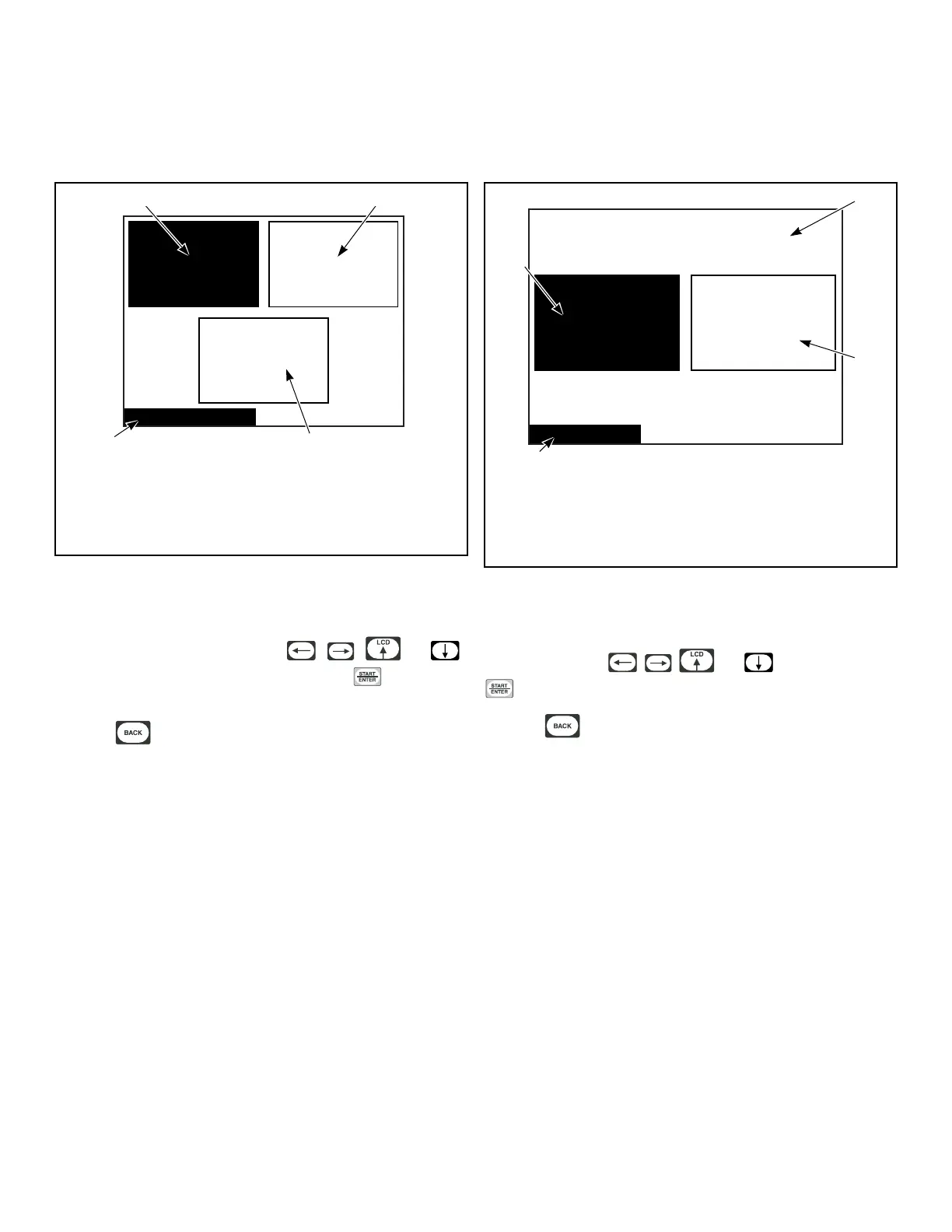
Figure 41
The Diagnostic Menu contains Test, Alarm and Machine ID Me-
nus. The menus contain specific diagnostic information and man-
ufacturing data for the machine. The , , and
keypads position the highlighted box. Press the keypad to
select the menu choice.
Press the keypad while in the Diagnostic Menu to return to
System Menu.
Test Menu
Test Cycle
Test Menu
Inputs and
Outputs
Diagnostics Are Disabled
PHM1326R_SVG1
1
2
4
3
1. Diagnostics Are Disabled
2. Inputs and Outputs
3. Test Menu
4. Test Cycle
Figure 42
The Test Menu provides features for manufacturing and customer
service testing. The highlighted box is moved horizontally and
vertically using the , , and keypads. Press the
keypad to select the menu choice.
Press the keypad to return to Diagnostic Menu.
The screen will display “Diagnostics Are Disabled” if the manual
diagnostics have been programmed off. Diagnostic test com-
mands via PDA and network will still function.
Test Cycle Menu
The Test Cycle Menu is used to run several test steps as well as a
ten-minute cycle. Step 01 keypad test requires the user to press
each keypad. Step 02 Door Status shows whether the loading and
lint doors are open or closed. Press any key to advance. Step 03
Screen Test shows four screens that test the LCD screen. Press
any key to advance through each of the four test steps.
The T
est Cycle Menu for Test Steps 4-13 is shown in Figure 43 .
Diagnostics
©
Copyright, Alliance Laundry Systems LLC -
DO NOT COPY or TRANSMIT
33






 To Next Page