Chapter III Display & Operation
46
3.4 System Parameter Initialization
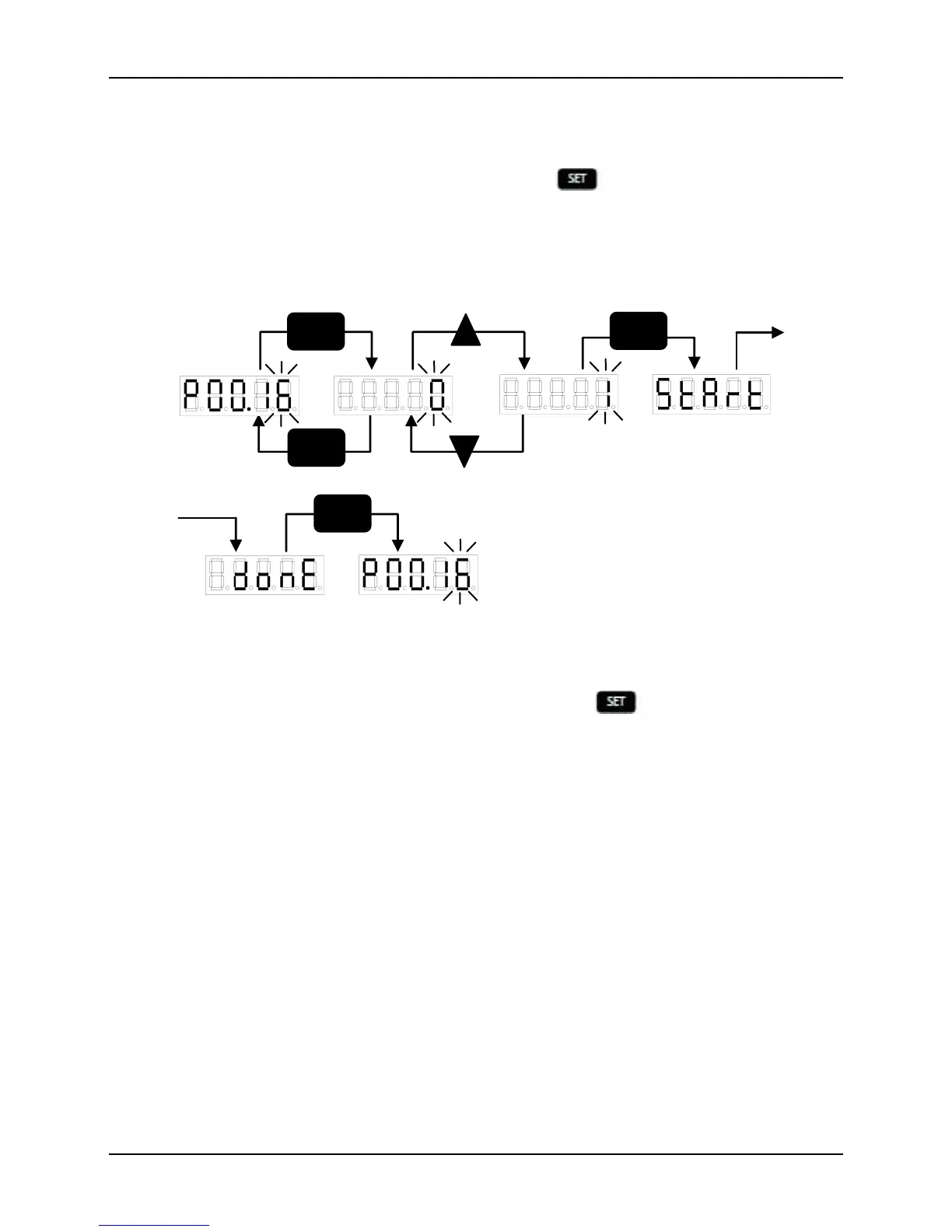
Restore the factory defaults according to the following steps:
In order to set the parameter of PP00.16 as 1, press . The system will begin the
restoring of the defaults with the display of “start” and ends it with the display of
“done”. Restart the system to get the default state. See Fig. 3-4.
Fig. 3-4 Restore Defaults
In order to raise the parameter value of P00.16 to 2, press . The system will begin
the operation of saving all current RAM parameter values with the display of “start”
and ends it with the display of “done”. The system parameter values remain unchanged
upon restarting.


 To Next Page