94 Neo User’s Guide
Viewing, printing, and saving files from your Neo
Printing files from AlphaSmart Manager
You can use AlphaSmart Manager to print workspace files that are on
your Neo. Steps for printing vary slightly between PC and Macintosh
computers.
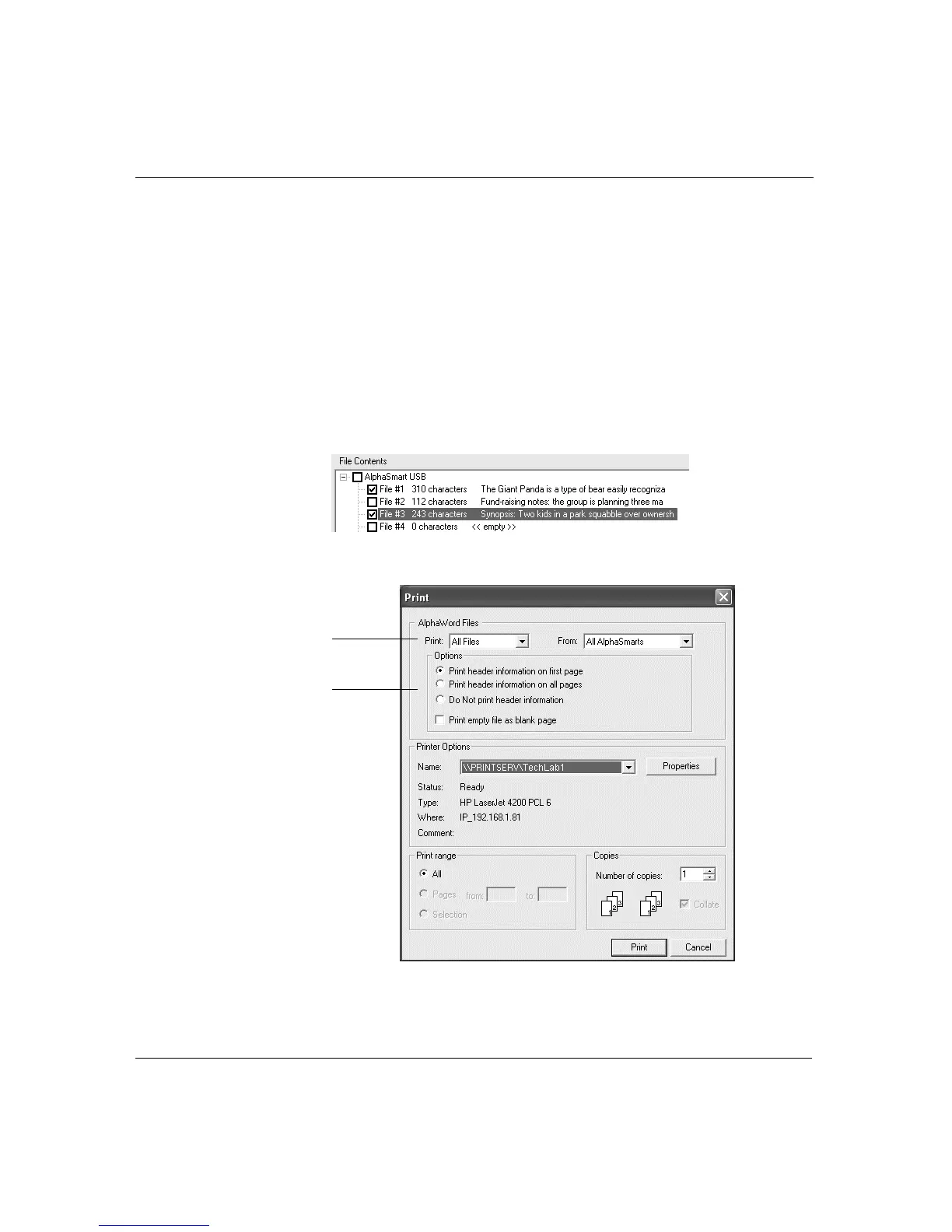
To print files from AlphaSmart Manager on a PC:
1. In AlphaSmart Manager, click the Get/Print AlphaWord Files tab.
Tip! If you know exactly which files you want to print, check those
files in the File Contents list.
2. Click Print Files. A print dialog box appears.
The files to
print
Print options



 To Next Page