All About AlphaWord Plus 37
Checking spelling
To spell check a file:
1. Press
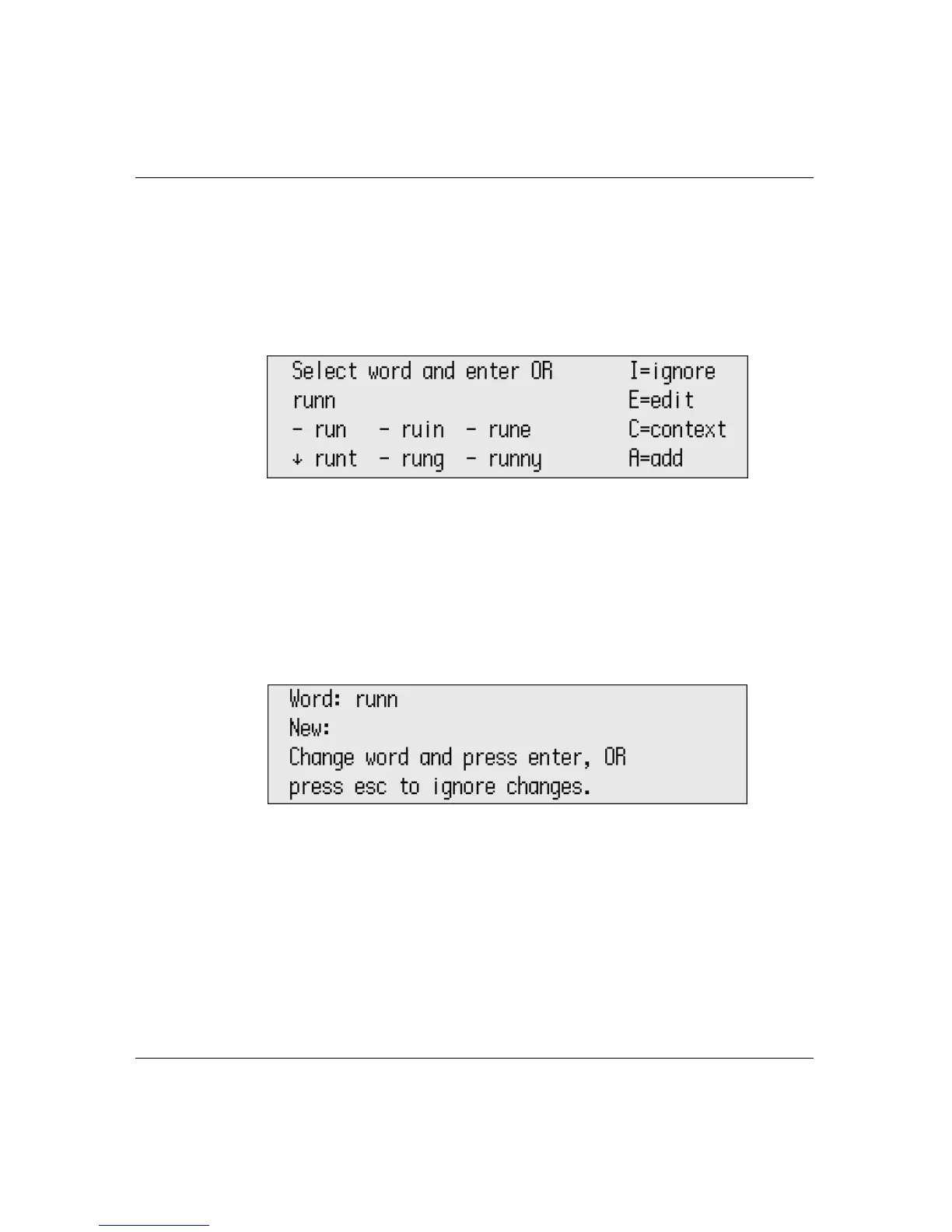
spell check. Spell check begins checking each word in your
file. If it finds a word that doesn’t exist in its dictionary, a
suggestion screen appears, as in the example shown here (which
found the word “runn” in the file).
2. Do one of the following:
• Use the arrow keys to select the correct word from the list of
suggested spellings and press
enter.
• Press I to ignore the word and go on to check the next word.
• Press E to edit the word. At the prompt that appears, type the
new word you want and press
enter to make the change.
• Press C to see the word in context. You can’t make changes to
the misspelled word while viewing it in context. To exit from
this mode, press any key.
• Press A to add the word to the user dictionary.
• Press esc to exit spell check.



 To Next Page