BOOM BARRIER BV58681414
SETUP
7. SETUP
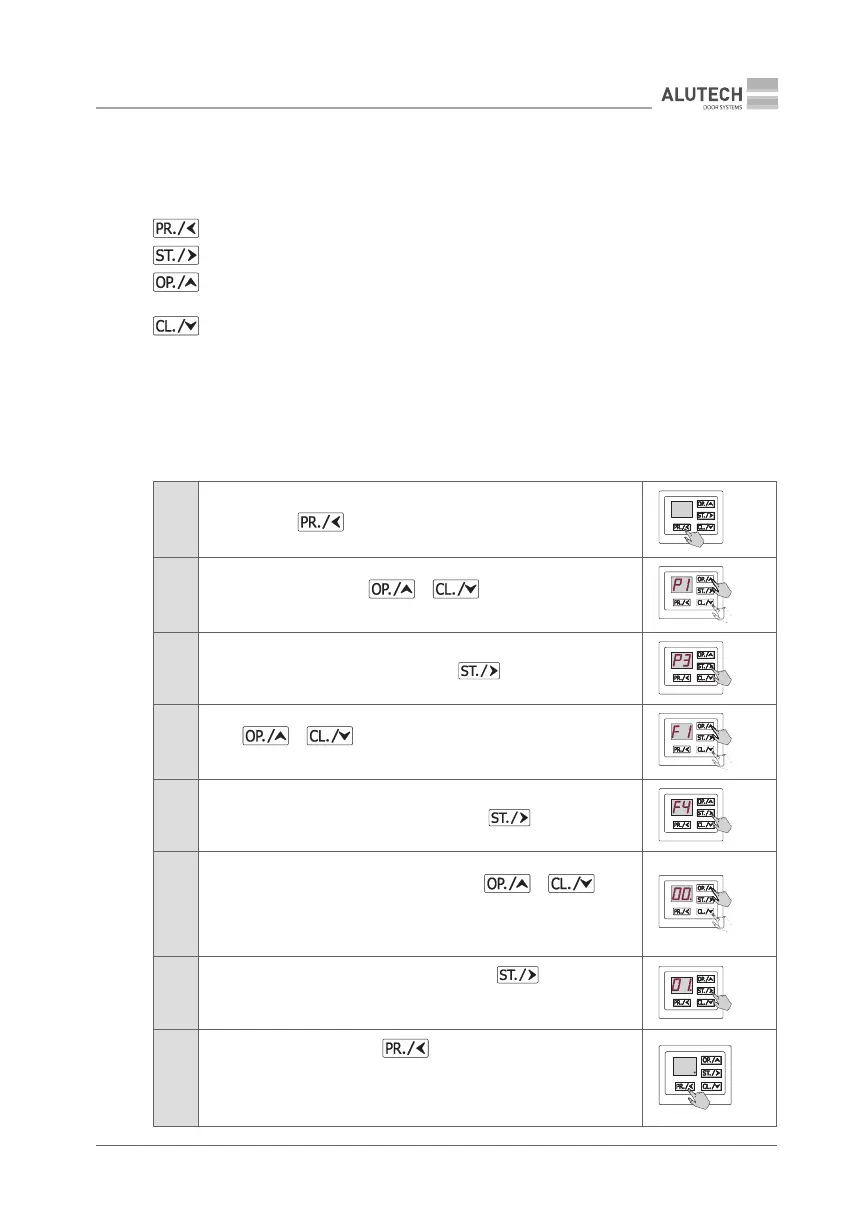
Setup is carried out by pressing the buttons, the settings are indicated on the control panel
display 15 (Fig. 37).
—button to enter and exit the setup menu.
—button to enter the setting and conrm the selected value.
—scroll up / plus button; also used to control opening when setting the end positions
manually.
—scroll down / minus button; also used to control closing when setting the end positions
manually.
Entering the setup menu, selection, conrmation, exit the setup menu
The indication is shown using the example of setting the control unit terminal block connector
5outputs for the signal lamp connection. (Fig. 43).
Table 5
1
Press and hold button for ~5 s until entering the setup menu
≥ 5s
2
Once P1 is displayed, press or button to select
thedesired menu P1…P9
3
When the desired menu is indicated, press button
4
Press or to select the desired setting F1…F9
from the menu
5
When the desired setting is displayed, press the button
6
The display will show the set operating parameter value. (Table 15).
Thedisplayed value will appear with a dot. Use or
buttons to select the desired operating parameter setting.
IMPORTANT! For P2 menu, see sub-section ‘7.1. Radio Control Setup’
below
7
Once the desired setting value is displayed, press button.
The displayed value will appear with a dot, indicating that the setting
haschanged
8
To exit the setup menu, press button (2–3 times) until the dot
appears on the display.
Y
In standby mode, the setup menu will be automatically exited
after 10 minutes
× 2–3



 To Next Page