BOOM BARRIER BV58682828
SETUP
7.3 ACTORY RESET
Y
Afactory reset will restore the settings that have been set as default upon delivery of the barrier.
(Table 15). Recorded remote controls and cycle counter data will be saved.
Table 17
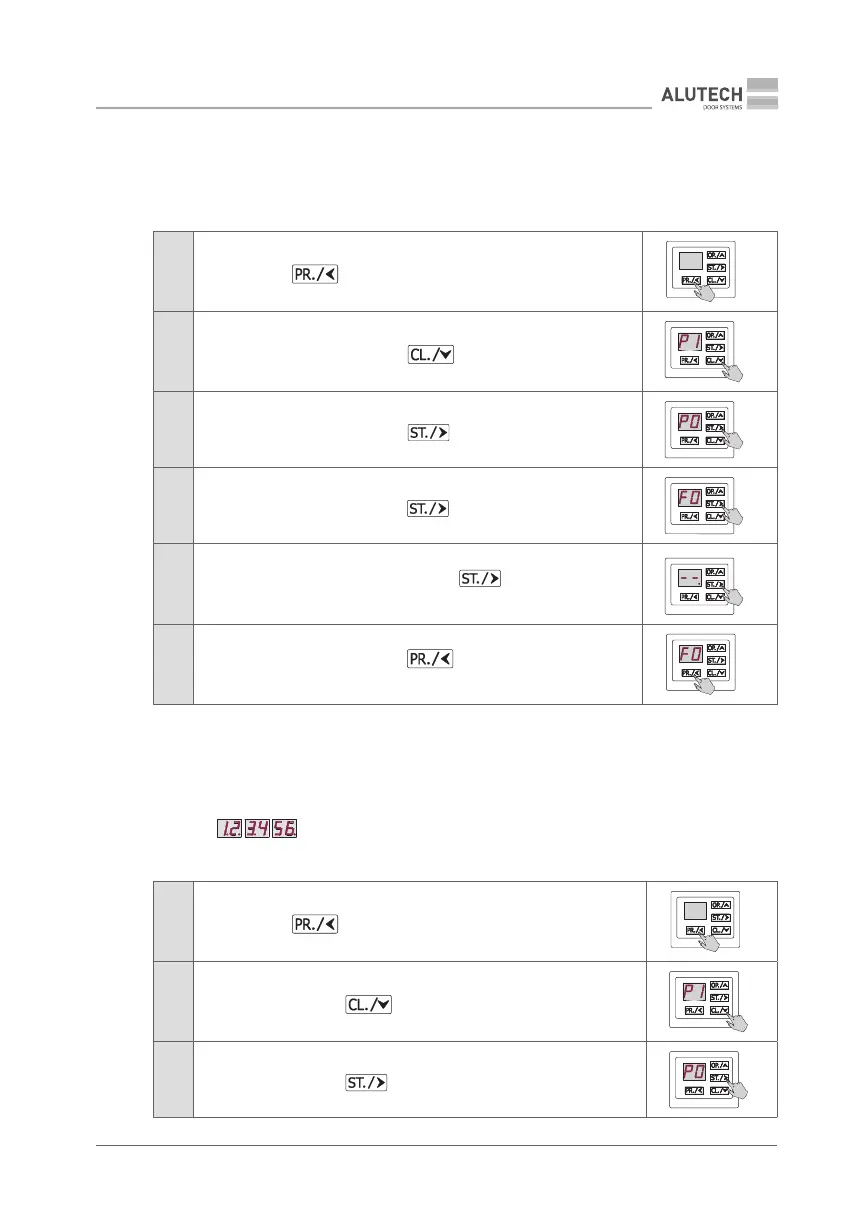
1
Press and hold button for ~5 s to enter setup menu
5 s
2
When P1 appears on display, press button
3
When P0 appears on display, press button button
4
When F0 appears on display, press button
5
When - - appears on display, press and hold button for ~5 s until
adot is shown on the display meaning that all setting have been reset
5 s
6
When F0 appears on display, press button twice to exit setup
menu
×2
7.4 CYCLE COUNTER DATA
Y
The number of completed cycles in six-digit form is displayed in the setting when the display
indication is changed (maximum 999 999 cycles).
Example: — counter showing 123 456 cycles.
Table 18
1
Press and hold button for ~5 s to enter setup menu
5 s
2
When P1 appears, press button
3
When P0 appears, press button


 To Next Page