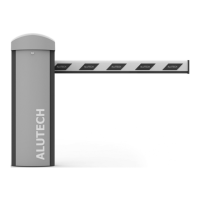
BOOM BARRIER BV58682424
SETUP
MENU SETTING DESCRIPTION VALUES
FACTORY
SETTING
P4
F1 Pause time until automatic closing
no — disabled
01, 02, 03…99:
01 — 1 s,
99 — 99 s
no.
F2
Pause time until automatic closing after
photocells actuation (connection inputs PH1
and PH2 / Fig. 37, terminal block 4)
Y
If automatic closing is enabled (pause time is set), the PHOTOTEST function will be automati-
cally enabled (P7–F3–01 setting). Connection of photo cells according to Fig. 40 is mandatory.
Iftwo pairs of photocells are used, connect the second pair as shown in Fig. 40. using PH2 input
and set the PHOTOTEST function for two pairs of photocells in the settings (P7–F3–02 setting).
In the full open position, the OPEN command (connection inputs, radio controls) will reset
the pause time and start the countdown (P4–F1) rst. If the ALR or S input (Fig. 37, terminal
block 4) is activated, the countdown to automatic closing will be reset and restarted
(P4–F1) if the input is restored. If no automatic closing is set after the photoelectric cells
have been triggered (P4–F2–no), then the continuous activation of input PH1 or PH2 will
lead to the countdown start after the current pause (the activation does not interrupt the
countdown).
Three seconds 3 s before the end of the automatic closing pause time, the connected and
congured barrier lights will be red (trac light, built-in barrier lamp, boom illumination),
the signal lamp will also work.
P5
F1 Obstacle detection force at opening
01, 02, 03…99:
01 — minimum,
99 — maximum
99.
F2 Obstacle detection force at closing 99.
F3 Obstacle detection sensitivity at opening
10, 20, 30…99:
10 — minimum,
99 — maximum
50.
F4 Obstacle detection sensitivity at closing 50.
Y
When opening, the detection of an obstacle will stop the movement. When closing,
thedetection of an obstacle will cause the barrier to stop and then fully open.
IMPORTANT! The need for adjustment and changing P5 and P6 settings is to be assessed by
qualied specialists (EN 12635) of the competent organization. The settings must ensure that
the barrier system operates safely and correctly in accordance with the applicable regulations
(EN12453), without causing damage or false alarms
P6
F1 Opening speed
01, 02, 03…09:
01 — minimum,
09 — maximum
05.
F2 Closing speed 05.
P7
F3
PHOTOTEST feature. When the setting is en-
abled, the operation of the photoelectric cells
connected to PH1 and / or PH2 inputs is auto-
matically checked before starting movement
by short powering o and then powering on
the photocells (Fig. 37, terminal block 4).
Fig. 40 — Connection of photocells to PH1
input: diagram example
no — disabled
01 — for PH1 input
02 — for PH1 and PH2
inputs
no.
Y
PHOTOTEST feature cannot be disabled (no) if automatic closing is enabled (pause time set
in P4–F1 and / or P4–F2 settings)


 To Next Page