Work commencement
AMALOG BAH0017.6 08.19
33
7.3 Display during work
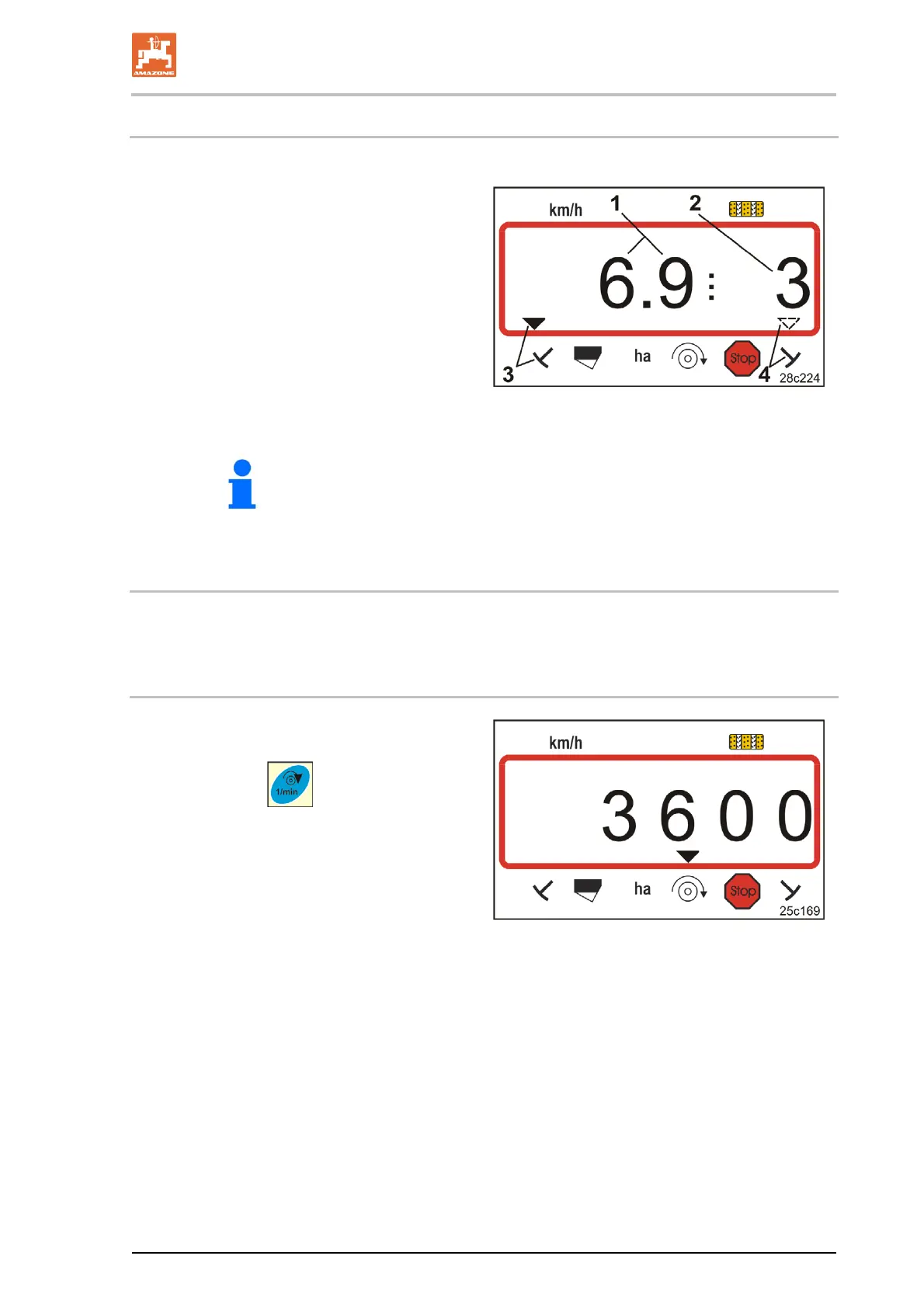
During operation, the AmaLog+ shows
the travel speed (Fig. 26/1),
e.g. 6.9 km/h
the setting
of the tramline counter (Fig. 26/2),
e.g. Switching position 3
the left track marker (Fig. 26/3)
is in the working position
the right track marker (Fig. 26/4)
is raised.
Fig. 26
The counting process of the tramline counter is supported by an
acoustic signal.
7.4 Function keys
Data can be displayed for approx. 10 seconds during seeding by actuating the function keys.
7.4.1 Display of the current blower fan speed
This display is only possible for pneumatic seed
drills.
Press button (blue) .
Display (Fig. 27):
current blower fan speed
(e.g. 3600 [rpm]).
Fig. 27



 To Next Page