AMASPRAY+ BAG0017.7 10.17
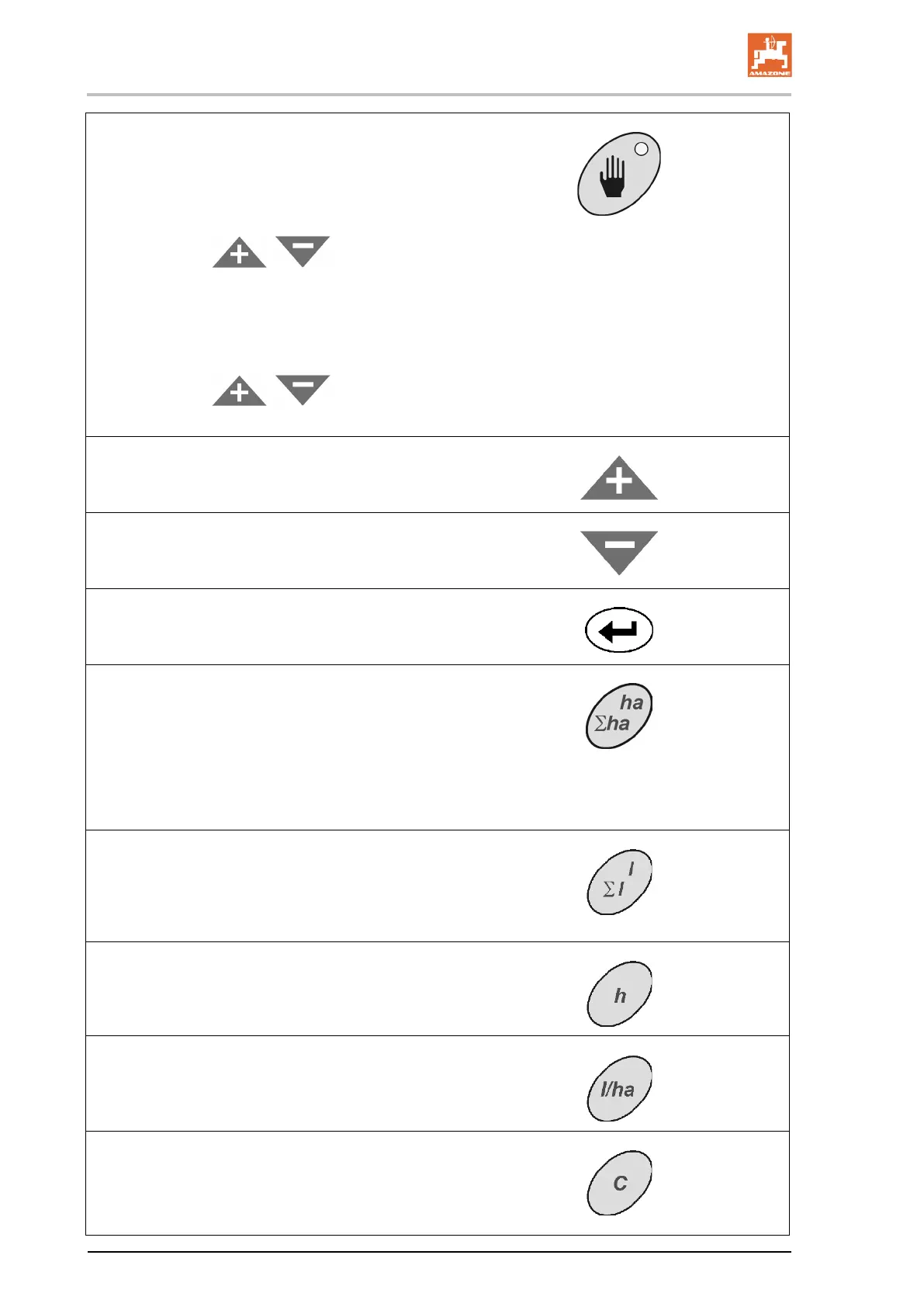
Spraying can be carried out in automatic mode
or in hand mode. The light indicates hand mode.
Automatic mode:
• The entered required amount [l/ha] is regu-
lated.
• Via the keys
, the required
amount can be changed by 10 % per key
pressure.
Hand mode:
• The spray rate is set via the spray pressure
(only for maintenance work)
• Via the keys
, the spray
pressure can be changed infinitely variable.
• Increasing the input values on the display.
• Increasing the application rate
• Reduction of input values on the display.
• Reduction of application rate.
• Confirmation of input
• Spray rate returned to 100%.
• Displays the worked area for the current
job. (00,00 ha)
If boom part-
width sections are switched off,
this is automatically taken into considera-
tion.
• Second key press: Displays the worked
area for all jobs (00,00 ha)..
• Displays the sprayed amount for the current
job. (0000 l).
• Second key press: Displays the sprayed
amount for all jobs (0000 x100 l).
Displays the working hours for the current job.
Input of the desired application rate in l/ha for the
indicated job number.
• Deletion of input.
• Return to display job.
• Return to operational display.









 To Next Page