VCU118 Board User Guide 19
UG1224 (v1.5) March 15, 2023
Chapter 3
Board Component Descriptions
Overview
This chapter provides a detailed functional description of the board’s components and
features. Table 2-1, page 11 identifies the components, references the respective schematic
page numbers, and links to the corresponding detailed functional description in this
chapter. Component locations are shown in Figure 2-1, page 11.
Component Descriptions
Virtex UltraScale+ XCVU9P‐L2FLGA2104 Device
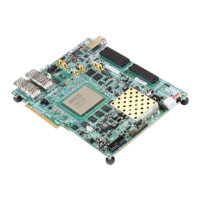
[Figure 2-1, callout 1]
The VCU118 board is populated with the Virtex UltraScale+ XCVU9P-L2FLGA2104 device.
For more information on Virtex UltraScale+ FPGAs, see Virtex UltraScale+ FPGAs Data
Sheet: DC and AC Switching Characteristics (DS923) [Ref 1].
When creating FPGA designs for the VCU118, the correct V
CCINT
must be chosen in the AMD
Vivado™ tool. Choose the appropriate entry for the V
CCINT
on your board:
•V
CCINT
= 0.85V xcvu9p-flga2104-2L-e
•V
CCINT
= 0.72V xcvu9p-flga2104-2LV-e
The V
CCINT
value on your board can be found using the VCU118 System Controller Tutorial
(XTP447) [Ref 14] or via the FPGA internal SYSMON function: after Vivado has discovered
the XCVU9P in the JTAG chain, the SYSMON module is displayed on the upper left pane.
Double-click on the SYSMON icon, which opens a parameter measurement pane. In the
upper left of this pane, click on the + option and a list of available parameters will be
displayed. Choose V
CCINT
, and the voltage value will be displayed.


 To Next Page