www.amgmicro.com 7
EVOS
fl
User Guide
REV B Published 20 SEP 2010
SETUP
INSTALLING EVOS IN A CELL CULTURE HOOD
EVOS’ small footprint, simple power connection, and
easily-viewed display make it quick to install and
convenient to use in a cell culture hood.
DIMENSIONS
EVOS will fit in cell culture hoods that are at least 20 ½
inches (520 mm) deep. If your cell culture hood is smaller,
it may be possible to turn the EVOS at a slight angle to fit.
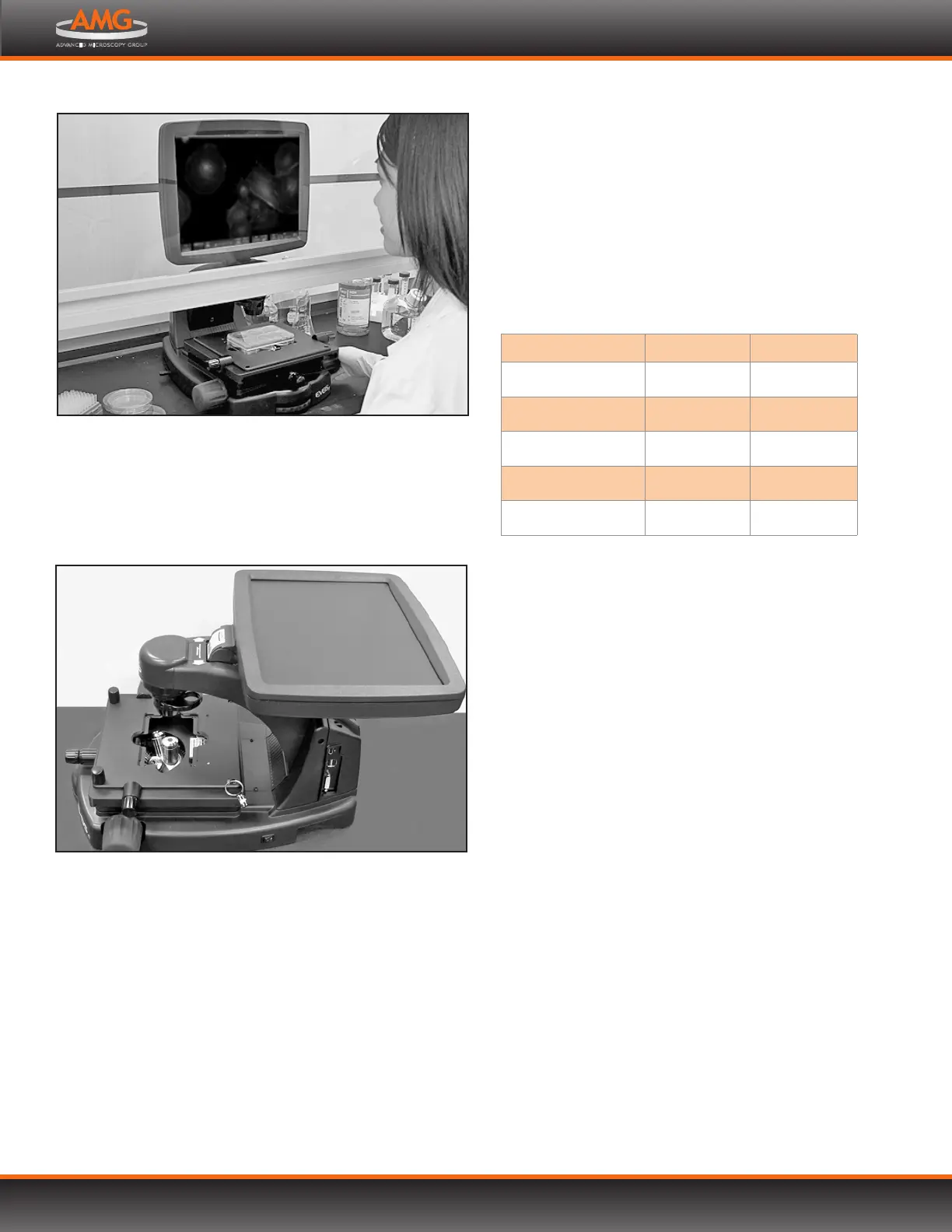
EVOS installed in a cell culture hood
LCD tilted back into transport position
INSTALLATION
Note: Refer also to the illustrations on p. 4 for more
details about moving EVOS.
1. Secure the stage with the stage lock pin, switch EVOS o,
and disconnect the power cord, mouse and, if connected,
keyboard.
2. Tilt the LCD screen back until it is parallel with the
tabletop.
3. Lift the microscope by grasping it firmly with both
hands under the support arm just behind the condenser.
4. Gently place the microscope on a lab cart and transport
it to the cell culture hood.
Note: Verify that the hood sash is raised enough
for the microscope to slide underneath
(approximately 14” or higher).
5. Lift the microscope as before and move it into the hood.
6. Tilt the LCD monitor upright.
7. Remove the stage lock pin, connect the power cord,
mouse and, if desired, keyboard, and switch EVOS on.
REMOVAL
Reverse the sequence above to remove EVOS from the cell
culture hood.
ENGLISH METRIC
DEPTH
18.5 in 47.0 cm
WIDTH
14.0 in 35.5 cm
HEIGHT, TRANSPORT
12.75 in 32.4 cm
HEIGHT, DISPLAY
22.75 in 57.8 cm
WEIGHT
33.7 lbs 15.3 kg


 To Next Page