GENIE
®
II Mk2/ eazyReport
TM
software
11
USER MANAGEMENT:
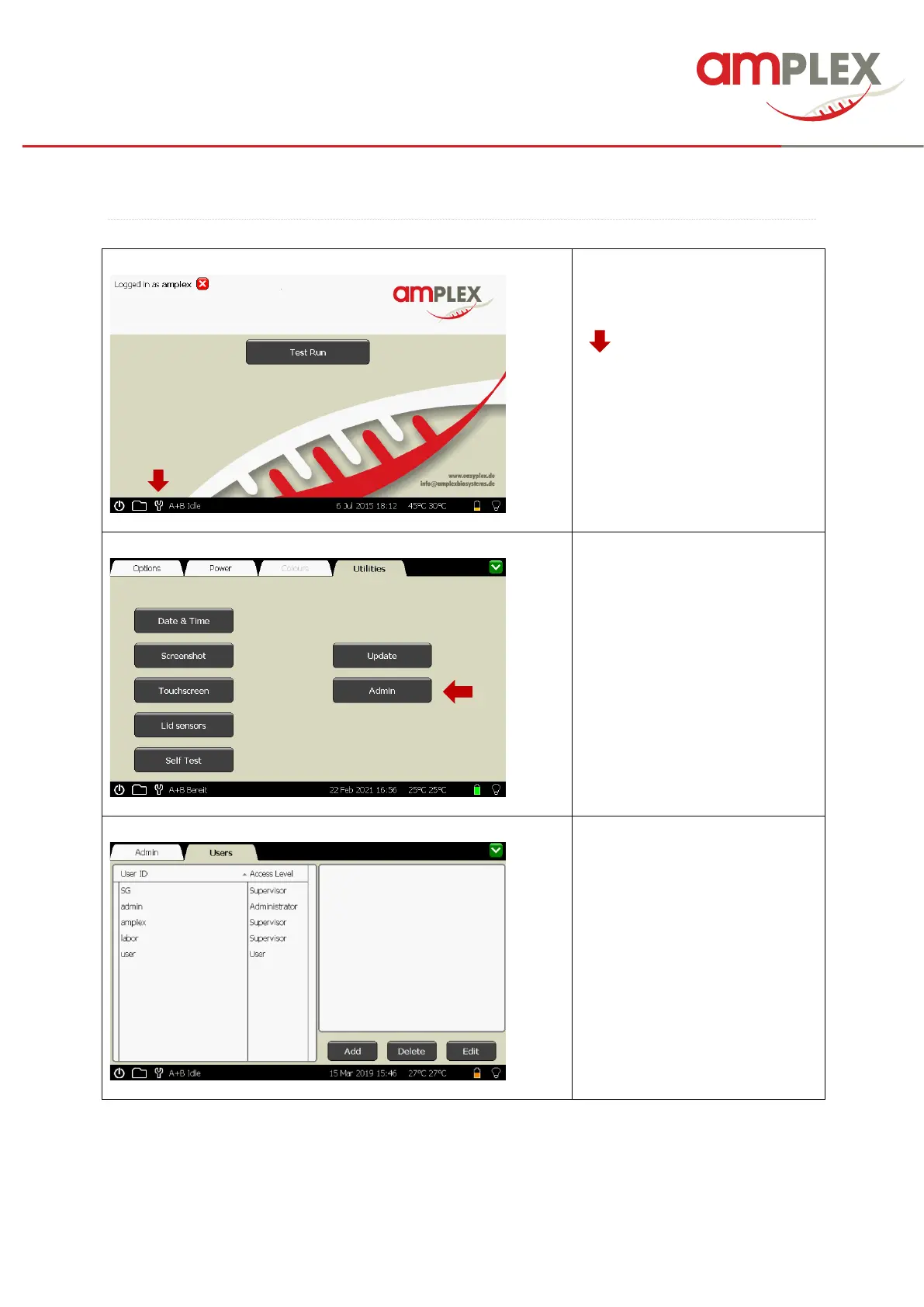
To manage (add, delete or edit)
the users, please open the
software by clicking the little “tool”
( ) at the bottom taskbar
! The user management is not
allowed in the “user” mode, for
this purpose you need access as
supervisor.
Choose the tap “Utilities” and
enter the user management area
by clicking the “Admin” button.
Choose the “User” tap and the
mask will open.
To edit or delete a user, please
activate the data entry by clicking
on the corresponding user name;
it will be highlighted in blue. Then
click the “Edit” or “Delete” button.
If you would like to add a user,
click the “Add” button.



 To Next Page