GENIE
®
II Mk2/ eazyReport
TM
software
37
RECALIBRATING LID SENSORS:
In case the Genie
®
II Mk2 device starts beeping while running, it might be a misaligned lid sensor.
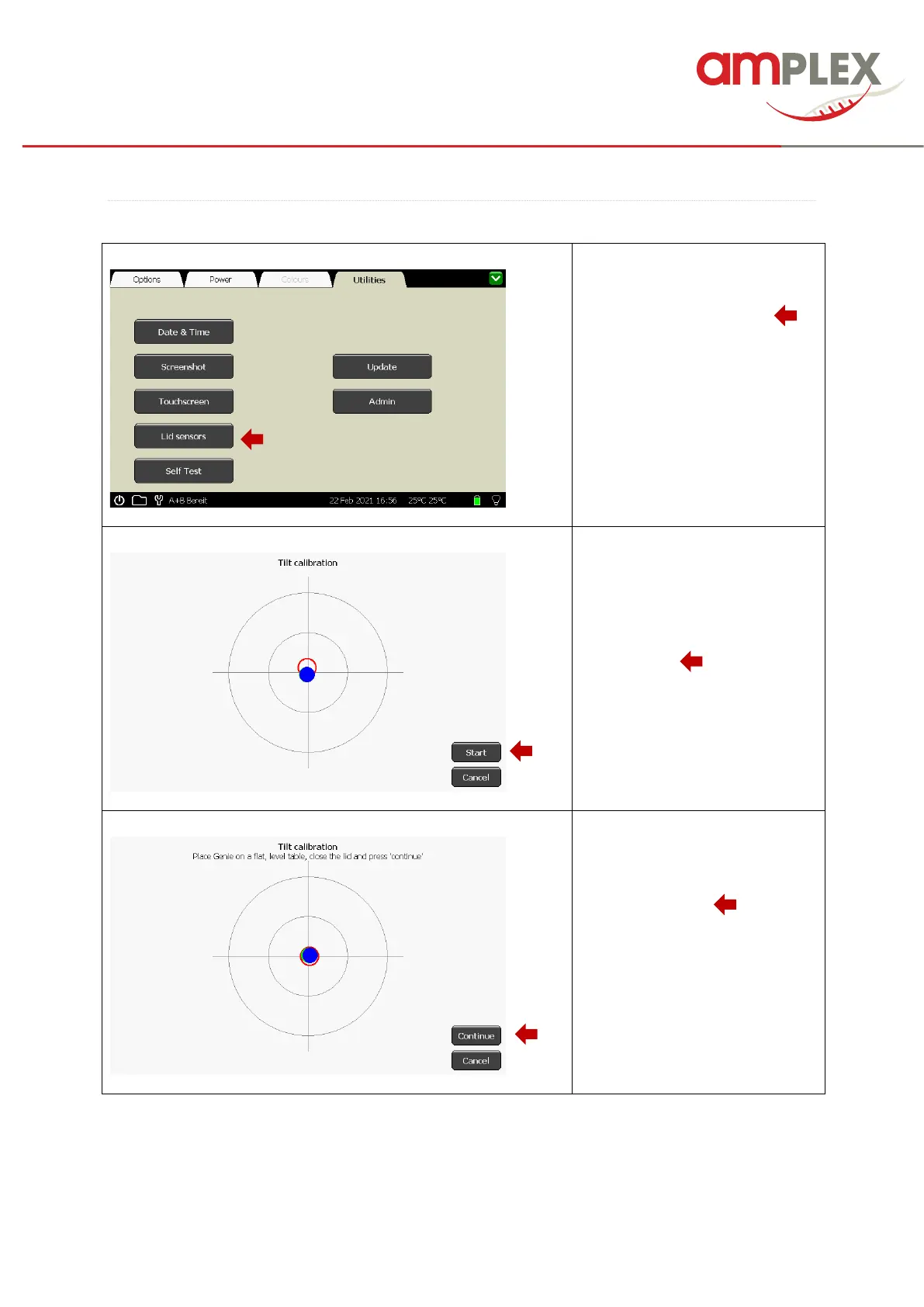
To recalibrate the lid sensors start
the calibration process by clicking
at the “Lid sensors” button ( ).
The calibration window will open
and guide you through the whole
process.
Start the calibration by clicking the
“Start” button (…..).
Follow the instructions and place
the Genie to a flat, level table,
close the lids and press the
“Continue” button (……).



 To Next Page