EasyManua.ls Logo

amplex GENIE II - Performing a Self Test; Device Performance Check

amplex GENIE II
44 pages
Print Icon
To Next Page IconTo Next Page
To Previous Page IconTo Previous Page
Loading...
GENIE
®
II Mk2/ eazyReport
TM
software
36
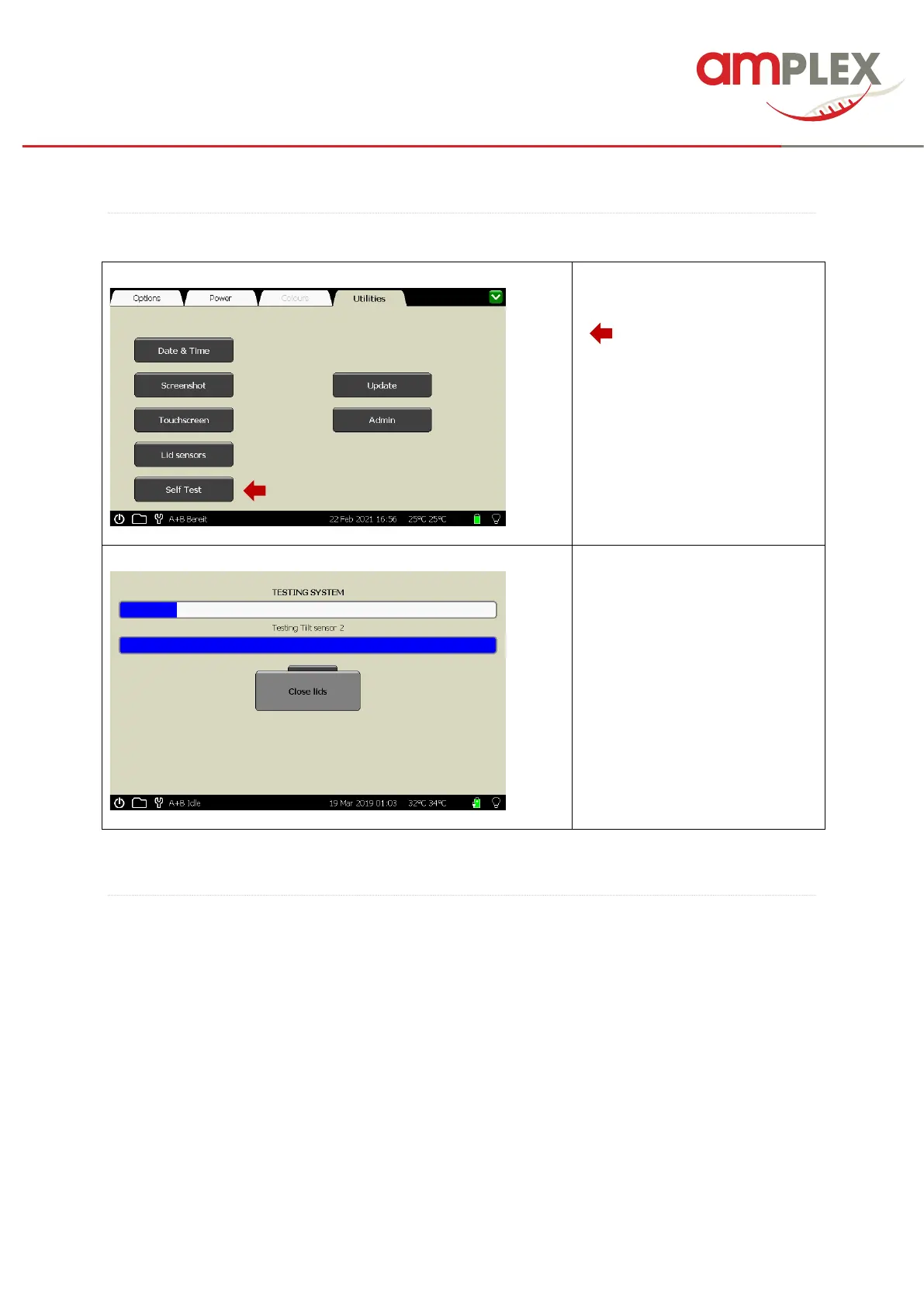
SELF TEST:
You can start a self test by
clicking the “Self Test button
(……).
The self test will start
automatically and will report the
result in a pop-up box.
PERFORMANCE CHECK:
To check the performance of the Genie
®
II Mk2 device, the Genie
®
Check reagents REF 7501
(AmplexDiagnostics GmbH) can be used to check the block temperature and the optical performance
of the device. These tests may be conducted as frequently as required but Genie
®
Check runs for
monitoring of both blocks are recommended at intervals of 6 months latest or after 1000 Genie
®
runs.
For this please follow the IFU of the Genie
®
Check.