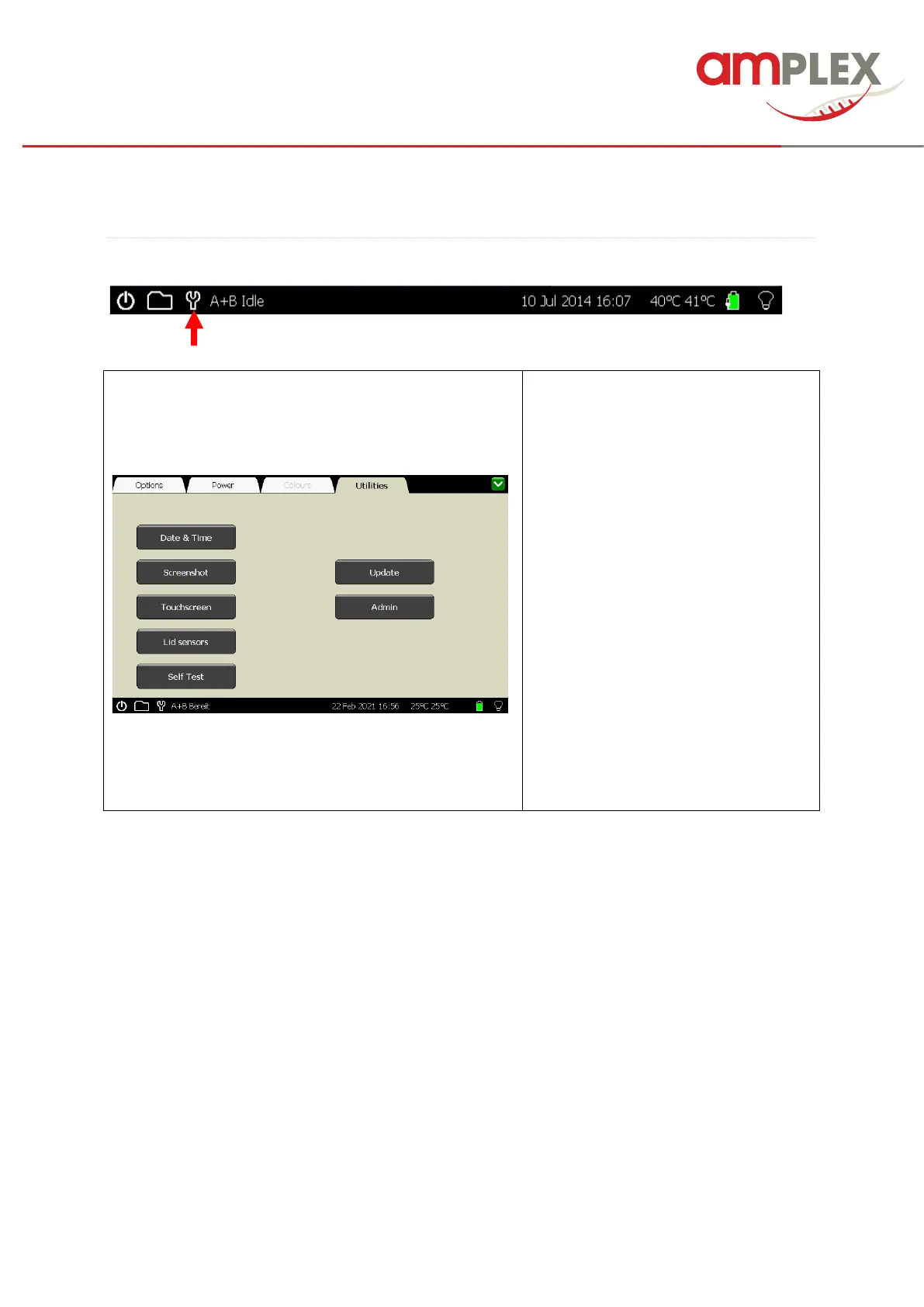
Date & Time: Set the time and date
within the device (see page 10).
Screenshot: This will activate the
screenshot tool (see page 31).
Touchscreen: This will start the
touchscreen calibration (see page 33).
Lid sensors: This will recalibrate the lid
sensors (see page 37).
Self Test: This will start ta self-test of the
Genie (see page 36).
Update: Allows updating of the device
software (see page 40).
Admin: Allows language setting (see
page 13) and user management (see
page 11).



 To Next Page