GENIE
®
II Mk2/ eazyReport
TM
software
29
Chapter 7: NICE TO KNOW
SCREEN BRIGHTNESS CONTROL
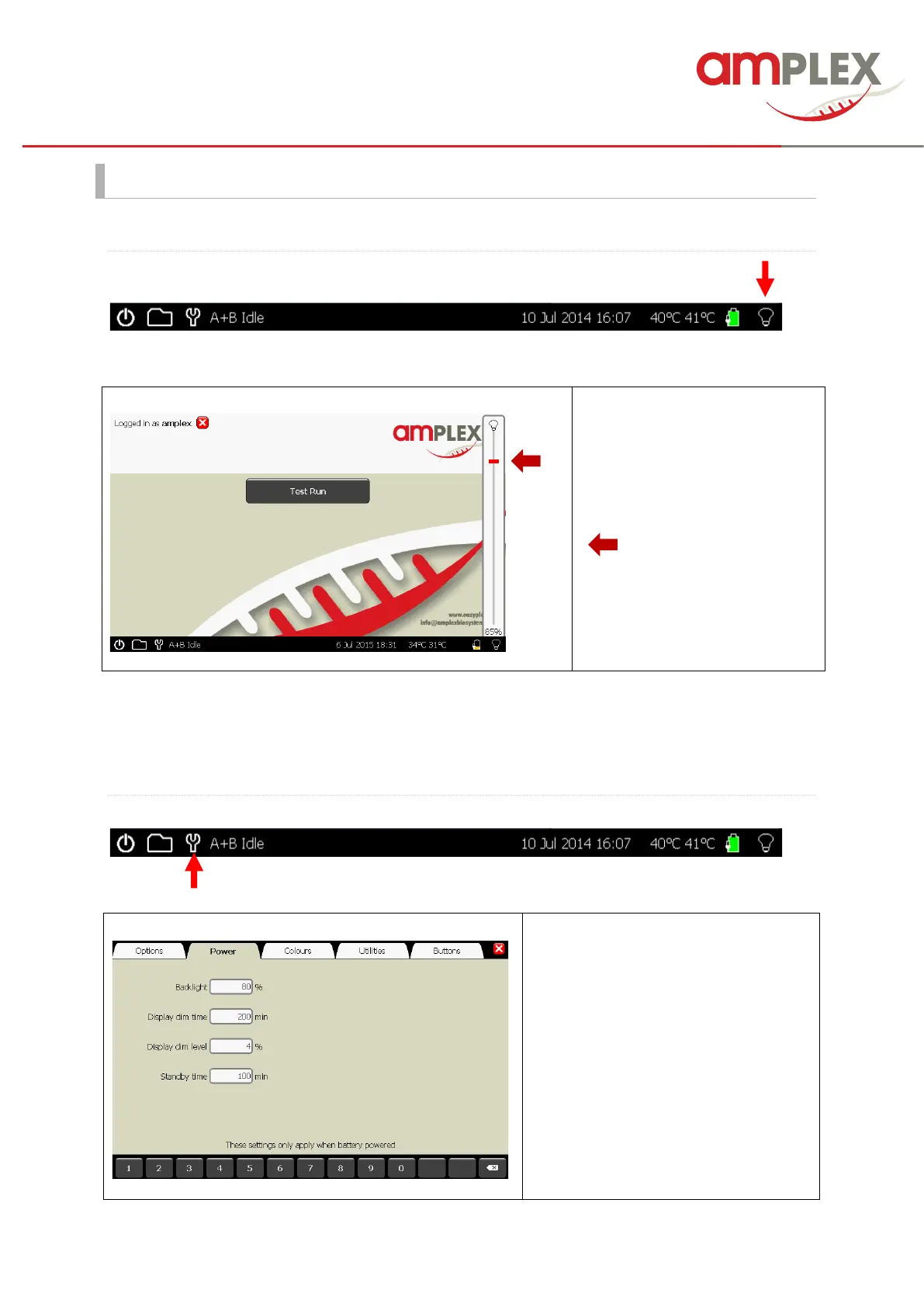
Next to the battery icon is the brightness control.
For detailed information about the
light intensity or if you like to
change it, please tip the bulb
symbol at the bottom task . You
can change the light intensity by
moving the red controler
( ).
To close the window tip the bulb
symbol again.
It is not recommended to set the brightness at 100% for long periods of time, as this will significantly
decrease battery life.
POWER SETTINGS:
These settings only apply when the
Genie runs battery powered.
Display dim time: how long the device
waits without input before dimming the
display.
Display dim level: the brightness level
the instrument will use after the specified
idle time.
Standby time: how long the instrument
waits before turning off the display.



 To Next Page