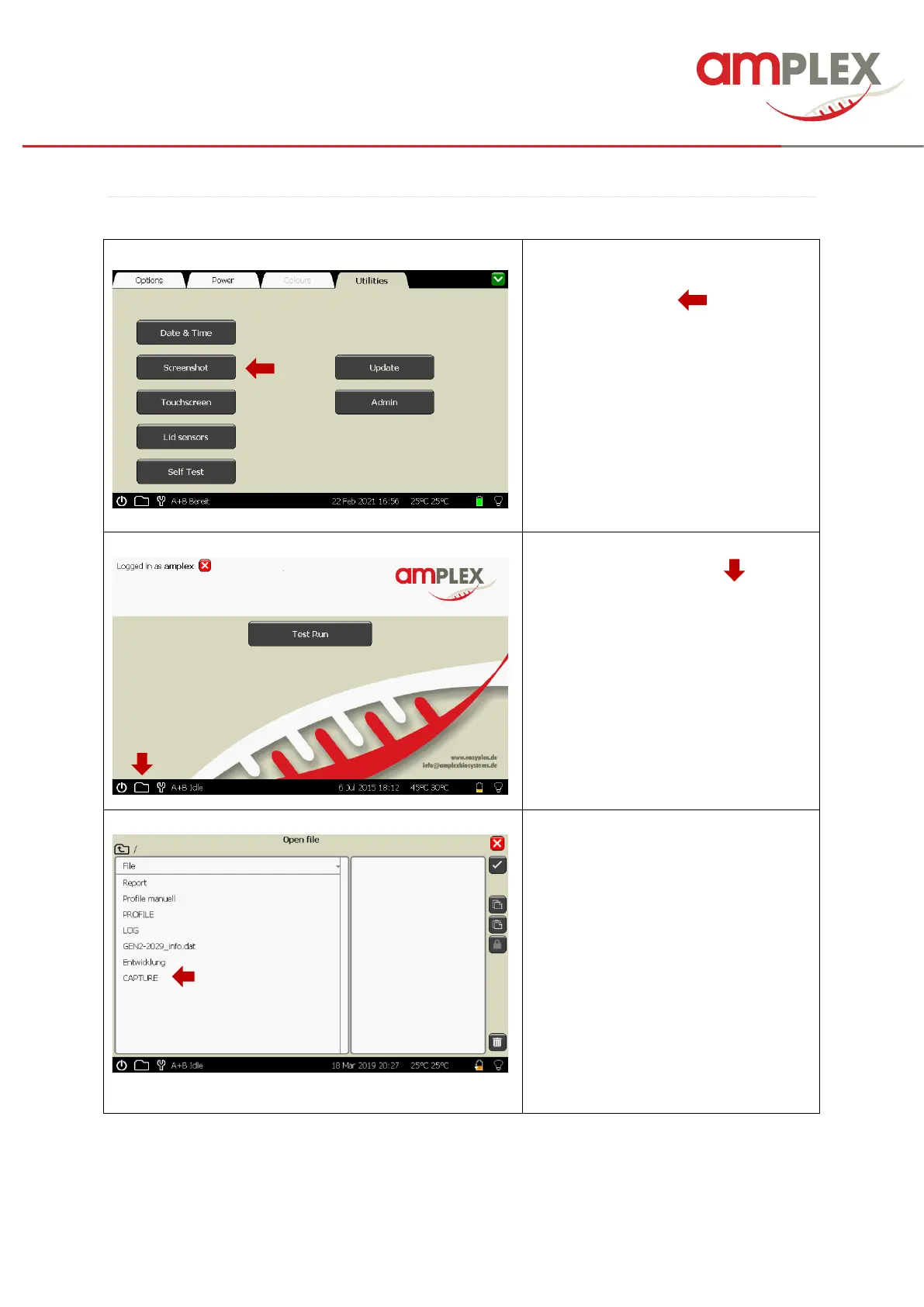
To create a Screenshot, activate the
screenshot tool by clicking the
“Screenshot” button (……).
A small camera symbol will appear.
Navigate to the screen you would like to
copy and click at the camera symbol.
The screenshot will be automatically
saved in the “CAPTURE” folder at the
Genie as bmp file and the name will be
shown in a pop-up box.
Open the “CAPTURE” folder by double
clicking
You can export the picture in the same
way like a PDF (please refer to page
20).



 To Next Page