GENIE
®
II Mk2/ eazyReport
TM
software
40
GENIE
®
II Mk2 SOFTWARE UPDATES:
In case there is a need for an update, you will be advised by AmplexDiagnostics GmbH or your local
distributor. It is recommended to keep the software on Genie
®
II Mk2 up-to-date. Updating may
improve performance and add new features to Genie
®
II Mk2.
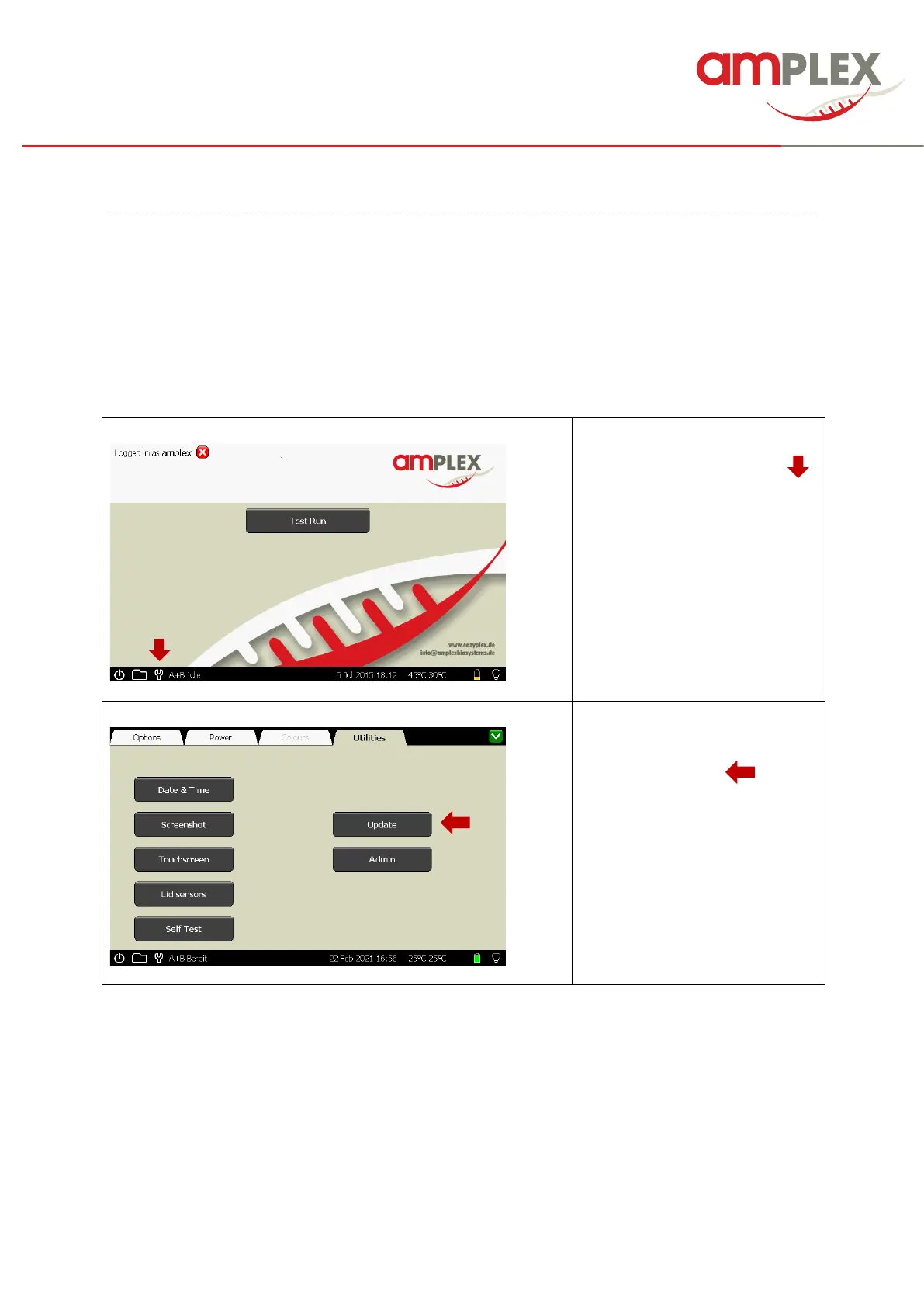
To update for example a language package, you will get a “language file” from Amplex. ! All other
software updates will follow these rules.
! The update management is not allowed in the “user” mode, for this purpose you need access as
supervisor.
To open the top level of the Genie
hard drive, click the little “tool”( )
at the bottom task bar.



 To Next Page