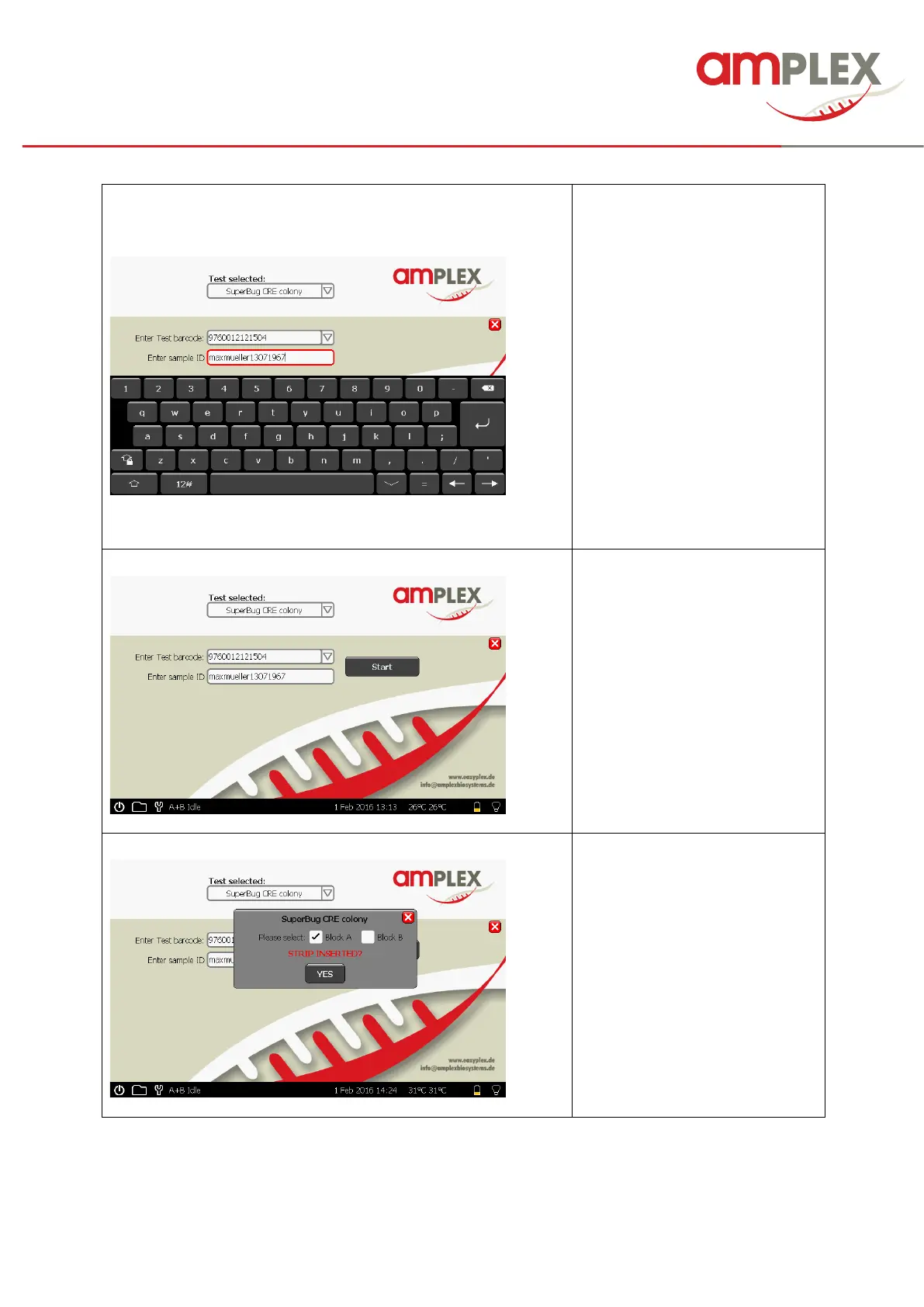
Enter sample ID
Touch the field to activate
it (if not already red framed) and
enter the ID via the keypad *or
scan the barcode
Confirm your data entry with
“enter”
*! Please don’t use punctuation
marks or special characters; these
can cause problems with the file
creation and leads to incorrect
files.
Perform the test pretreatment
according the instruction for use
→ eazyplex® IFU 8.2
Start test run by
touching the “Start” button
→ eazyplex® IFU 8.3.
Select block A or B
! If one block is already in use, it
is blocked and the free block is
automatically chosen.
Insert the strip and close the lid
THEN
Start test run with “YES”



 To Next Page