UHM210-11 User Guide UHM210-11 User Guide
10
amscope.com
Imaging Modes
This microscope has three imaging modes: Photo, Video, and Playback. Each mode will have access to sengs and func-
ons which are accessed by using the control panel. The control buons may have dierent funcons depending on the
mode and which screen is currently displayed. Addionally, pressing and holding certain buons for 2 seconds will ac-
vate specic funcons depending on the mode. While no menu is displayed, pressing the right buon will cycle through
the imaging modes.
Photo and Video Modes
Photo and Video modes allow you to view live video and capture images. An assortment of sengs and funcons are
available in both modes to opmize image quality and user experience. Some sengs or funcons are exclusive to their
respecve modes. The control panel’s buons provide the same funconality in both modes aside from the Capture
buon which saves sll images in Photo mode, and starts or stops recording in Video mode.
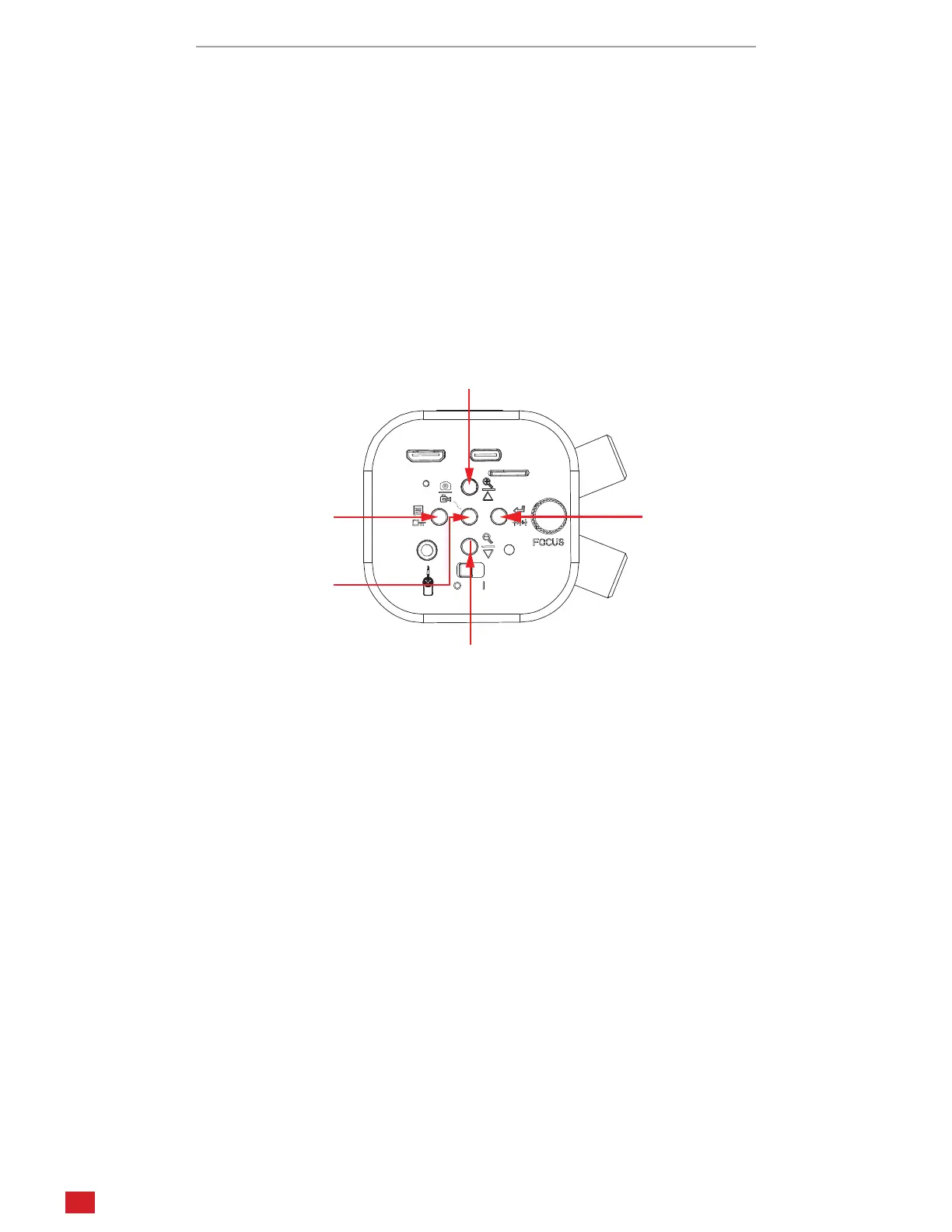
Zoom In / Up
Menu / Freeze
Capture Image
OK / Reticle
When the menu is closed, the buons control the following funcons:
Press the center buon to capture a photo (Photo mode) or to start/stop recording (Video mode).
Press the top buon to increase digital zoom up to 4X.
Press the boom buon to decrease digital zoom.
Press the le buon to open the sengs menu.
Press and hold the le buon for 2 seconds to freeze the image.
Press and hold the right buon for 2 seconds to display a recle.
When the menu is open, the buons control the following funcons:
Press the top buon to navigate up.
Press the boom buon to navigate down.
Press the le buon to exit the current seng or menu.
Press the right buon to select a menu or opon.












 To Next Page