UHM210-11 User Guide
7
amscope.com
Operaon
This microscope can be used as a standalone device when paired with an HDMI monitor, or as a USB device when
connected to a PC. When connected to a PC using USB, the microscope will enter PC mode, taking precedence over the
standalone funcons.
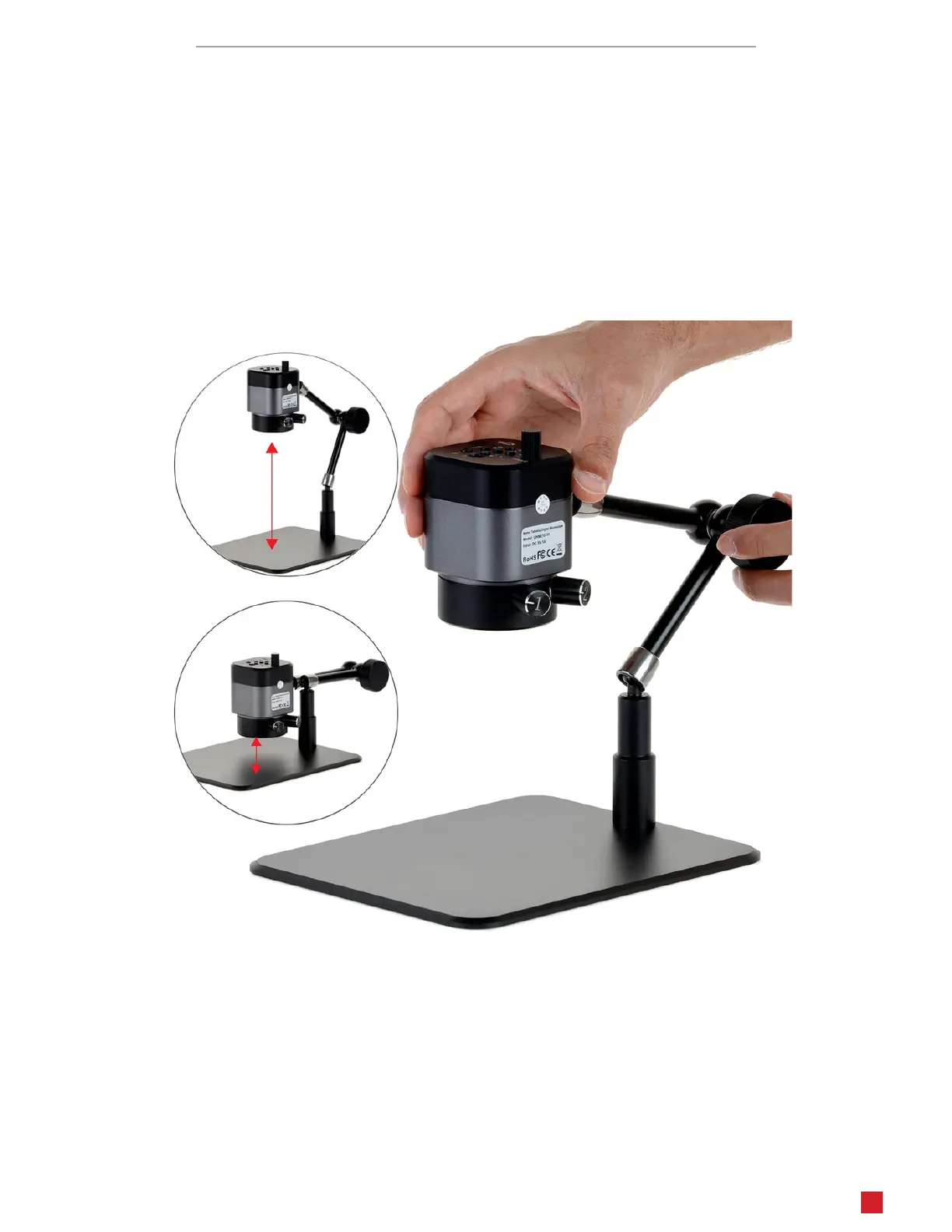
Arculang Arm
The arculang arm can be adjusted around three joints to posion the microscope at virtually any angle and posion
within the reach of the arm. All joints are locked simultaneously using the locking knob. Before adjusng the arm, be
sure to support the microscope with a hand. Next loosen the locking knob unl the arm joints are loose enough to easily
move. Posion the microscope as desired, then ghten the locking knob. Avoid extending the arm beyond the rear edge
of the support plate, as this could lead to the microscope pping over.












 To Next Page