UHM210-11 User Guide UHM210-11 User Guide
14
amscope.com
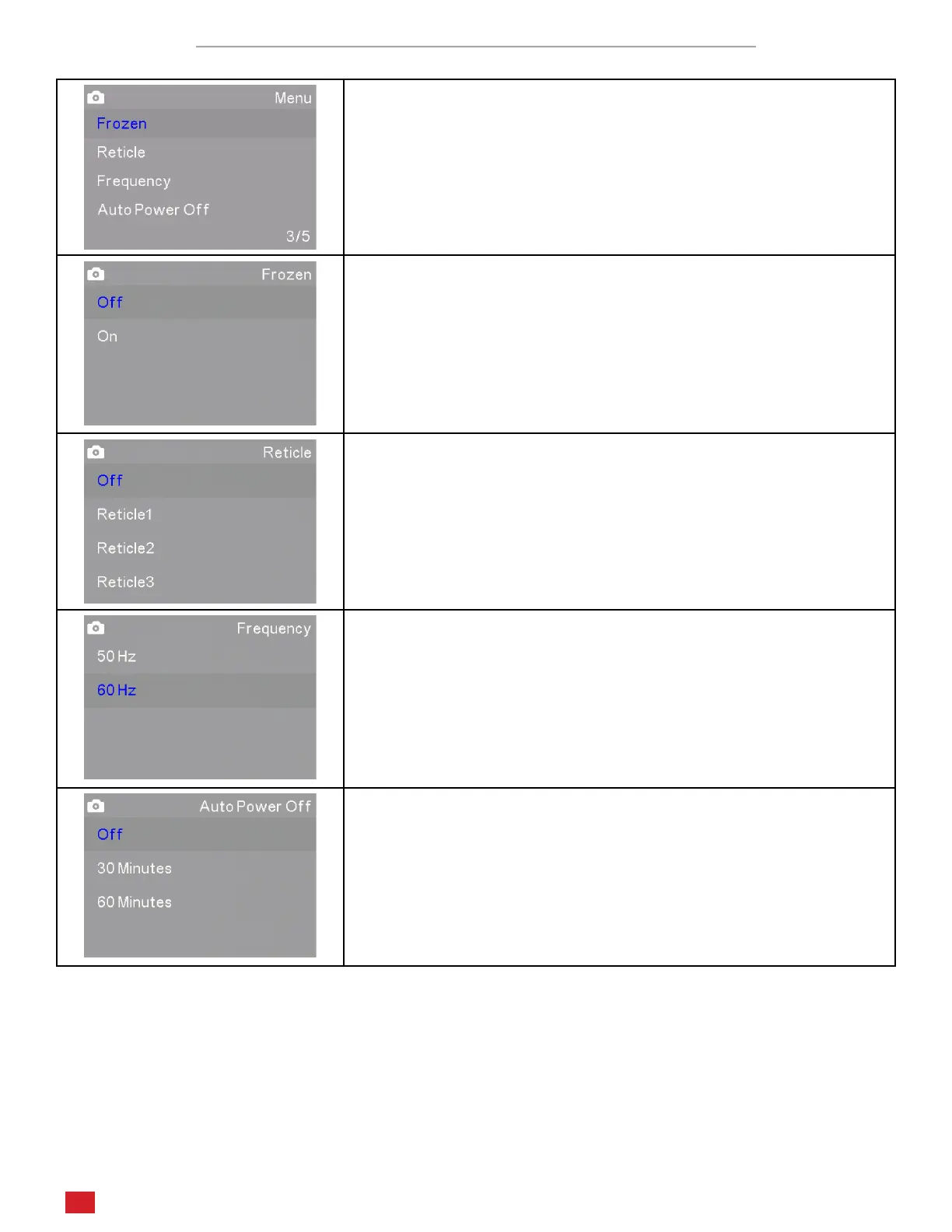
Photo and Video Sengs Menus Page 3/5
The third page in Photo and Video modes includes screen tools such as Fro-
zen, Recle, Frequency, and Auto Power O.
Frozen mode freezes the live video stream to display a stac image.
This can be toggled on and o.
The Recle seng sets an on-screen overlay to aid in measurements,
segmenng, and counng. Recle1 is a simple crosshair. Recle2 is a
grid of squares. Recle3 is a crosshair with concentric circles.
Frequency sets the capture frequency. This can be set to 50Hz or 60Hz,
and should correspond to your power system’s frequency to avoid
icker.
Auto Power O can be used to automacally disable the video output
aer a period of inacvity. The enabled opons include 30 minutes or
60 minutes.












 To Next Page