UHM210-11 User Guide UHM210-11 User Guide
12
amscope.com
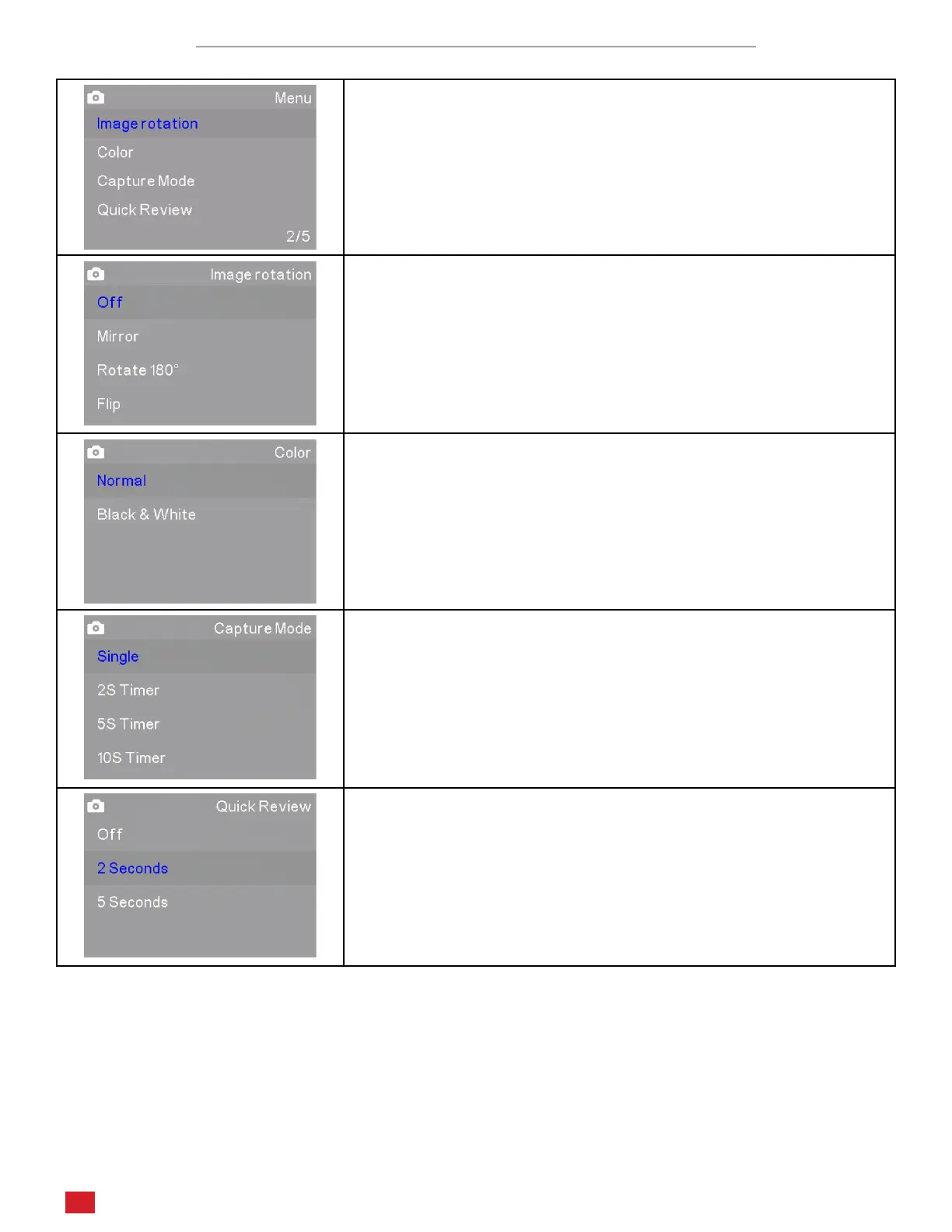
Photo Sengs Menu Page 2/5
The second page in Photo mode includes Image Rotaon, Color, Capture
Mode, and Quick Review.
Image Rotaon allows you to change the orientaon of the on-screen
image. Mirror ips the image from le to right. Rotate 180° rotates the
image. Flip inverts the image vercally.
Color allows you to toggle the color mode between Normal (color) and
Black & White for a greyscale image.
Capture Mode determines allows you to set a delay between the me
you press the capture buon and the me at which the image is cap-
tured. This is useful to avoid camera shake, or when manipulaon of
the subject is needed which would require the use of your hands.
Quick Review sets the amount of me an image will remain on-screen
aer it is captured.












 To Next Page