UHM210-11 User Guide UHM210-11 User Guide
18
amscope.com
Playback Menu
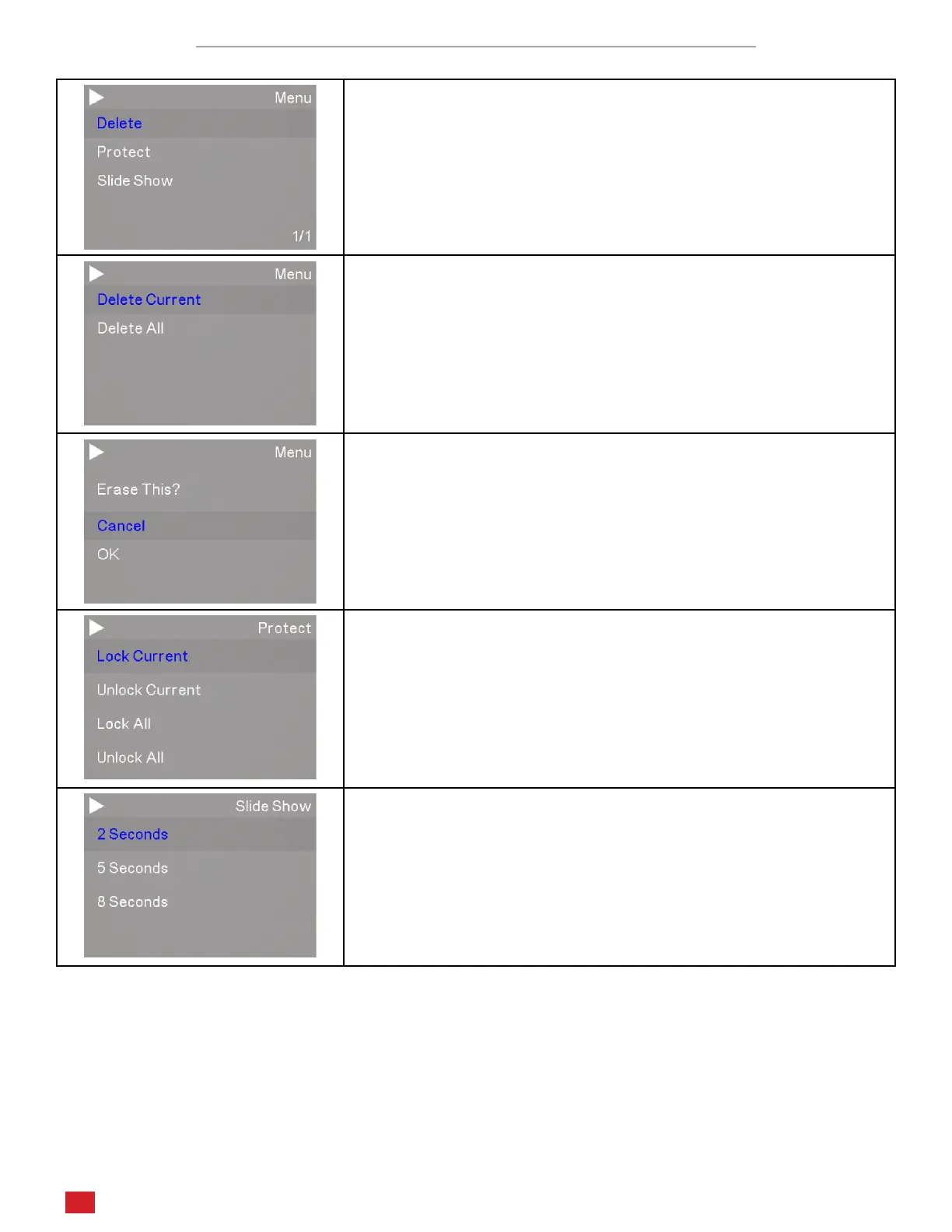
The Playback menu has three tools including Delete, Protect, and Slide Show
The Delete tool allows you to delete the currently displayed le or all
les in the media folder.
When one of the Delete opons is chosen, you will be asked to conrm
the deleon.
The Protect tool allows you to lock and unlock les to protect them
from deleon. You can choose to lock or unlock the currently displayed
le or all les.
The Slide Show tool allows you to display saved images in sequence.
For video les, the rst frame will be displayed. Select an interval op-
on (2 seconds, 5 seconds, or 8 seconds), then press the OK buon to
begin the slide show. The images will connue to display in a loop unl
the Menu buon is pressed.












 To Next Page