UHM210-11 User Guide
15
amscope.com
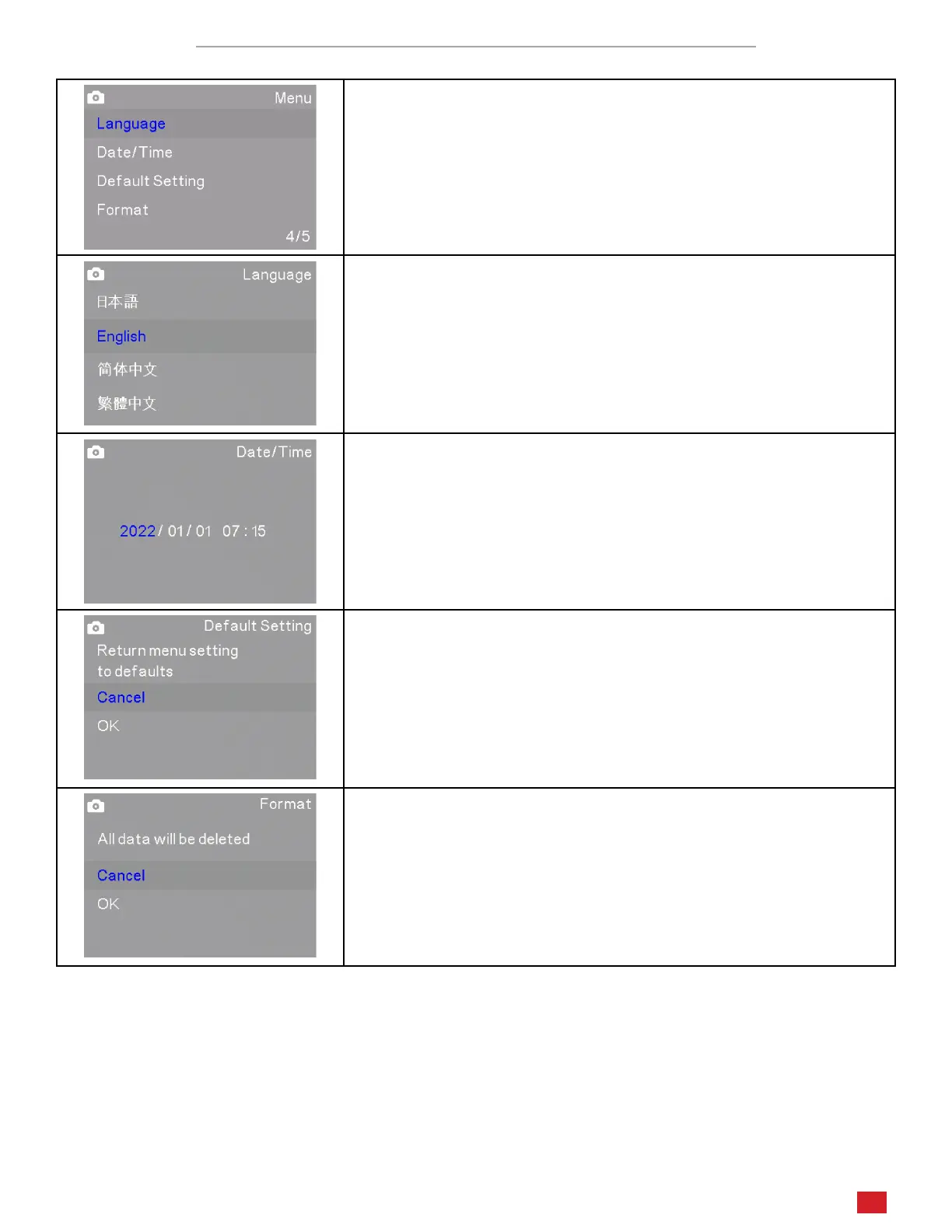
Photo and Video Sengs Menus Page 4/5
The fourth page in Photo and Video modes includes Language, Date/Time,
Default Sengs, and Format.
Language sets the system’s display language. Opons include Japanese,
English, Simplied Chinese, and Tradional Chinese.
Date/Time allows you to set the current date and me which can be
included in mestamps.
Default Seng will return the system’s sengs to their factory de-
faults.
Format can be used to format a MicroSD card. This is necessary if
the card is not already formaed, or is using an incompable format.
When this funcon is used, all data on the card will be deleted.












 To Next Page