UHM210-11 User Guide
13
amscope.com
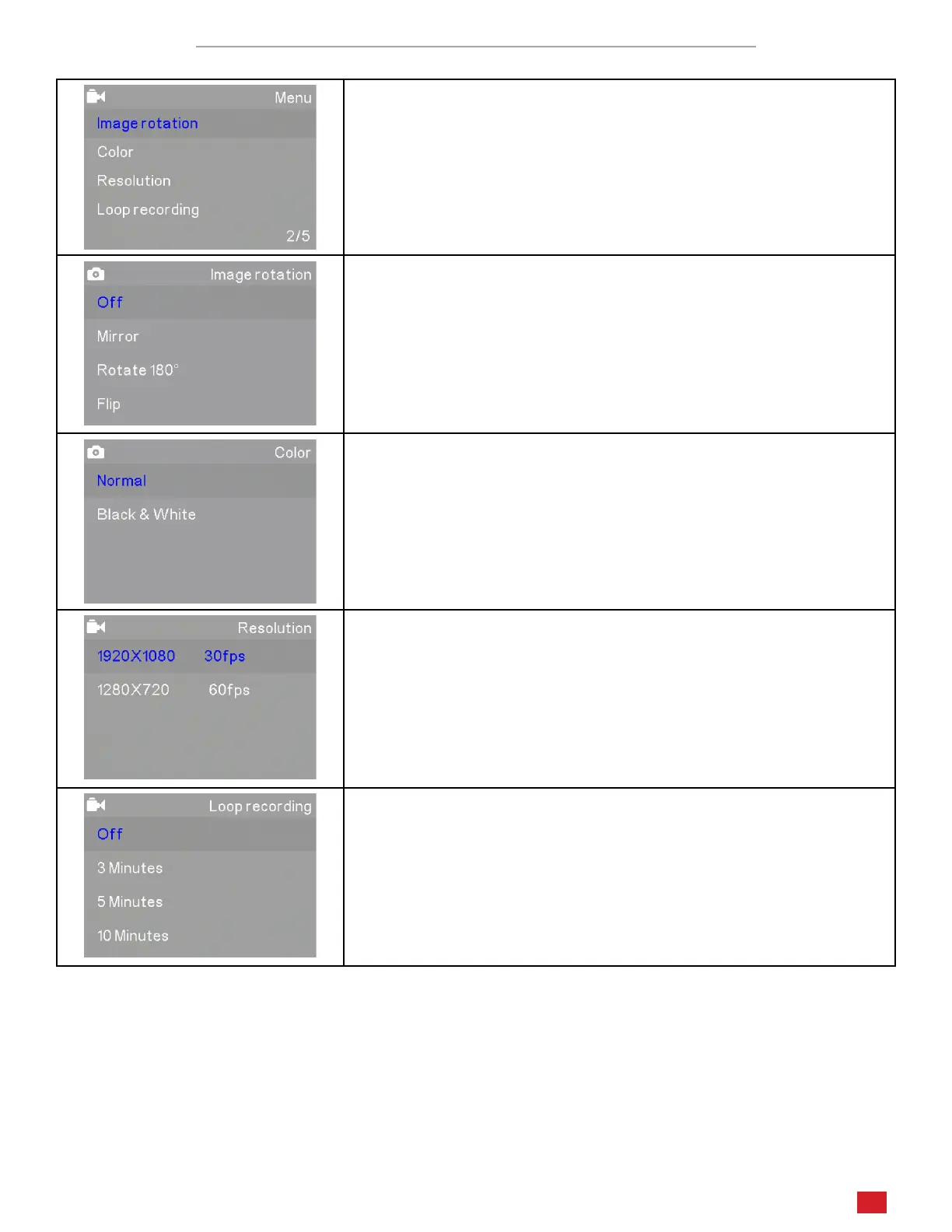
Video Sengs Menu Page 2/5
The second page in Video mode includes Image Rotaon, Color, Resoluon,
and Loop Recording
Image Rotaon allows you to change the orientaon of the on-screen
image. Mirror ips the image from le to right. Rotate 180° rotates the
image. Flip inverts the image vercally.
Color allows you to toggle the color mode between Normal (color) and
Black & White for a greyscale image.
Resoluon sets the video image size and frame-rate. Opons include
1920x1080 30fps and 1280x720 60fps.
Loop Recording can be used to limit the maximum recording me to
either 3, 5, or 10 minutes. Aer the set amount of me has lapsed
during recording, video will connue to be recorded, but overwring
the previously recorded video.












 To Next Page