qTOWER
3
touch/qTOWER
3
G touch Maintenance and care
31
15. Push the hood back in its initial position.
16.
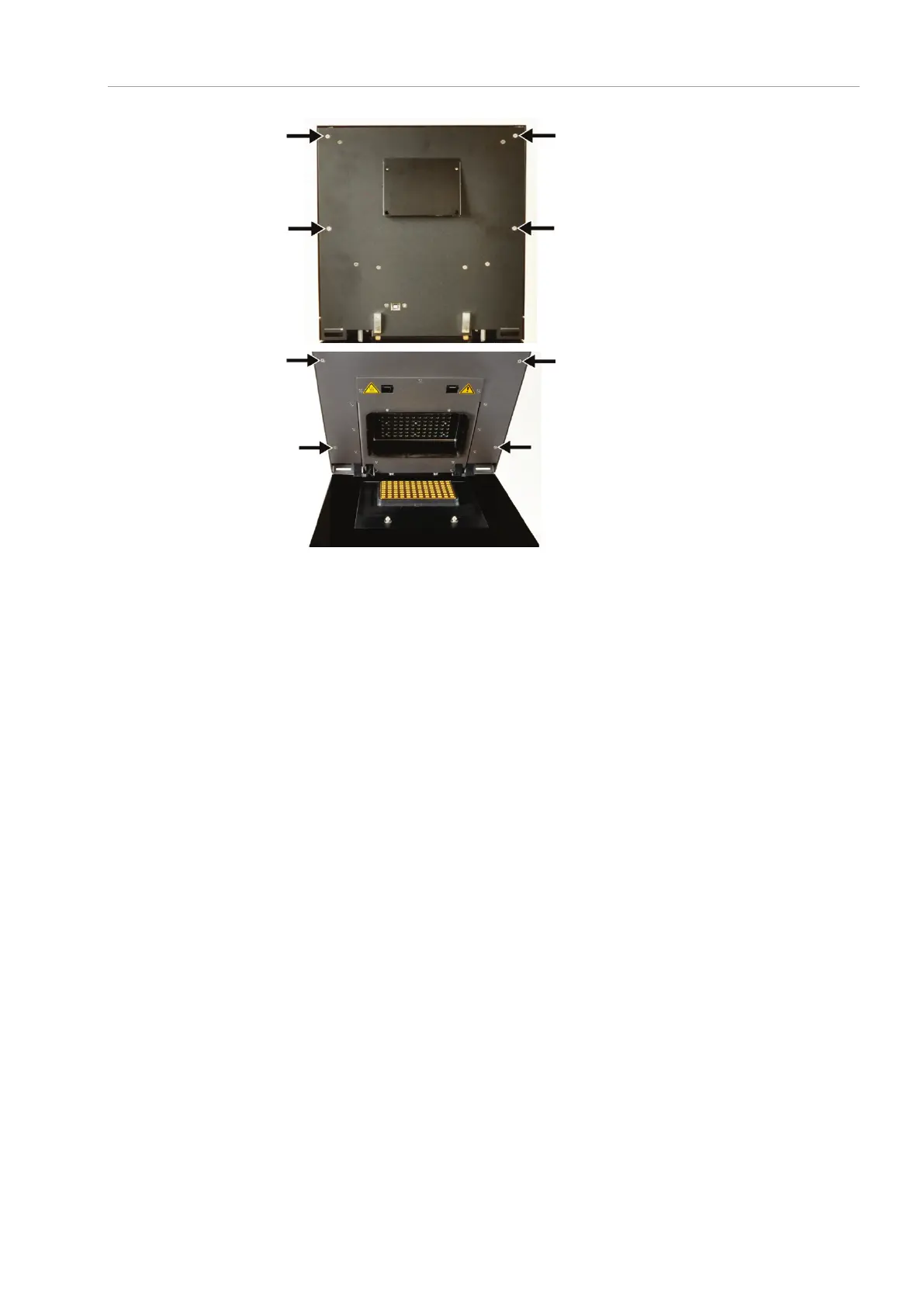
First tighten the four outer screws at the
upper part on the backplate of the
qTOWER³ touch.
17. Open the lid and fasten the four outer
screws on the inside of the lid.
Close the lid again.
19. Switch on the qTOWER³ touch.
The qPCRsoft touch program starts automatically.
On the start screen, tap on the OPTIONS menu.
The SETTINGS window opens.
Tap on [COLOR MODULES].
The window shows the six positions of the filter wheel and how they are occupied.
Normally, the positions are occupied as follows:
Color module 1 Blue (470 nm/520 nm)
Color module 2 Green (515 nm/545 nm)
Color module 3 Yellow (535 nm/580 nm)
Color module 4 Orange (565 nm/605 nm)
Color module 5 Red (630 nm/670 nm)
Color module 6 NIR 1 (660 nm/705 nm)



 To Next Page