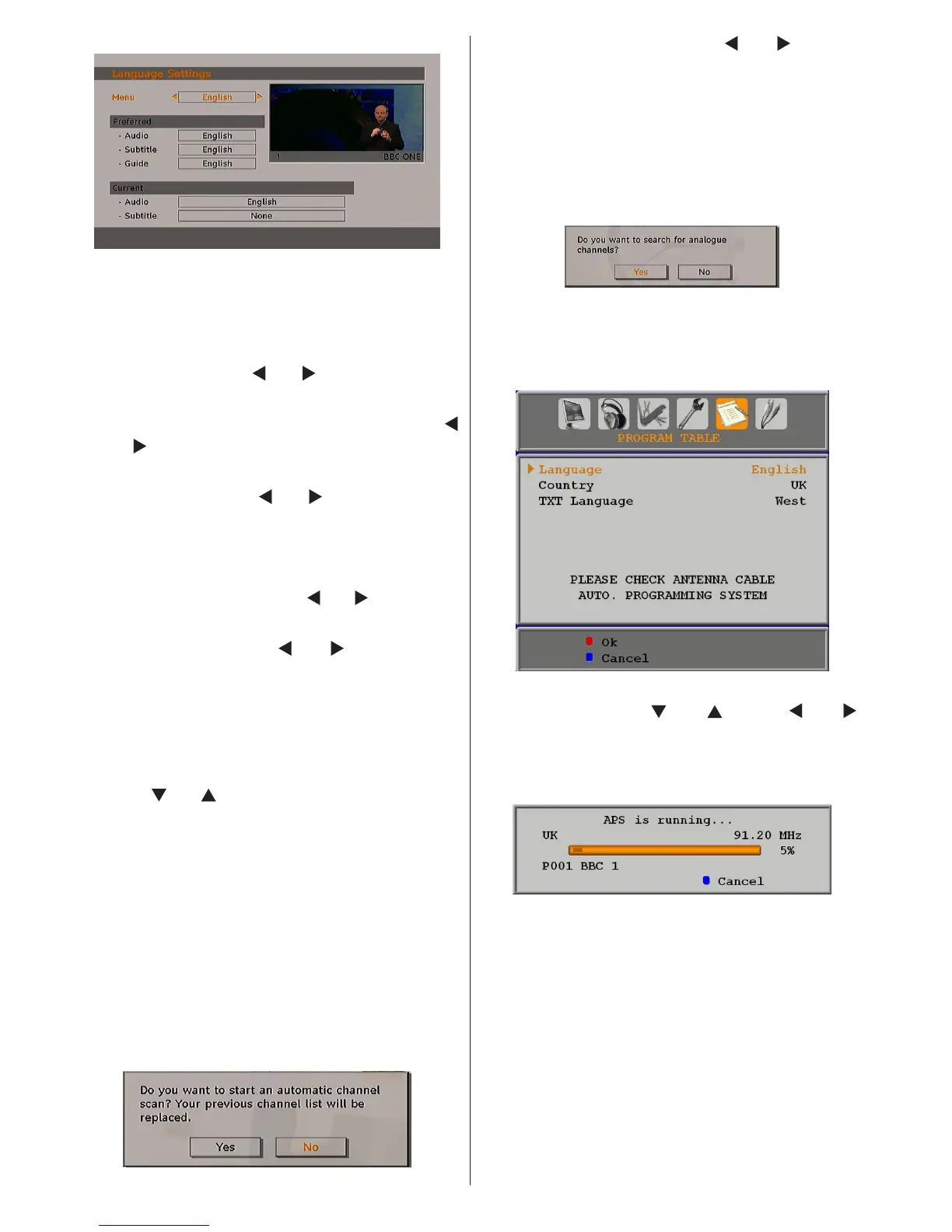
Menu: shows the language of the system
Preferred
These settings will be used if available.
Otherwise the current settings will be used.
• Audio: by pressing “
” or “ ” keys change the
audio language.
• Subtitle: alter the subtitle language with “
” or “ ” keys. The chosen language will be
seen in subtitles.
• Guide: By pressing “
” or “ ” buttons change
the guide language.
Current
• Audio: if audio language is supported change the
audio language by pressing “
” or “ ” buttons
• Subtitle: if subtitle is backed up, alter the
subtitle language with “ ” or “ ” buttons. The
chosen language will be seen in subtitles.
Installation
The Installation menu is mainly intended to help you
for creating a Channel Table in the most efcient way.
Select Installation from the Conguration menu by
pressing “
” or “ ” buttons.
This menu includes the following items:
• Automatic channel scan
• Manual Channel Scan
• First Time Installation
Automatic Channel Scan
Automatic channel scan is started by pressing
OK button while Automatic channel scan item is
highlighted.
The following message appears on the screen:
Highlight Yes or No by using “ ” or “ ” buttons
and press OK button to conrm.
If Yes is selected, automatic search starts.
Selecting No cancels automatic search.
After search is completed for digital channels, a
message asking whether to search for analogue
channels appears on the screen:
Press the OK button to search for analogue
channels. The following menu appears on the
screen for analogue channel search:
Select your Country, Language and Text
language by using “ ” or “ ” and “ ” or “ ”
buttons. Press OK or RED button to continue. To
cancel, press BLUE button. The following menu
will be displayed during the automatic tuning:
After APS is nalized, the programme table
will appear on the screen. In the programme
table you will see the programme numbers and
names assigned to the programmes.
If you do not accept the locations and/or the
programme names, you can change them via
the program table.
Manual Channel Scan
In manual channel scan, the number of the
multiplex is entered manually and only that
multiplex is searched for the channels. For every



 To Next Page