Press “ ” or “ ” button to select Balance.
Press “ ” or “ ” button to change the level of
the balance. Balance level can be adjusted
between -32 and + 32.
Headphone
Press “
” or “ ” button to select Headphone.
Press “ ” button to view the headphone
menu.
Headphone sub-menu options are described
below:
Volume
Press “
” or “ ” button to select Volume. Press
“
” button to increase headphone volume
level. Press “ ” button to decrease headphone
volume level. Headphone volume level can be
adjusted between 0 and 63.
Headphone Sound (optional)
Press “
” or “ ” button to select Headphone
Sound. Using “
” or “ ” button, you can select
Main, PIP/PAP, Active or Inactive.
Main : Main window sound.
PIP/PAP : PIP/PAP window sound.
Active : Sound of the current selection.
Inactive : Sound of the currently inactive
window.
Sound Mode (optional)
Press “
” or “ ” button to select Sound Mode.
Using “ ” or “ ” button, you can select Mono,
Stereo, Dual I or Dual II mode, only if the
selected channel supports that mode.
AVL
Automatic Volume Limiting (AVL) function
adjusts the sound to obtain xed output level
between programmes (For instance, volume
level of advertisements tend to be louder than
programmes).
Press “
” or “ ” button to select AVL. Press “ ”
or “ ” button to set the AVL as On or Off.
Spdif Out
Press “
” or “ ” button to select Spdif Out.
Press “ ” or “ ” button to set the Spdif Out.
as On or Off.
Note: If Spdif Out is set to On, headphone will be
disabled.
SRS TruSurr XT (optional)
By pressing “
” or “ ” select SRS TruSurr XT.
Press “ ” or “ ” button to set SRS TruSurr XT
as on or off.
Note: When SRS TruSurr XT is on; Equalizer, Effect
and Dolby Virtual Speaker will be unavailable in the
Sound Menu.
Dolby Virtual Speaker (optional)
This feature is used to create the impression that
sound is coming from around the room instead
of the set speakers. Pressing the “
” or “ ”
buttons will turn the feature on or off.
Effect
If you are watching a mono broadcast, set Effect
on to obtain a better sound effect which will be
more stereo-like. If the current sound system is
stereo, switching this effect on will give a more
spatial effect.
Press “
” or “ ” button to select Effect. Press
“ ” or “ ” button to set as On or Off .
Store
Press “
” or “ ” button to select Store. Press “
” or OK button to store the settings. “Stored...”
will be displayed on the screen.
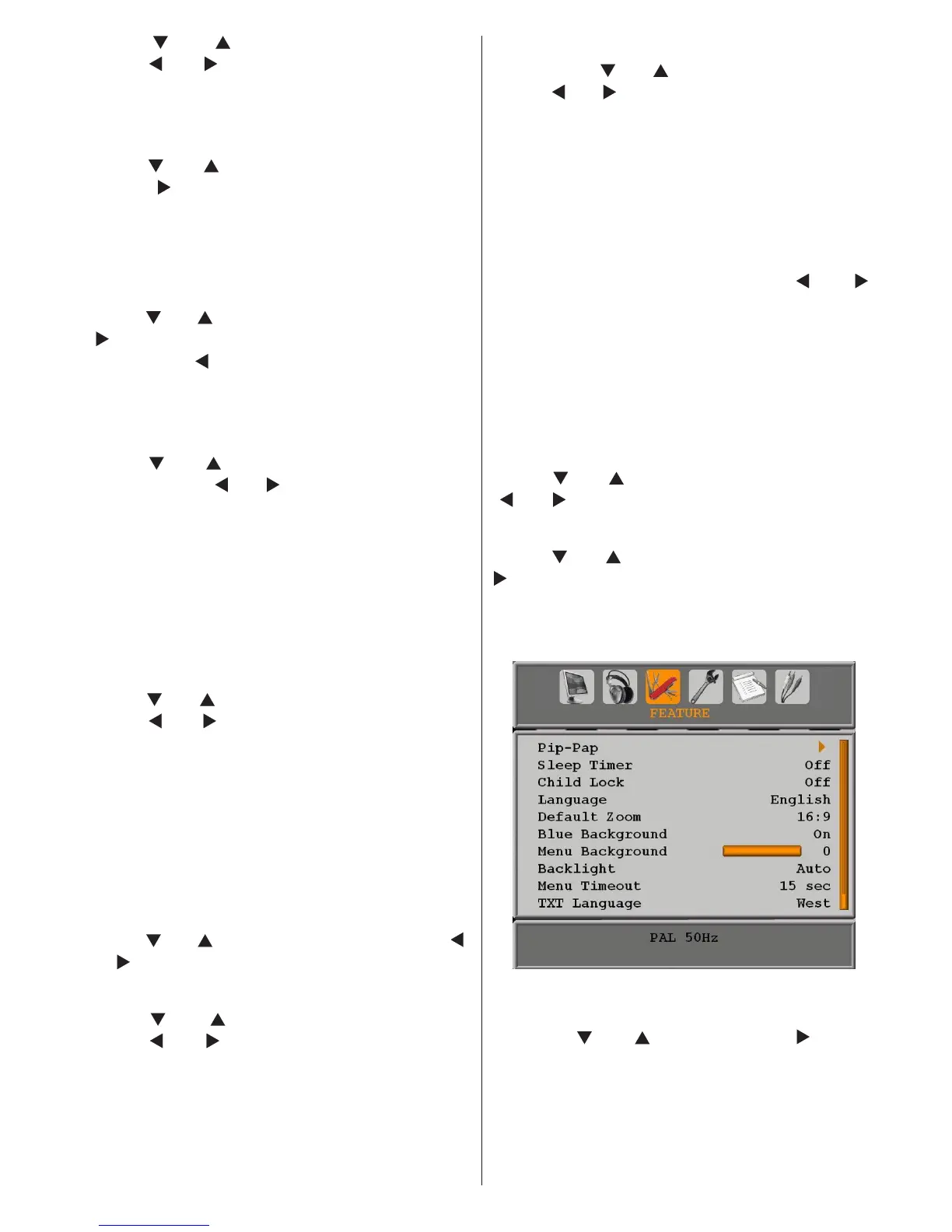
Feature Menu
Pip-Pap
In the Feature menu, highlight PIP item by
pressing “
” or “ ” buttons. Press “ ” button
to enter PIP submenu:



 To Next Page