Film Mode
Films are recorded at a different number
of frames per second to normal television
programmes.
Press “
” or “ ” button to select Film Mode.
Press “
” or “ ” button to set this feature On
or Off.
Turn this feature on when you are watching.
lms to see the fast motion scenes clearly.
Game Mode (optional)
Select Game Mode by pressing “
” or “
” button. Use “ ” or “ ” button to set Game
Mode as On or Off. When Game Mode is set
to On, specific game mode settings, which
are optimized for better video quality, will be
loaded.
Also; Picture Mode, Contrast, Brightness,
Sharpness, Colour and Colour Temp settings
will be invisible and disabled while Game Mode
is on.
Note:
Picture mode selection button on the remote control
will have no function while Game Mode is on.
If the TV is switched to PIP/PAP mode, Game Mode
setting will be disabled and be removed from the
Picture menu.
Picture Zoom
Select Picture Zoom by pressing “
” or “ ”
button.
Use “
” or “ ” buttons, to change picture zoom
to Auto, 16:9, 4:3, Panoramic, 14:9, Cinema,
Subtitle or Zoom.
Reset
Press “
” or “ ” button to select Reset. Press
“ ” or “ ” or OK button to reset the picture
modes to factory default settings.
Store
Press “
” or “ ” button to select Store. Press “
” or OK button to store the settings. “Stored...”
will be displayed on the screen.
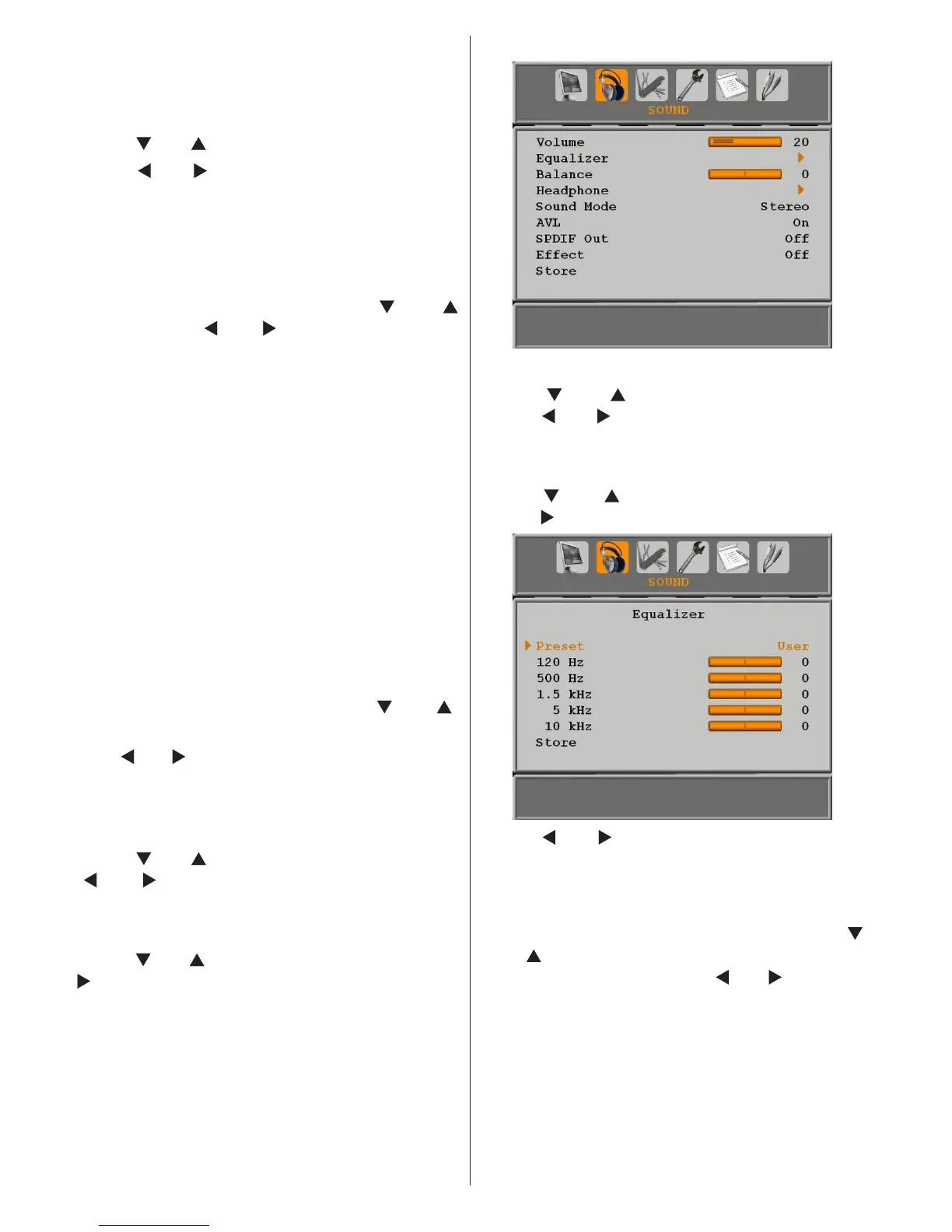
Sound Menu
Volume
Press “ ” or “ ” button to select Volume.
Press “ ” or “ ” button to change the level of
the Volume.
Equalizer
Press “
” or “ ” button to select Equalizer.
Press “ ” button to view equalizer menu.
Press “ ” or “ ” button to change the preset.
In equalizer menu, the preset can be changed
to Music, Movie, Speech, Flat, Classic and
User.
Select the desired frequency by pressing “
” or “ ” button and increase or decrease the
frequency gain by pressing “ ” or “ ” button.
Press the “M” button to return to the previous
menu.
Note: Equalizer menu settings can be changed only
when the Equalizer Mode is in User.
Balance
This setting is used for emphasizing left or right
speaker balance.



 To Next Page