Copyright © 2019 ANK Audio Kits
www.AudioNoteKits.com
audionotekits@rogers.com
Page 40
3.4 Installing the Resistors
A quick lesson about resistors:
A resistor that reads 100R means that it is 100 ohms; the 'R' stands for resistance
A resistor that reads 2K7 means it is 2700 ohms; the 'R' is assumed and the K (which stands for
Kilo or 1000) is positioned like the decimal place, so it's like reading 2.7K ohms (K = multiplied
by 1000) — but it's shortened to 2K7
Another example is the 1M resistor, which is 1 Mega ohms
Use an ohmmeter to measure each resistor to verify its correct value. We've included a resistor chart
in the Appendix.
It's a good idea to orient your resistors so that the color codes can be read from left to right; it makes
it easier to spot any issues.
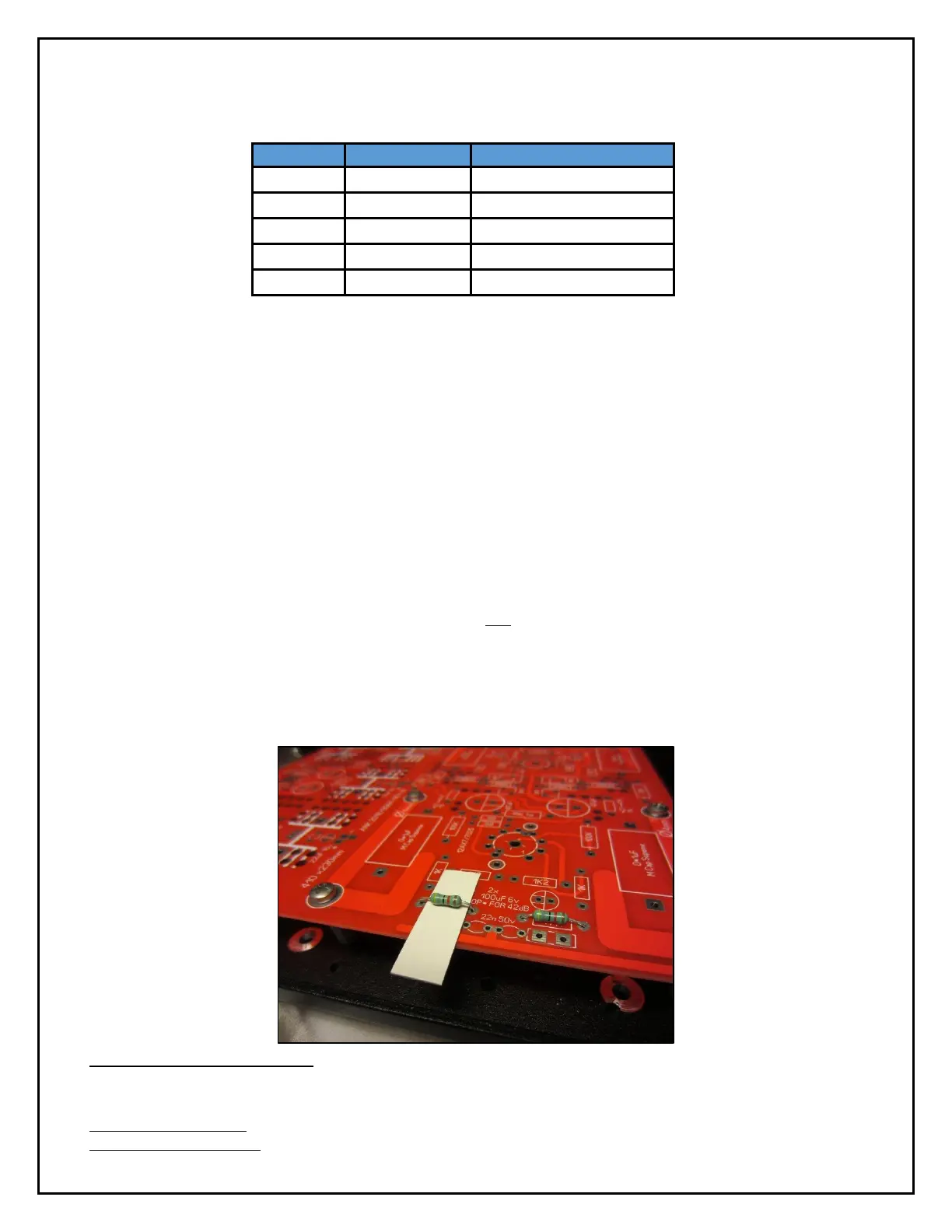
It’s also a good idea to not have the resistors installed right against the
board
, for a couple of reasons: 1) it's better for heat dissipation, and 2) in some cases there are circuit
traces running under the resistors — and we really don't want resistors touching them. So, as shown
below (on a board from a different kit), we recommend using a narrow piece of cardboard cut to size
as a 2–3mm spacer: this will still let you solder while ensuring that the resistor is not pressing
against the board.
10
The stencil may be partially obscured.


 To Next Page