GT3000 Installation
106 IMGT30017EN
A2.2.2 SVGT030-166 RFI Filter removing
The GT3000 frame IIN, IVN, VN and VIN with six pulses AC power supply has an internal RFI filter.
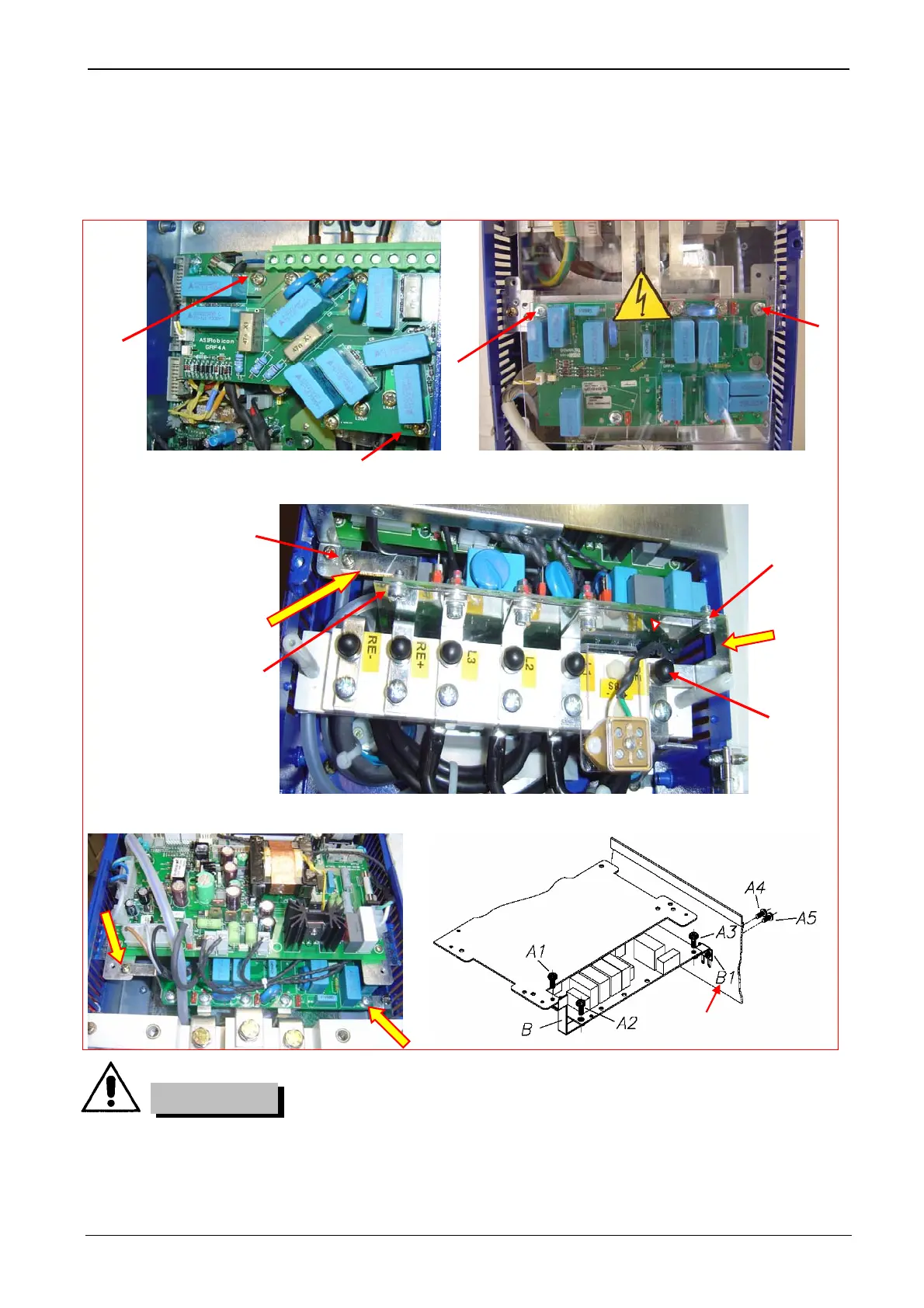
IT (ungrounded) systems: If the drive is equipped with EMC filter, disconnect the ground connections of the filter as indicated in the pictures below,
before connecting the drive to an ungrounded system.
SVGT030-036F: To disconnect the RFI filter, unscrew the
screws A1-A2 and remove insulation spacer under screws A1-A2.
SVGT045-053F: To disconnect the RFI filter, unscrew and remove the
screws A1-A2 and remove the bars underneath.
SVGT066
To disconnect the
RFI filter:
unscrew and remove
the screws A1-A4
remove the bars
B1 e –B2.
SVGT086-108-125-150-166F. To disconnect the RFI filter, unscrew and remove the screws A1-A2, remove the bar B, loosen the screw A3 A4-and
A5, push down and remove the bar B1 and screw the screws A4-A5.
If a drive with EMC filter is installed on an IT system [an ungrounded power system or a high
resistance-grounded (over 30Ω) power system], the system will be connected to earth potential
through the EMC filter capacitors of the drive. This may cause danger or damage the unit.
CAUTION!
Left side of SVGT
1
A1
2
A2
A4
A1
A2
A3
B1
B2


 To Next Page