GT300 Installation
IMGT30017EN 23
3A.2.1.2 Accessing the Terminals
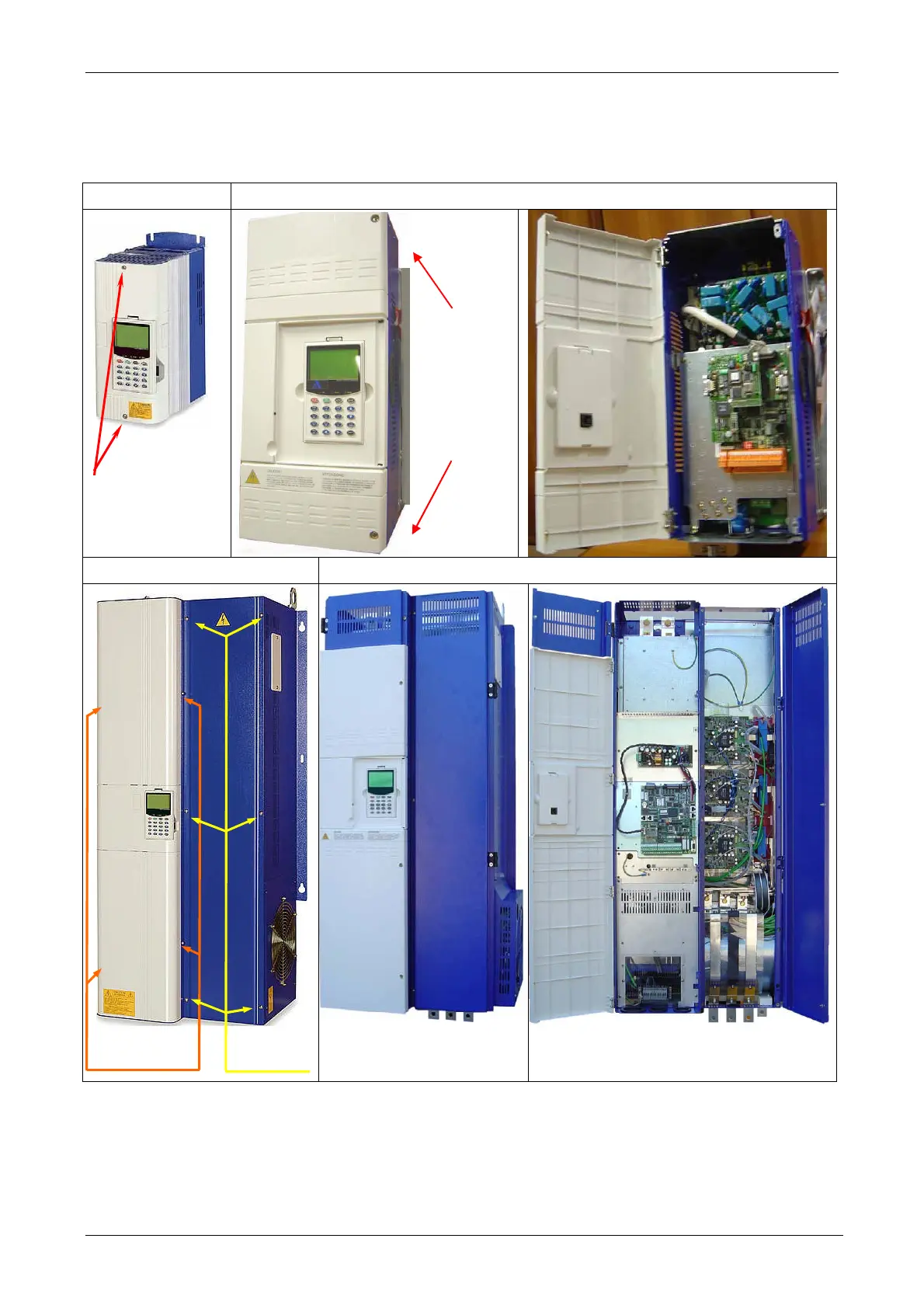
The following Figure shows how to remove the covers on the various frame types.
SVGT - FRAMES I, II, III SVGT - FRAMES IIIN, IVN, VN, VIN
SVGT- FRAMES VII, VIII SVGT- FRAMES VII, VIII new version
Figure 3A.3.1.3 Covers removal.
3A.2.1.3 Dimensions
See paragraph 2A.9
Screws
Screws
To open the
door,
unscrew the
screws
for Blue Cover
for White Cover


 To Next Page