IMGT30017EN 52
4A.5 Software download procedure
GT3000 software download procedure (for microprocessor Plus board)
To download the software on GT3000 inverters it is necessary to install on the Personal Computer the program “flashp165” supplied by
Answer Drives Service (file setup.exe)
Installing “flashp165” on the Personal Computer:
- copy the file setup.exe in one directory on the PC
- run setup.exe and follow the instructions
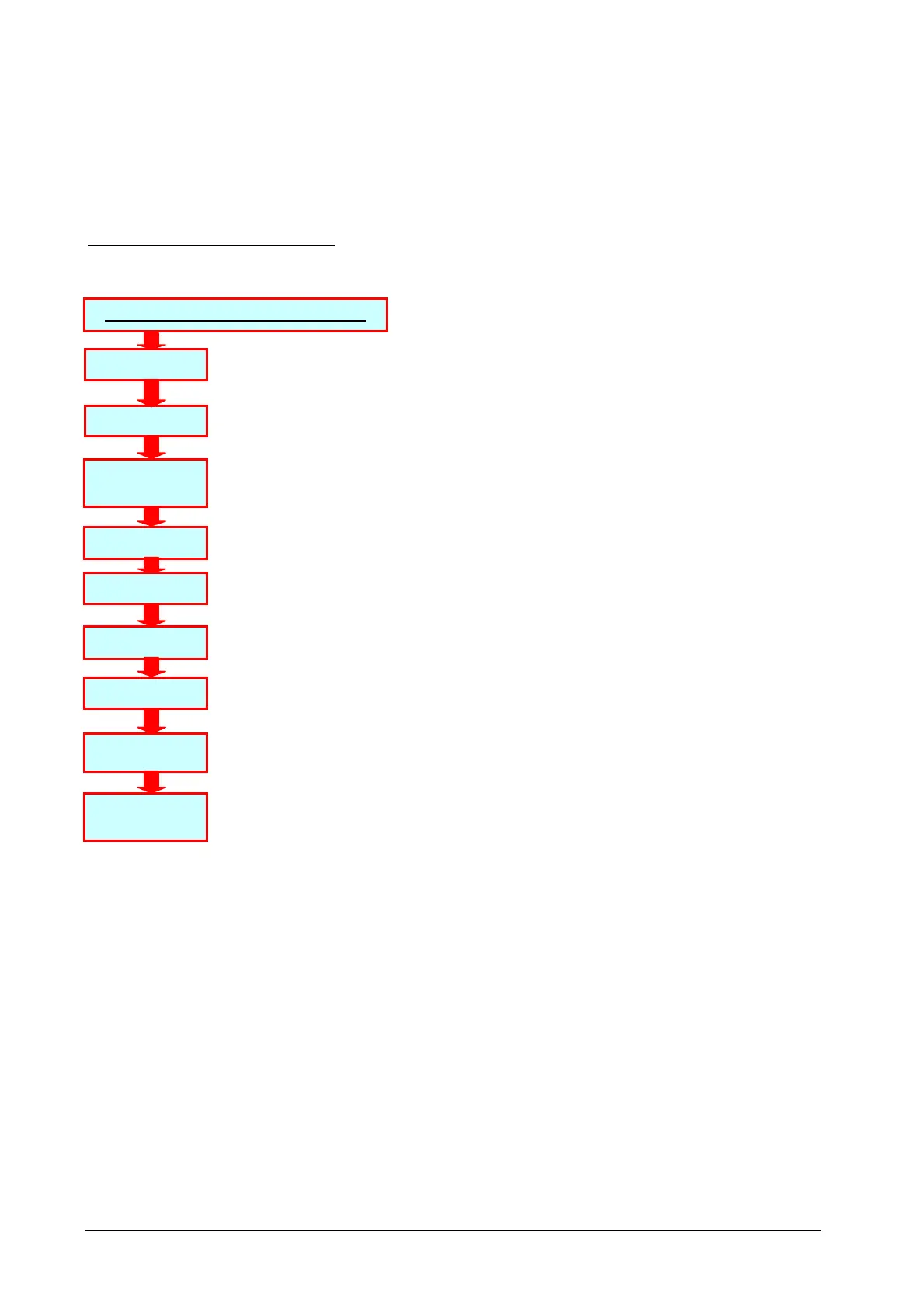
1. Run the program flashp165 on the Personal
2. Remove from the Microprocessor Control Board (if present) the Advanced Keypad and plug a RS232 serial
cable from the Personal Computer into K3 connector.
3. Close jumper JP8 on Microprocessor Control Board. Push reset button (PS4) on Microprocessor Control
Board.
4. Select “Erase” in the menu “Flash” (or click on the white icon) to erase the Microprocessor Board memory.
5. When message “Please press RESET button on the board.” appears on PC, push again reset button (PS4)
on Microprocessor Control Board.
6.
Select “Open” (“apri”) in the menu “File”
7. Select on the PC the GT3000 software to be downloaded
8. Select “programming” in the menu “Flash” (or click on black icon) to start program downloading.
9. When completed, remove jumper JP8 on Microprocessor Control Board and push reset button (PS4) and
wait for some minutes.
WARNING! Repeated operation of reset (PS4), during initialisation phase, can damage the
EEPROM.
10. If you continue with the PC close the programme flashhp 165 and start the communication programme
wzplus 25. On the contrary, if you want to continue with the keypad remove RS232 serial cable from K3
connector and connect the Keypad:
A - If the drive status is displayed on the PC/Keypad (Idle, Ready, Protection), the download procedure is completed. All the parameters
maintain the previously set values.
B - If the message “MacroLoading” appears on the Advanced Keypad (“MLoad” on the Basic Keypad), the initialisation of the drive is in
progress:
- wait about 5 minutes for drive initialisation; during this time the message “MacroLoading” is present on the Advanced Keypad
(“MLoad” on the Basic Keypad);
- at the end the message “Drive Size Error” appears on the Advanced Keypad (“F0210” on the Basic Keypad);
- insert the drive size in the Drive Size Select [06.01] parameter;
- wait about 30 seconds for size initialisation; during this time the message “MacroLoading” appears on the Advanced Keypad
(“MLoad” on the Basic Keypad);
- at the end the drive status is displayed on the Keypad (Idle, Ready, Protection);
- change the Programming Level to 3 pressing on the Keypad the buttons SHIFT + Å
- now download procedure and drive initialisation are completed;
- all the parameters are set at the default value: it is necessary to program the application requested values.
Flashp 165
JP8 = ON
Push PS4
GTA1HF
Flashp 165
Erase
Open
Programming
JP8 = OFF
Push PS4
SG....E1
GT3000 SOFTWARE DOWNLOADING:


 To Next Page