External Power Supply GT3000
64 IMGT30017EN
6A.4.3 Digital Output Configuration (RO1- Fault)
When the control supply line is external, it is not possible to set the fixed output relay RO1 Fault if the main power is not present.
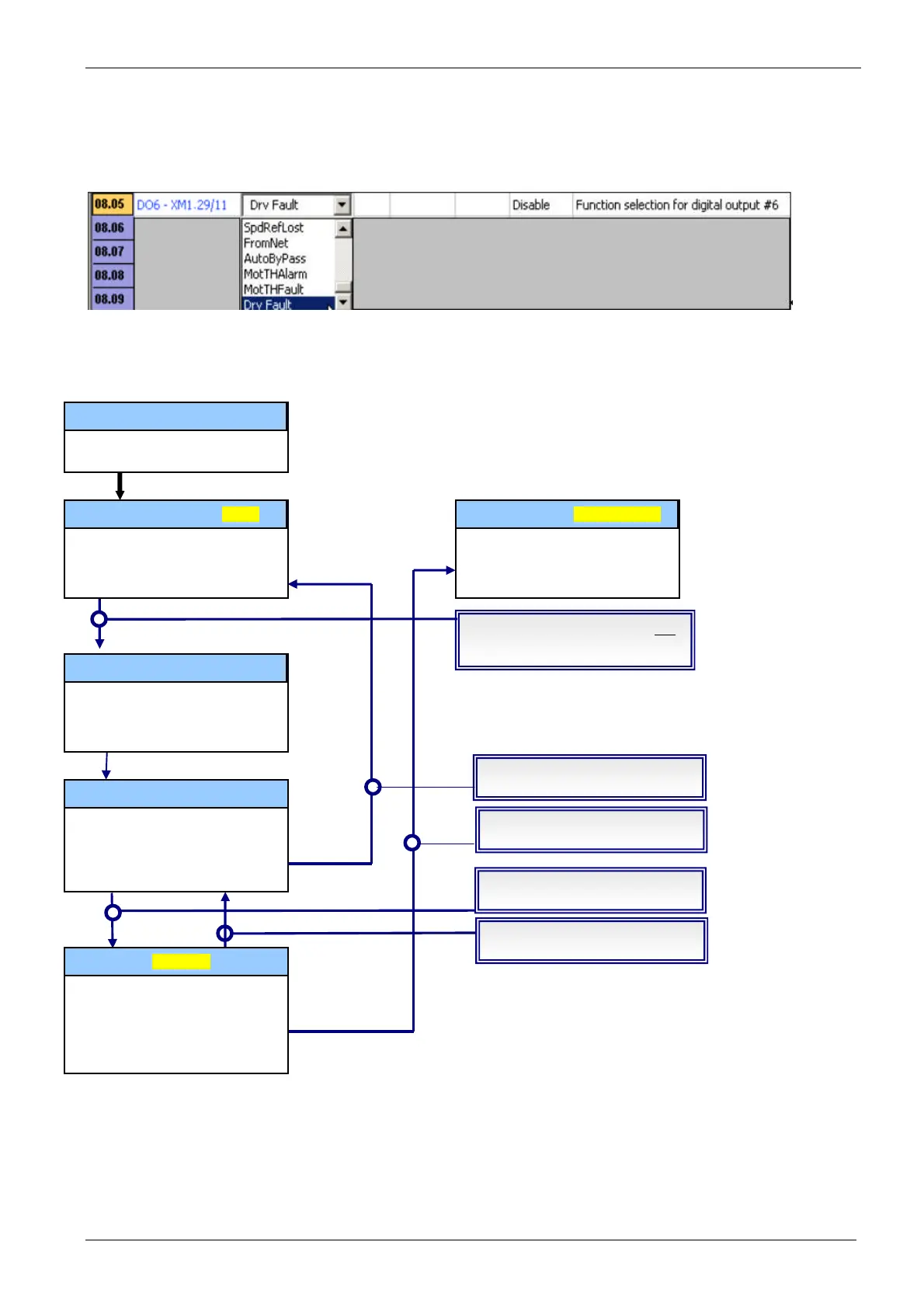
If a digital output is required to relay the Drive Fault condition, it is possible to use the other digital outputs (RO2, RO3, DO4, DO5, DO6) configured as
Drv Fault. The following example explains how to configure the digital output DO6.
Remark The drive fault condition is activated when the relative digital output is 0:
DO6 = 1 (24 V) NO Trip occurred
DO6 = 0 (0 V) Trip occurred
6A.4.4 BLOCK DIAGRAM
VDC > Precharge Threshold
DI – DriveEnable = CLOSED
DI – DriveEnable = CLOSED
DI – DriveEnable = OPEN
UnderVoltage VDC = TRUE
UnderVoltage VDC = TRUE
CheckGridEn = Disable
CheckGridEn = Disable
If (UnderVoltage VDC)
PrecContactor = Open
CheckGridEn = Not Modified
If (UnderVoltage VDC)
PrecContactor = Open
Pulse of Reset
If (UnderVoltage VDC)
PrecContactor = Open
CheckGridEn = Disable
PrecContactor = Close
If (UnderVoltage VDC)
PrecContactor = Open
If(Supply Line = AC)
CheckGridEn = Enable
If(Supply Line = DC)
CheckGridEn = Disable


 To Next Page