Configuring the Input
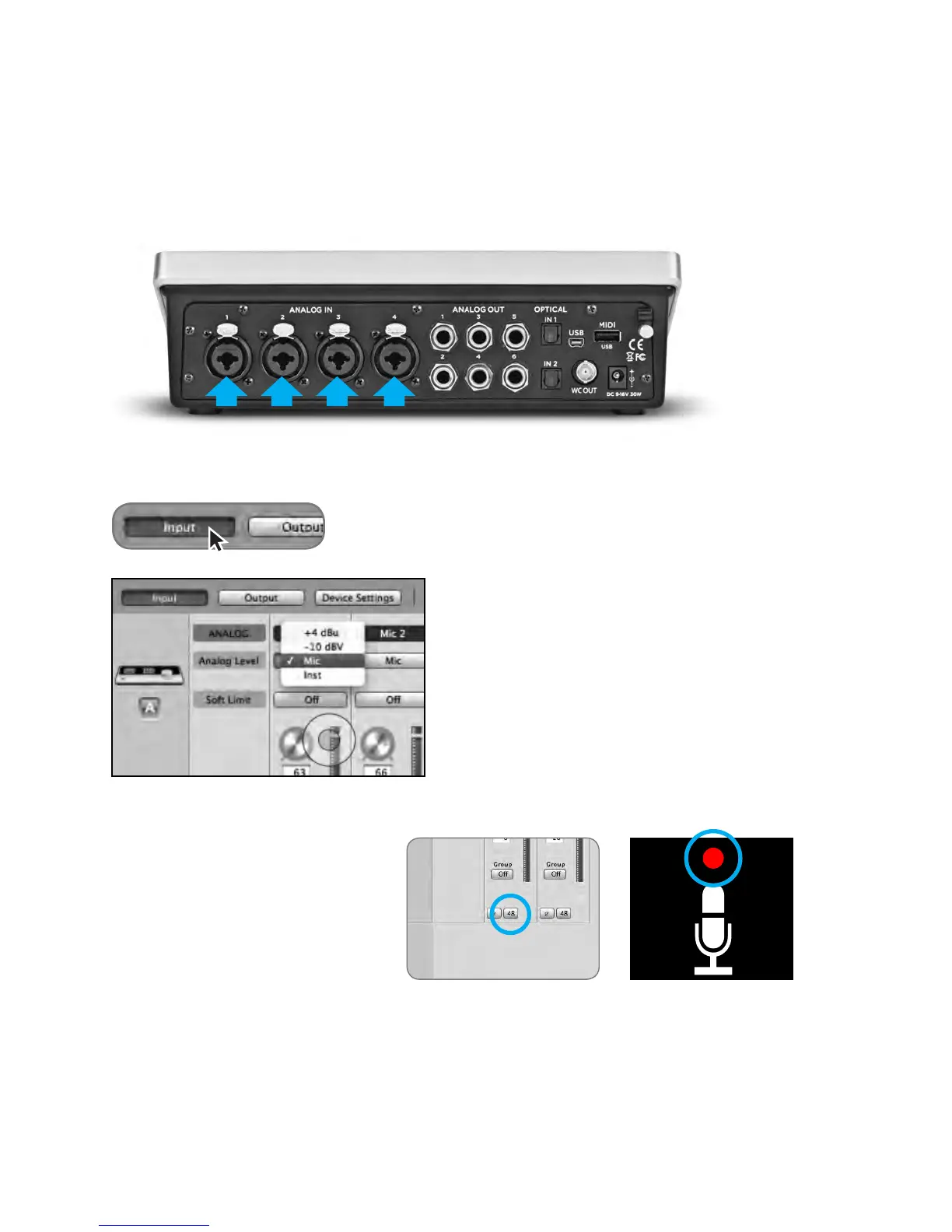
Connect a microphone or instrument to one of the combo jacks on the rear panel
Open Apogee Maestro 2 software and select the Input tab.
Select the Analog Level setting that corresponds to the
device you have connected to Quartet’s input(s). For
example, if you have a microphone connected to the
XLR input of channel 1, select “Mic” from the Analog
Level menu on channel 1
Note: If you are using a condenser
microphone that requires phantom
power, select the 48V box on the Input
tab of the appropriate channel in
Maestro 2. Phantom power is
indicated on Quartet’s display by a red
dot above the microphone icon.
48V Phantom power
button in Maestro
48V Phantom power
indicator on OLED Display
QuickStart - Apogee Quartet User’s Guide
Version 1, September 2012 16



 To Next Page