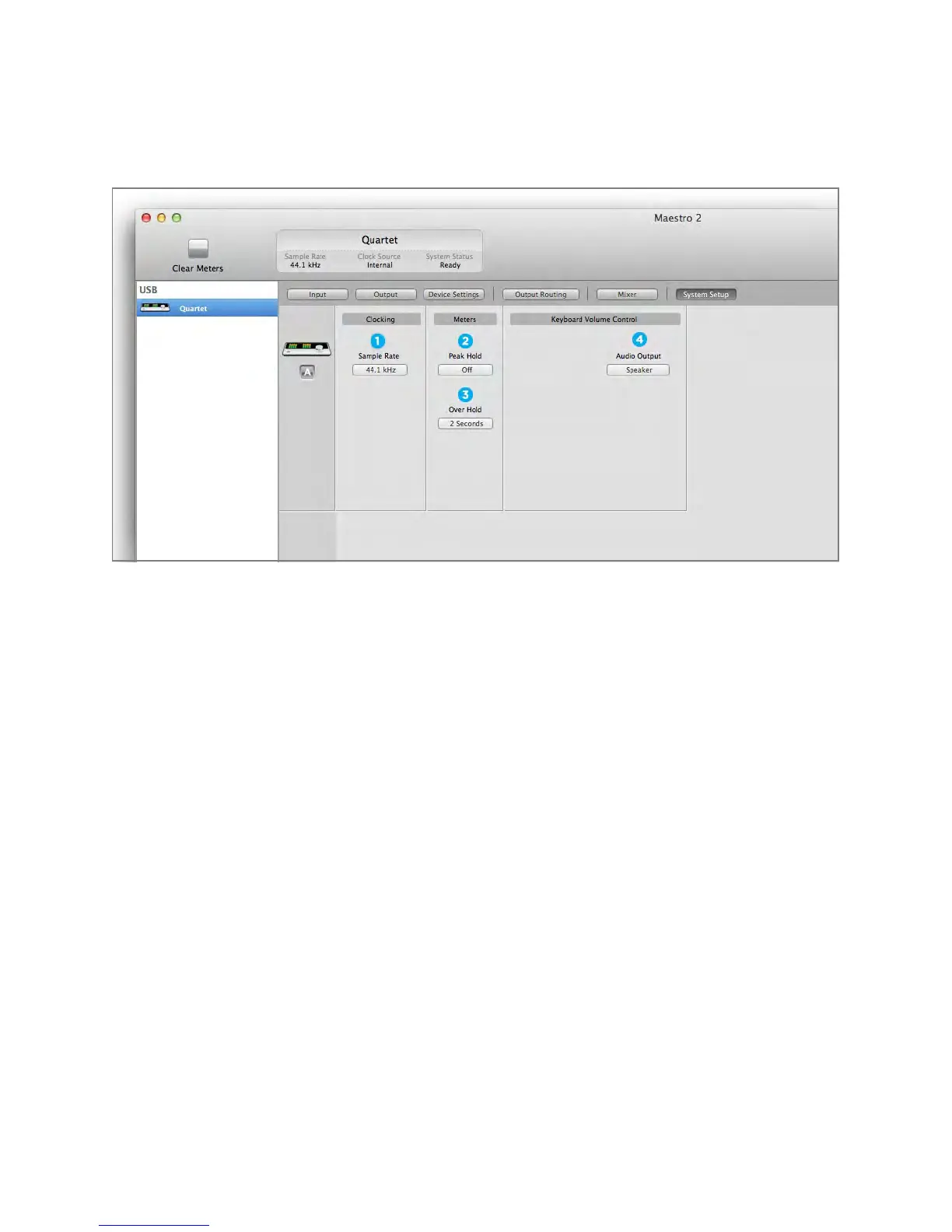
System Setup Window
1. Sample Rate - This drop down selects the sample rate. Under certain circumstances, (for example,
when a DAW session is open) this setting will be overridden by software sample rate settings.
The following settings determine the behavior of the front panel and Maestro software level meters.
2. Peak Hold - This pop-up menu sets the time that peak indications are held on software and front
panel meters.
3. Over Hold - This pop-up menu sets the time that over indications are held on software and front
panel meters.
4. Keyboard Volume Control - The Audio Output drop down menu sets the hardware output that’s
controlled by the Mac keyboard volume control
Maestro 2 - Apogee Quartet User’s Guide
Version 1, September 2012 41



 To Next Page