Using Quartet with Logic (continued)
Now close the Logic Pro Preferences window and select
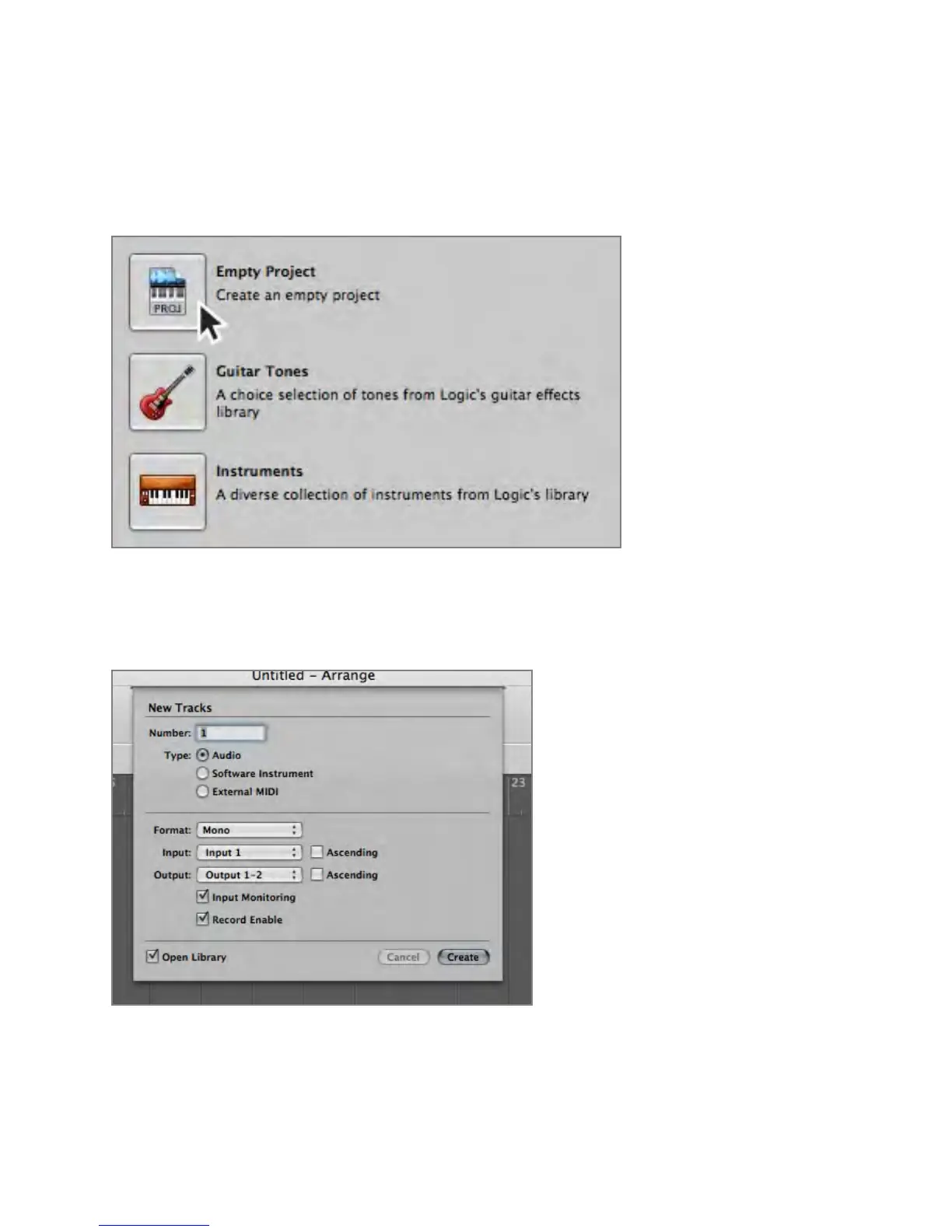
New > Empty Project > from the File Menu.
If you are recording a single microphone or instrument, make the following selections in the New
Tracks dialog box:
Number: 1
Type: Audio
Format: Mono
Input: Input 1
Output: 1-2
Check the Input Monitoring checkbox
Check the Record Enable checkbox
Software Setup - Apogee Quartet User’s Guide
Version 1, September 2012 53



 To Next Page