Maestro Low Latency mixing (continued)
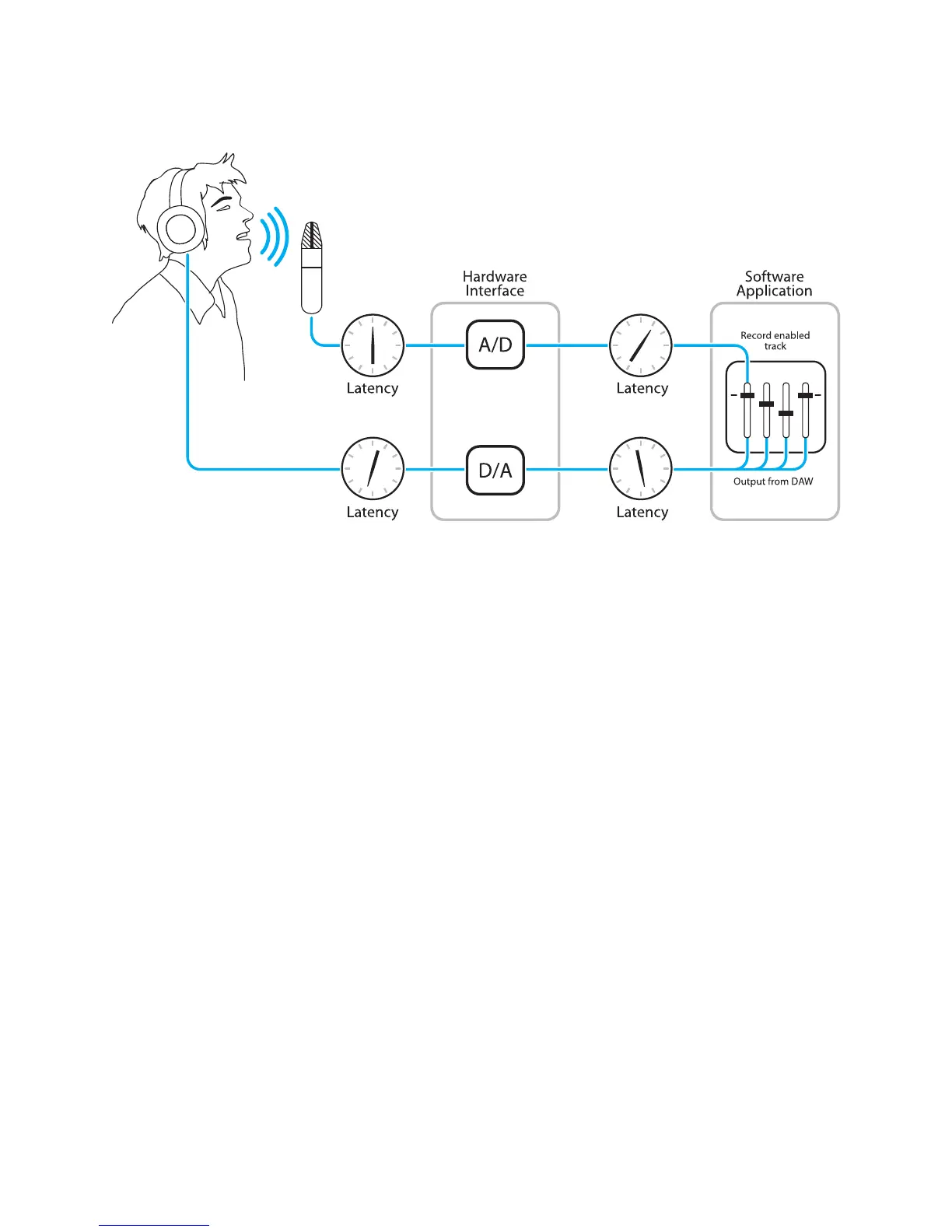
Figure A
To illustrate the effect of latency, Figure A depicts the typical signal path of a vocal overdub session. A
vocalist sings into a microphone, which is routed to an analog to digital converter, then to the audio
software application for recording. In the software application, the vocalist’s live signal is mixed with
the playback of previously recorded tracks, routed to a digital to analog converter, and finally to the
vocalist’s headphones. A slight delay accumulates at each conversion stage, while a much greater
amount of delay occurs through the software application, resulting in the vocalist hearing his
performance in headphones delayed by several milliseconds.
Maestro 2 - Apogee Quartet User’s Guide
Version 1, September 2012 46



 To Next Page