Using Quartet with Logic (continued)
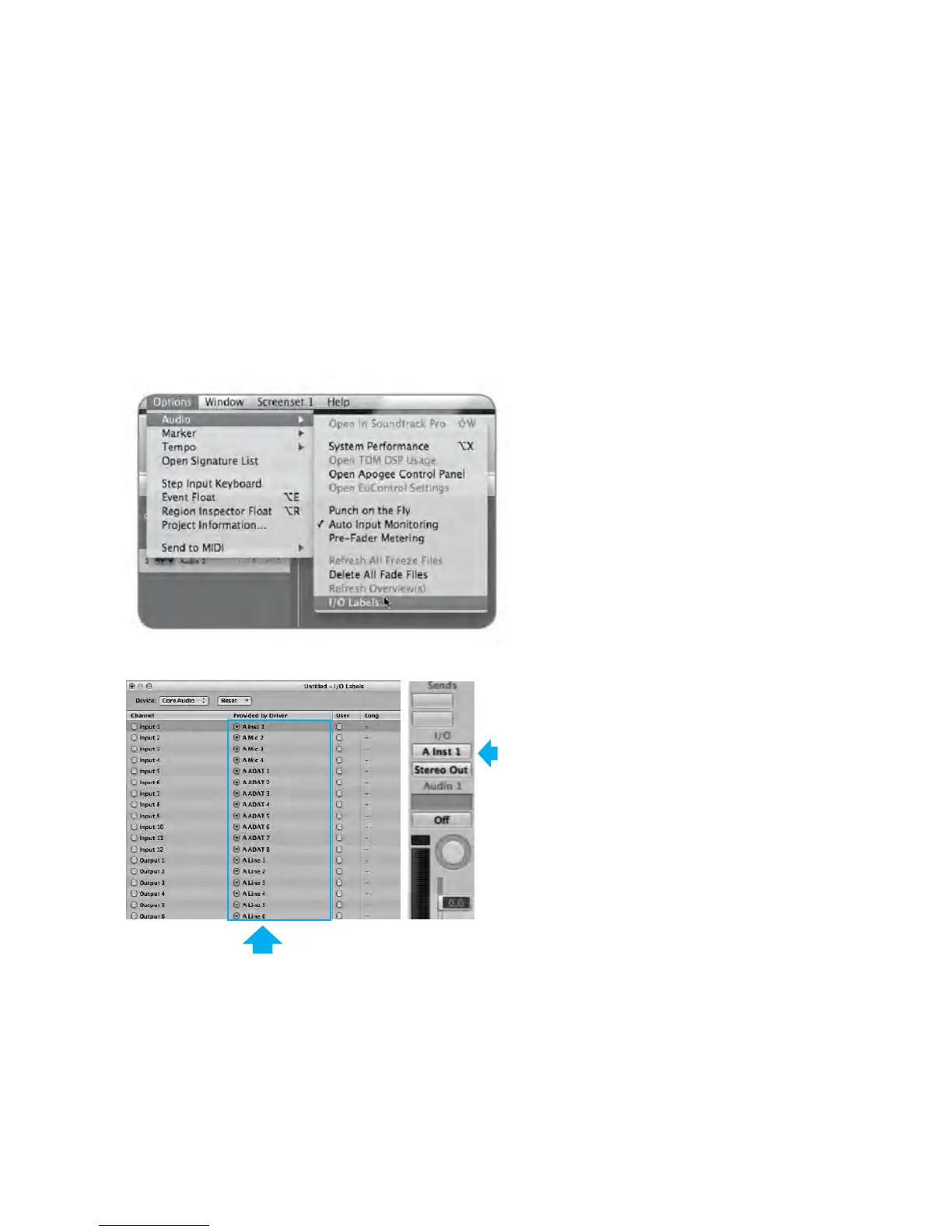
By selecting Quartet input and output labels in Logic, the labels you see in Logic’s Channel Strip input
and output slots correspond exactly to Quartet’s hardware inputs and outputs, making I/O assignment
much easier.
1. In Logic, choose Options > Audio > I/O Labels.
2. Select the labels in the Provided by Driver column.
3. Close the I/O Labels window.
Now Input 1
has the label
A Inst 1
Select these labels so Logic’s Channel Strip input and output slots correspond exactly with Quartet’s
hardware inputs and outputs.
Software Setup - Apogee Quartet User’s Guide
Version 1, September 2012 52



 To Next Page