Multiple Speaker Set Operation
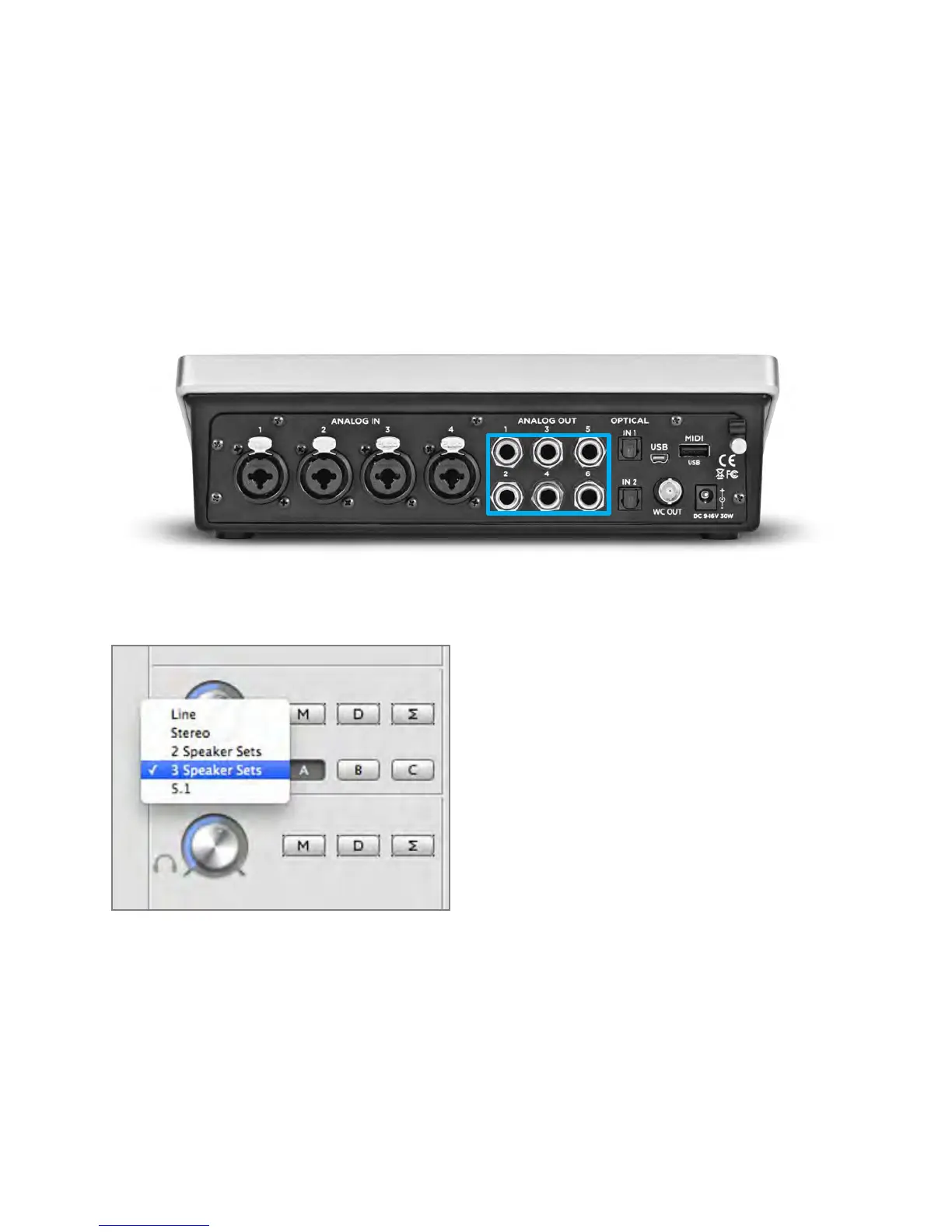
Quartet’s Speaker Set functionality allows you to connect up to 3 stereo speaker sets, each of which
can be individually selected for playback output. To set up:
1) Connect your primary pair of speakers to Quartet’s ANALOG OUT 1-2
2) Connect your second and third pairs (if equipped) to Quartet’s ANALOG OUT 3-4 and 5-6
respectively.
3) On the Output Tab of Maestro 2 (found in the applications folder on your Mac), select either “2
Speaker Sets” or “3 Speaker Sets” in the output format drop-down menu.
Selecting one of the multiple speaker set options automatically changes the routing on the Output
Routing page to reflect the speaker set configuration.
Operation - Apogee Quartet User’s Guide
Version 1, September 2012 21



 To Next Page