Software Setup
Using Quartet with Logic
IMPORTANT NOTE!
The Apogee Control Panel within Logic is not compatible with Quartet.
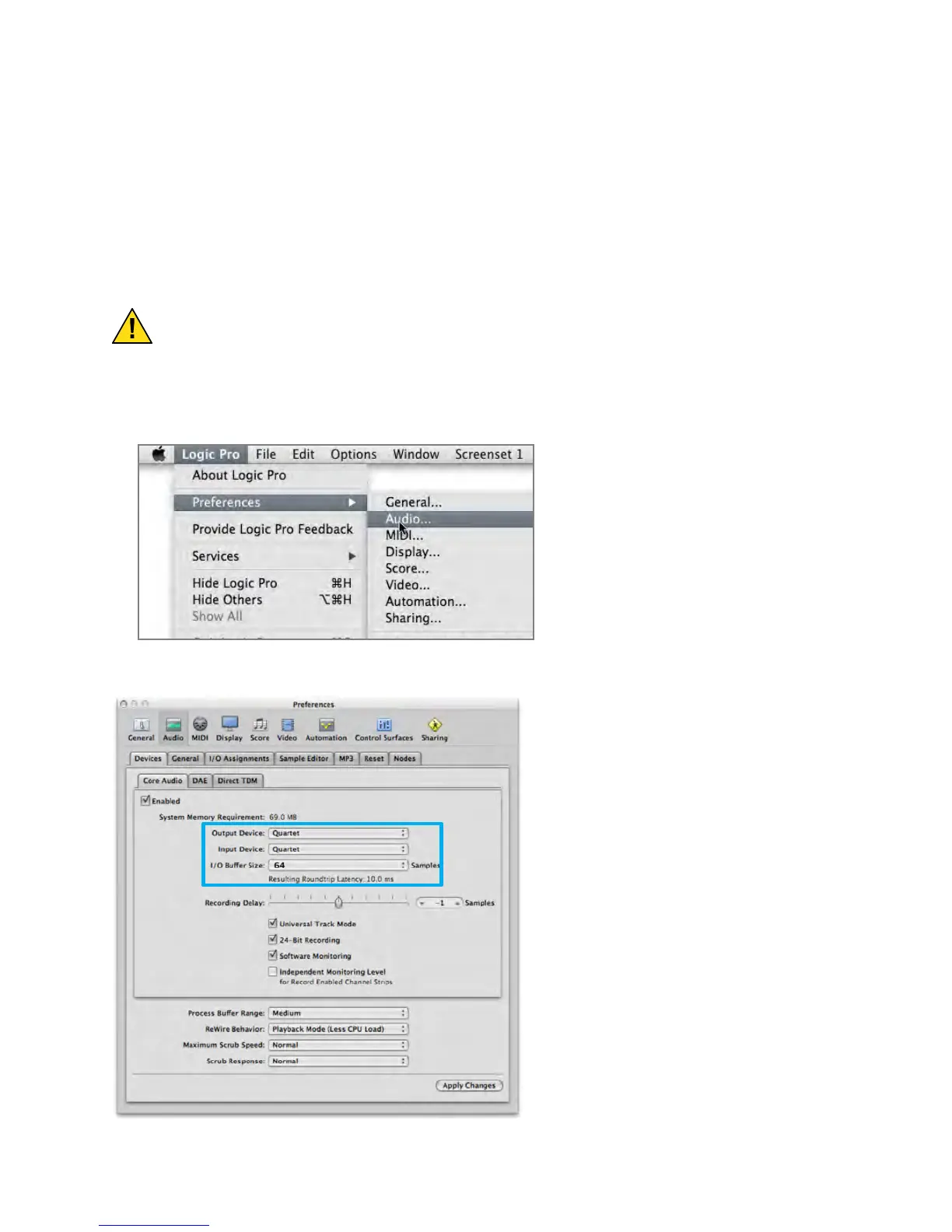
Go to the Logic Pro or Logic Express menu and choose Preferences > Audio.
In the Core Audio pane of the Device tab, select Quartet for Output Device and Input Device.
Set the I/O Buffer Size to 64. Click Apply
Changes at the bottom of the Preferences
window.
Software Setup - Apogee Quartet User’s Guide
Version 1, September 2012 51



 To Next Page