40 Chapter 1 Orientation
Color wells
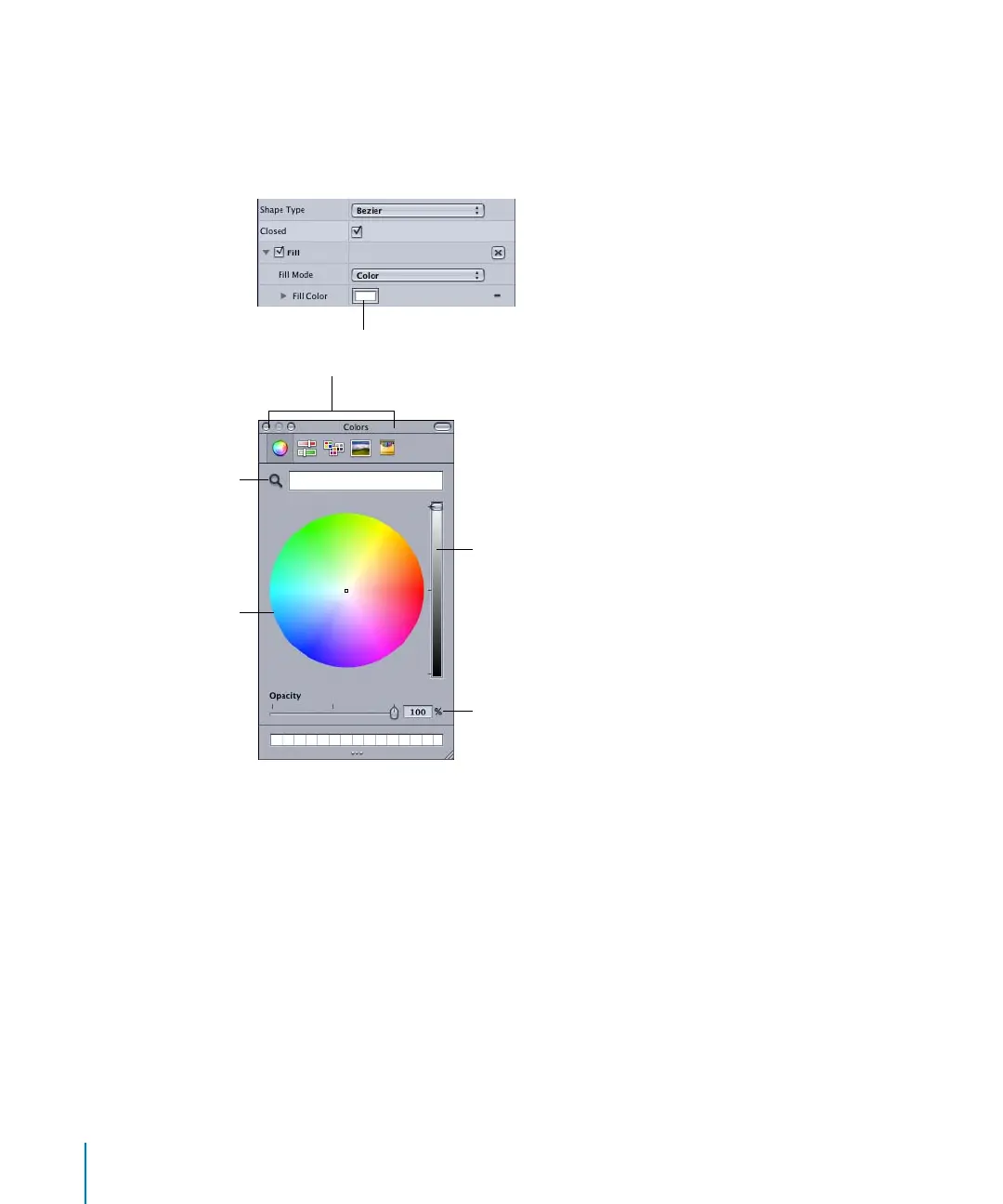
Use the color wells to set a color for drop shadows, shape fills, text properties, and so on.
To select a color, do one of the following:
m
Click the color well and select a color from the Colors window.
Note: To select a color from the screen, click the Color Picker tool in the Colors window,
then click the color you want to use on the screen.
Color well
Use to pick a color
from your image.
Drag in the color wheel
to select a color.
Color picker modes
(wheel, slider, image palette, crayons)
Drag the slider to lighten or darken
the selected color.
The Opacity controls appear in the Colors
window if the Color parameter supports an
alpha channel.
2505.book Page 40 Wednesday, June 30, 2004 5:58 PM



 To Next Page